
If you’re looking to enhance your trading game, check out the ATR Normalize Histogram. This trading system generates signals based on the indicator’s performance, specifically when a bar closes after crossing the overbought or oversold levels, landing in those key extreme zones.
To ensure that your EA runs smoothly, make sure you’ve placed the compiled ATR_Normalize_Histogram.ex5 indicator file in the <terminal_data_directory>\MQL5\Indicators folder.
It’s worth noting that the TradeAlgorithms.mqh library is tailored for EAs working with brokers that provide a non-zero spread and allow you to set your Stop Loss and Take Profit right when you open a position. If you need other versions of this library, feel free to grab them from Trade Algorithms.
For the tests shown below, we utilized the default input parameters of the EA. Notably, Stop Loss and Take Profit settings were not implemented during testing.
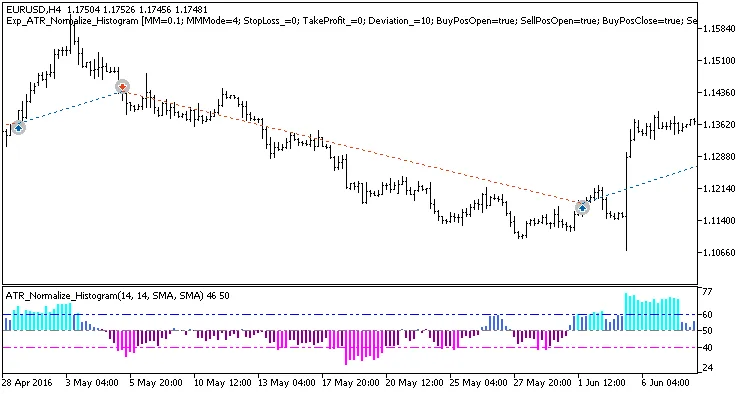
Fig. 1. Example trades on the chart
Here are the testing results for EURUSD on the H4 timeframe over the year 2016:
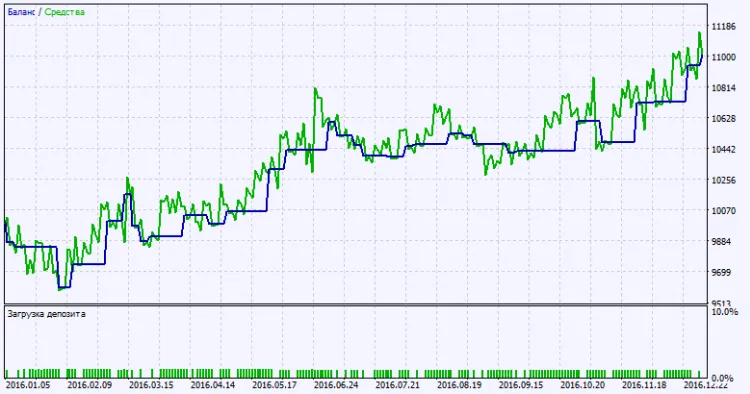
Fig. 2. Testing results chart




Comments 0