
Understanding Trailing Take Profit
Many of you are familiar with the concept of a Trailing Stop, which moves your stop loss up to lock in profits as the price rises. But have you heard about the Trailing Take Profit? This innovative feature is designed to trail your take profit level when your position is in the red, helping to minimize losses rather than just securing profits.
Here’s how it works: Let’s say you’re holding a position that’s currently showing a loss. When the price reaches a certain point known as TailingTPStart (for instance, 500 points away from your entry price), your take profit will start to trail the price. The TailingTPDistance is the maximum distance allowed between the trailing take profit and the current price, providing a buffer to potentially recover from losses.
This might sound like a game-changer! While it won’t eliminate losses entirely, using this concept with an EA can help you reduce the depth of your losses when you’re trading without a stop loss.
How to Set Up Trailing Take Profit
Ready to give it a shot? Here’s a simple step-by-step guide to set up your Trailing Take Profit EA:
- Start by running the Trailing Take Profit EA.
- Ensure TrailingTP_Mode is set to true for the EA to activate.
- Input your symbol name, for example, GBPUSD, in the EA settings.
- Set your TailingTPStart level, which determines how far the price needs to move before the take profit starts trailing.
- Finally, configure the TailingTPDistance, specifying the maximum distance between the take profit and the current price.
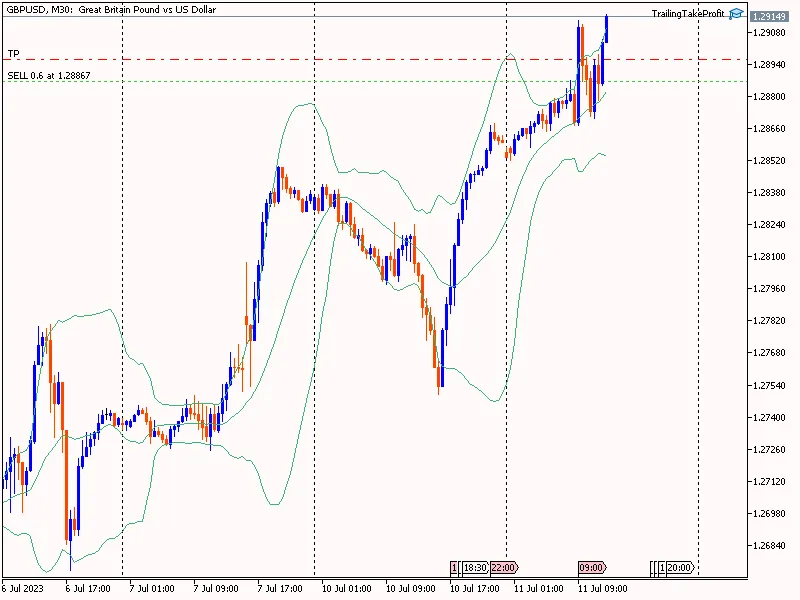
This new tool could be just what you need to refine your trading strategy and manage your losses effectively. Give it a try and share your experiences!




Comments 0