
If you're looking to enhance your trading game, the ColorFisher_m11 indicator is a great tool to consider. This trading system generates signals based on histogram color changes that can help you make informed decisions. When the histogram shifts to blue or pink, it indicates that the oscillator has entered the overbought or oversold territory, signaling you to open a position. Closing your position is just as easy – simply look for a change in the histogram color to the opposite.
To get started with this Expert Advisor, make sure you have the compiled indicator file ColorFisher_m11.ex5. You’ll need to place it in your <terminal_data_folder>\MQL5\Indicators directory for it to function properly.
One of the neat features of this setup is that it utilizes the TradeAlgorithms.mqh library. This allows you to work with brokers that have a nonzero spread and gives you the flexibility to set your Stop Loss and Take Profit right when you open a position. If you're interested in exploring more library variants, check out this link: Trade Algorithms.
For the testing results shown below, the default input parameters of the Expert Advisor were applied, and neither Stop Loss nor Take Profit was used during the tests.
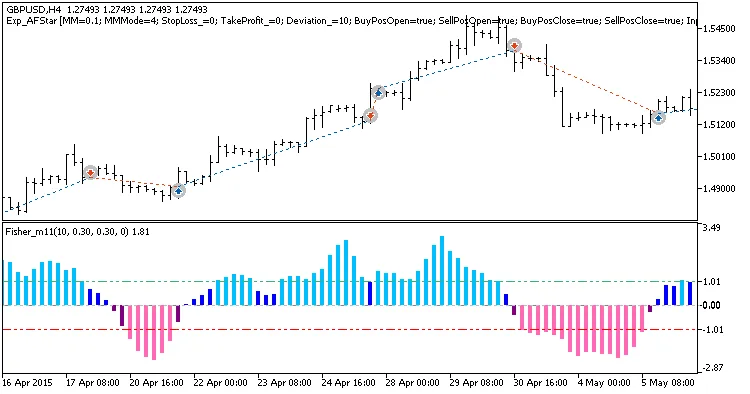
Fig. 1. Examples of deals on the chart
Here are the testing results for GBPUSD on the H4 timeframe in 2015:
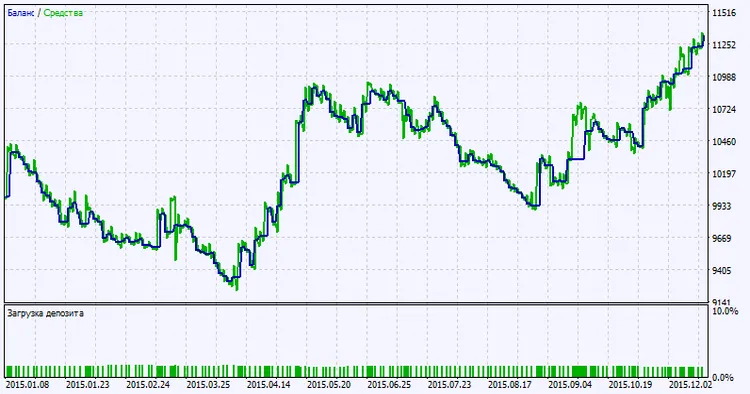
Fig. 2. Testing results chart




Comments 0