
If you're looking to elevate your trading game, the Exp_StochasticCGOscillator EA is definitely worth your attention. This expert advisor is built on signals generated by the StochasticCGOscillator, a popular indicator among traders.
So how does it work? The magic happens when a bar closes and the main and signal lines of the indicator cross each other, creating a trading signal.
To get started, make sure you have the compiled file for the StochasticCGOscillator.ex5 indicator. You’ll need to drop it into your terminal's data folder under MQL5/Indicators.
It’s important to note that the TradeAlgorithms.mqh library file allows you to use Expert Advisors with brokers that offer a nonzero spread. You can even set your Stop Loss and Take Profit alongside opening a position, which is a fantastic feature! If you're interested, you can check out more variations of this library here: Trade Algorithms.
During the tests shown below, we used the default input parameters of the Expert Advisor, and we didn't apply Stop Loss or Take Profit.
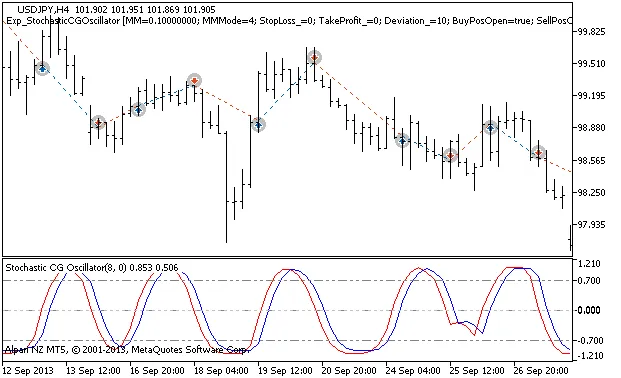
Figure 1. The instances of history of deals on the chart
Let’s dive into the testing results for 2013 on the USDJPY H4:
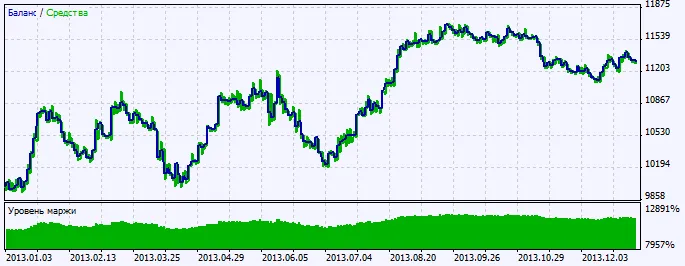
Figure 2. Chart of testing results




Comments 0