
Discover the Power of ColorMETRO
If you're looking to enhance your trading strategy, the ColorMETRO indicator is a game-changer. This trading system generates signals based on the color changes of a cloud at the close of each bar, helping you make informed decisions.
Getting Started with ColorMETRO
To begin using ColorMETRO, simply place the ColorMETRO.ex5 file in your terminal data folder under MQL5\\Indicators. This will ensure that the indicator is properly integrated into your MetaTrader 5 environment.
Testing Parameters
For the tests illustrated below, the default input parameters of the Expert Advisor were utilized. Notably, neither Stop Loss nor Take Profit settings were applied during these tests.
Test Results Overview
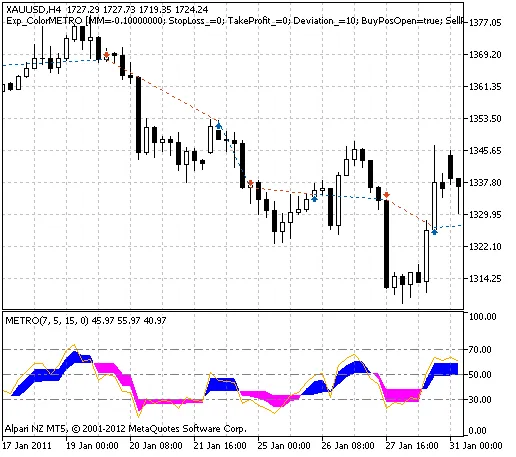
Fig. 1. Historical trading instances on the chart.
Here’s a look at the testing results for XAUUSD on the H4 timeframe for the year 2011:
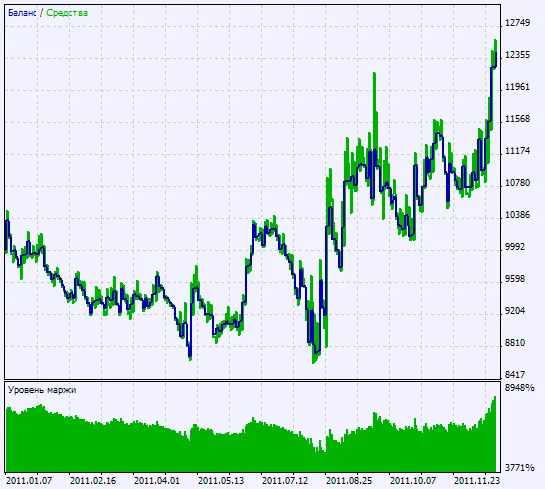
Fig. 2. Testing results chart




Comments 0