
Idea by: Scriptor
MQL5 Code Author: barabashkakvn
If you’re looking to amp up your trading game, the Nextbar Expert Advisor (EA) for MetaTrader 5 might be just what you need. This EA operates by opening positions and assessing closure only at the emergence of a new bar, while its trailing function checks for Stop Loss adjustments with every tick. It’s designed to keep your trading strategy sharp and responsive.
The volume of the opened position is determined by Lots. You have the flexibility to disable Stop Loss, Take Profit, and Trailing Stop by setting their respective parameters to "0.0".
Understanding Trading System Signals
The EA generates trading signals by comparing the closing price of bar #1 with the closing price of the Signal bar. Just a heads up, the Signal bar needs to have a value of at least 2; otherwise, it’ll throw an error and unload the EA. To trigger a signal, the difference between the closing prices must exceed the Minimum distance.
Another important thing to note is that signals are generated only when there are no open positions.
- BUY signalSignal bar >Minimum distance;
- SELL signal: close of bar #Signal bar - close of bar #1 >Minimum distance.
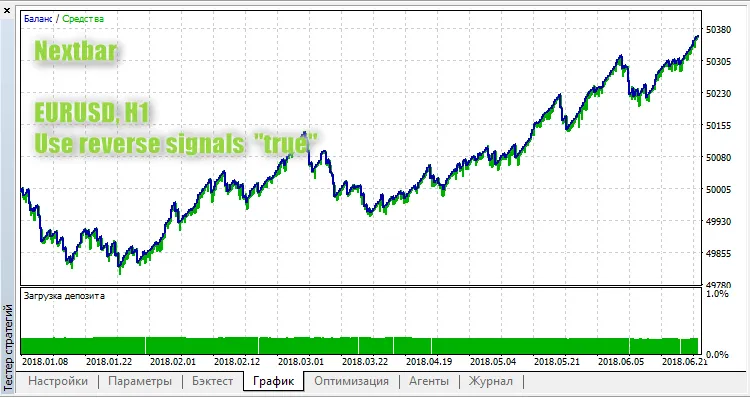
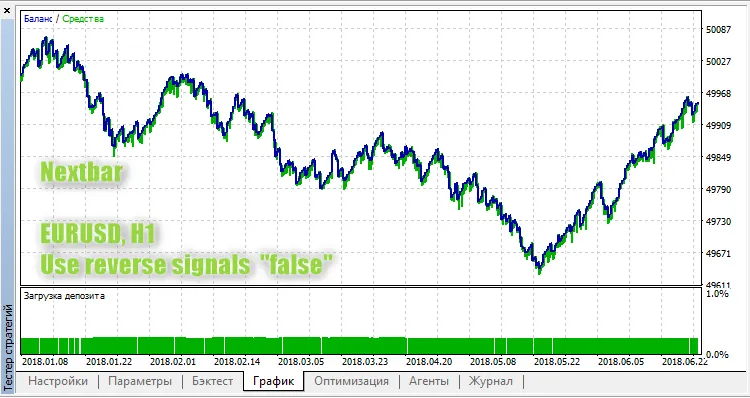
If you have Use reverse signals set to true, the signal will be flipped.
The system also keeps an eye on how long a position has been open. If it hits the Lifetime of the position bars, the position will be automatically closed.
Here’s a quick look at how the reverse signals play out with the EURUSD on an H1 chart:




Comments 0