
Overview
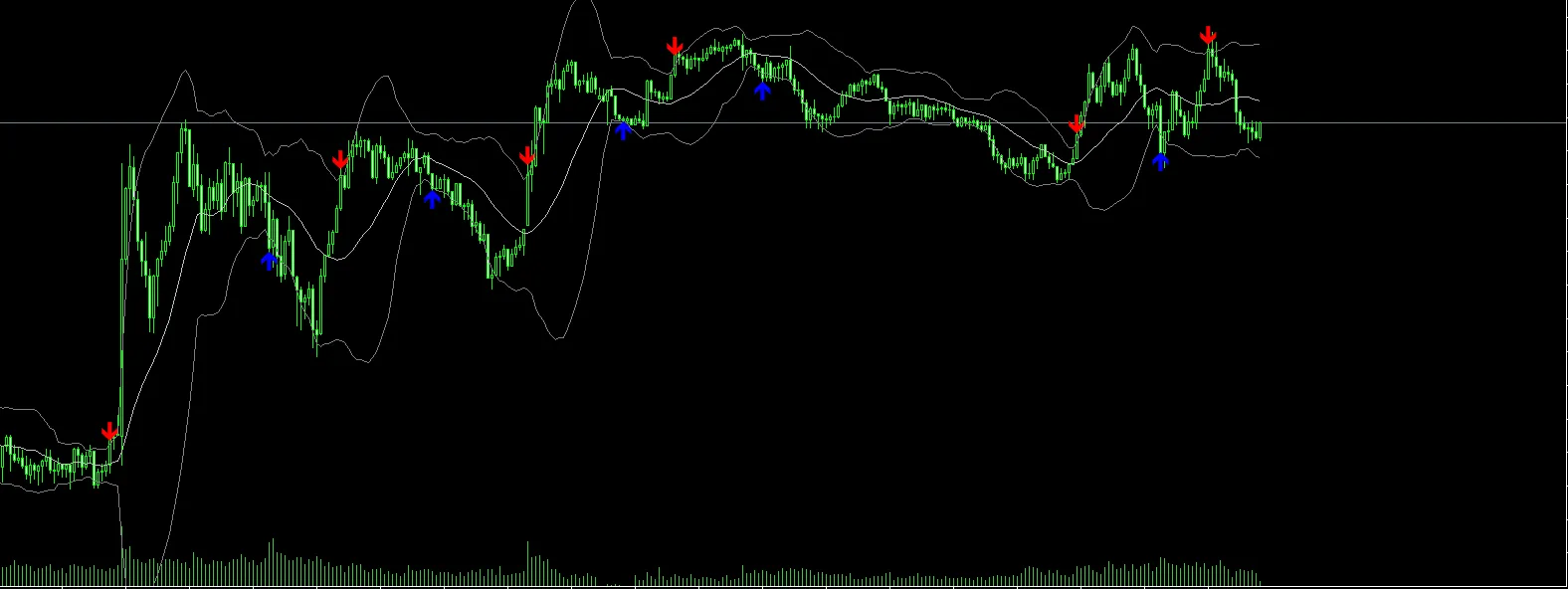
If you're looking to sharpen your trading strategies, you might want to check out this custom indicator that pairs Bollinger Bands with clear Buy/Sell arrows right on your chart. This nifty tool automatically detects when the price crosses above the lower band or below the upper band, plotting arrows so you can spot potential reversal points at a glance, especially during those volatile market moments.
How It Works
The indicator uses the built-in iBands function to calculate Bollinger Bands.
Buy Signal (Blue Arrow) → This pops up when the price closes below the lower band on the previous candle and then closes above it on the next candle.
Sell Signal (Red Arrow) → This shows up when the price closes above the upper band on the previous candle and then drops below it on the next candle.
You'll see signals appear only once per direction until an opposing signal triggers, which helps keep your chart clean and avoids clutter from repeated arrows.
Feel free to show or hide the Bollinger Bands based on your personal preference.
Indicator Features
Clear Buy/Sell Arrows directly on the chart.
Optional display of the Upper, Middle, and Lower Bollinger Bands.
Compatible with all symbols and timeframes.
Utilizes non-repainting logic (signals are confirmed after the candle closes).
Easy customization of parameters to fit your trading style.
Input Parameters
| Parameter | Description |
|---|---|
| BB_Period | The number of bars used for calculating Bollinger Bands (default: 20). |
| BB_Deviation | Standard deviation multiplier for the bands (default: 2.0). |
| BB_Price | The price type applied for Bollinger Bands (Close, Open, High, Low, etc.). |
| Show_BBands | If true, the Bollinger Bands will be displayed on the chart; if false, they'll be hidden. |
Usage Example
Attach the indicator to your chart.
Set BB_Period and BB_Deviation to match your trading style.
Look out for blue arrows near the lower band (indicating potential buys) and red arrows near the upper band (suggesting potential sells).
For better accuracy, pair this with other confirmations like trend filters or candlestick patterns.
Trading Tips
This indicator shines in sideways or ranging markets where price frequently interacts with Bollinger Bands.
In strong trending markets, consider combining it with a trend filter (like moving averages) to steer clear of counter-trend signals.
Always test your settings on your chosen symbol and timeframe to ensure they work for you.
Screenshot
📜 Disclaimer
This indicator serves as a technical analysis tool and doesn't promise profits. Pair it up with robust risk management and other trading strategies for the best results.




Comments 0