
Welcome, traders! Today, we’re diving into a trading system that’s been gaining traction in the MetaTrader 5 community: the Color Schaff Trend Cycle. This Expert Advisor (EA) is designed to help you identify entry points by analyzing price movements through a unique indicator.
The trading signals generated by this EA kick in after the close of a bar, specifically when the histogram breaches the overbought or oversold levels. Let’s take a closer look at how you can configure it!
Setting Up the Color Schaff Trend Cycle EA
You'll need to define the critical levels in the EA's input parameters:
- HighLevel: This is set at +60, indicating the overbought level.
- LowLevel: This is set at -60, marking the oversold level.
inputint HighLevel=+60; // Overbought levelinputint LowLevel=-60; // Oversold level
To get started, drop the compiled file ColorSchaffTrendCycle.ex5 into your terminal_data_folder\MQL5\Indicators. Once this is done, you're ready to roll!
Backtesting Results
Now, let’s check out some backtesting results using the default input parameters. It's important to note that during these tests, we didn't implement any Stop Loss or Take Profit settings.
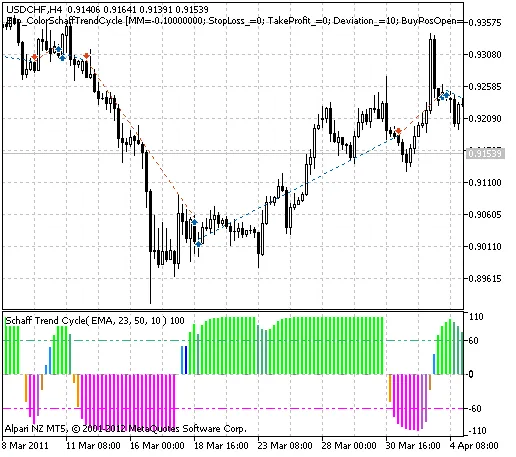
Fig. 1. Sample trade graph.
Here's what the results looked like for the USDCHF pair on the H4 timeframe back in 2011:
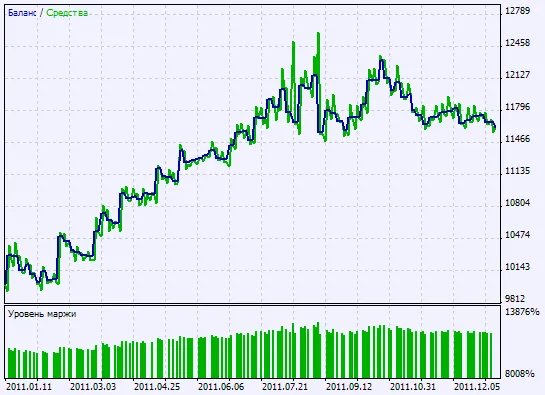
Fig. 2. Backtesting results graph.
In summary, the Color Schaff Trend Cycle EA can be a powerful addition to your trading toolkit if configured correctly. Happy trading!




Comments 0