Technical Indicator

Mastering the MACD-v Indicator for Enhanced Trading in MetaTrader 4
MetaTrader4
Mastering the MACD-v Indicator for Enhanced Trading in MetaTrader 4

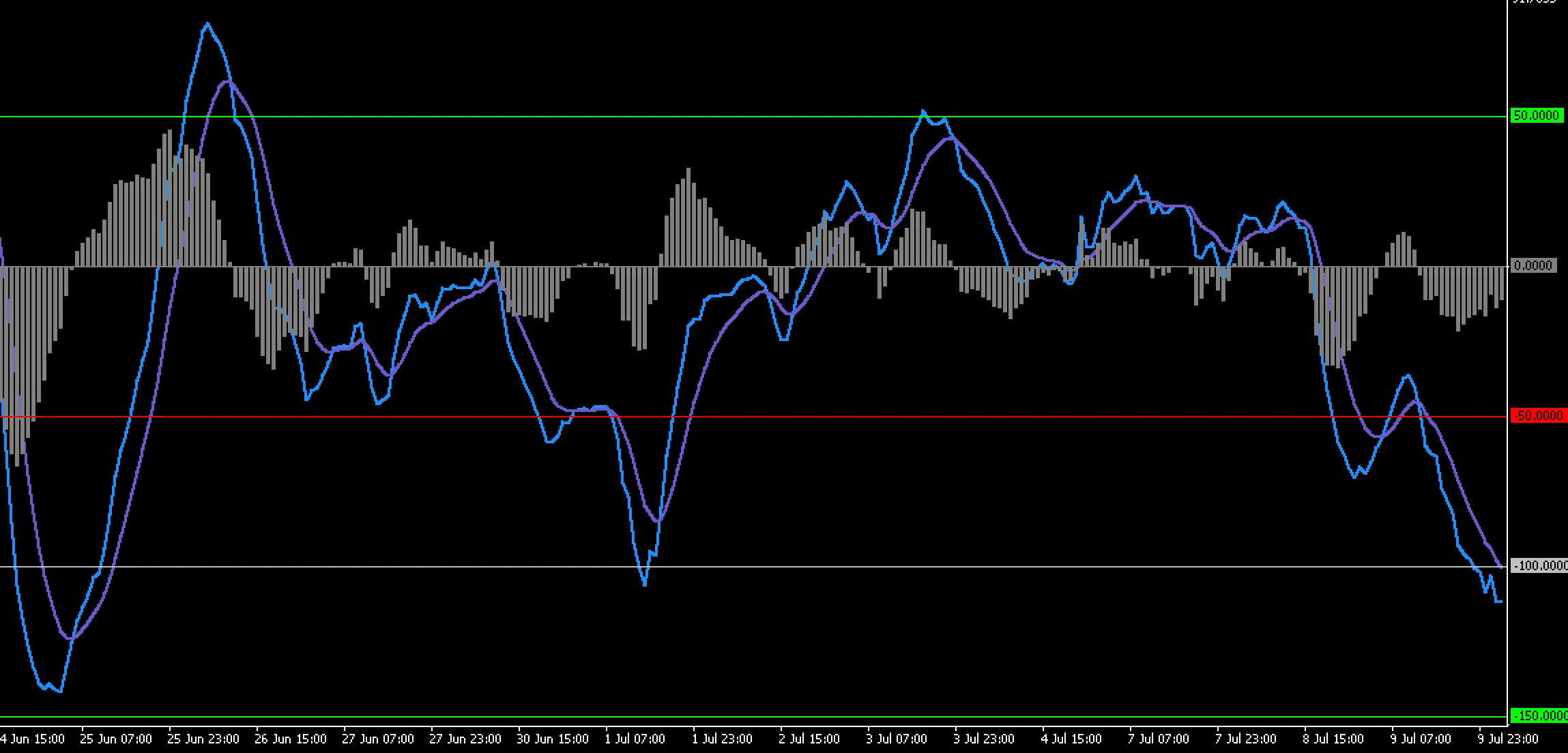
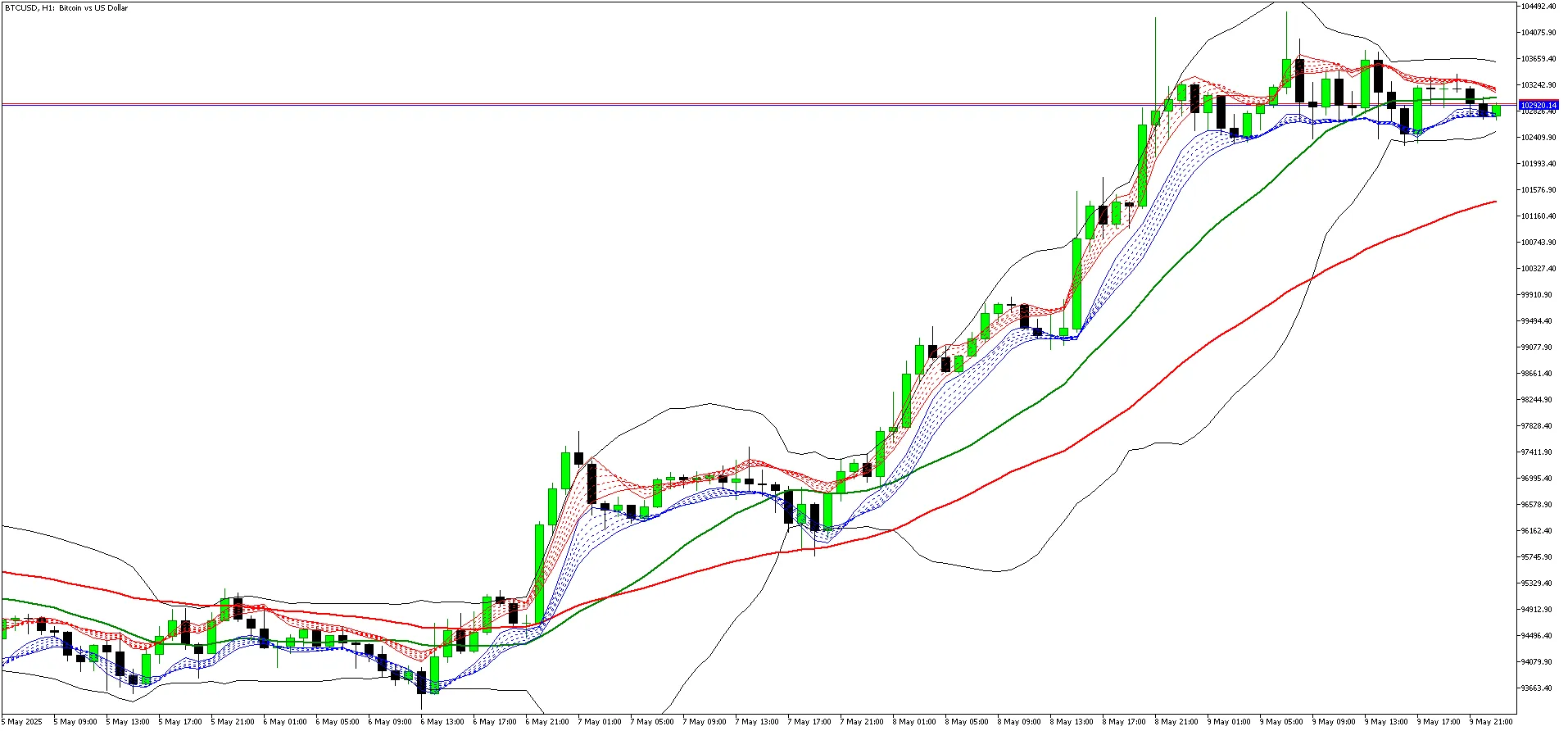
View Indicator Screenshot Author of the Idea: Alex Spiroglou, Code Author: OU Let’s dive into the MACD-v Indicator, an innovative tool that takes the classic MACD to the next level. This indicator is rooted in the research of MACD-v: Volatility Normalised Momentum, a paper by Alex Spiroglou that garnered the prestigious Charles H. Dow Award (2022) and the Founders Award (2022) from the CMT Association. Spiroglou’s work redefined momentum trading by weaving volatility into the MACD framework. The MACD-v adapts the familiar MACD structure, giving traders clearer signals, smoother transitions, and more intuitive visual cues, especially during times of fluctuating volatility. With this setup, you’ll be able to see trends emerge more clearly. The indicator calculates a fast and slow moving average based on your chosen price source, then derives the MACD line from their difference. You’ll also find a smoothed signal line and a histogram that reflects the distance between the MACD and signal lines. This helps in spotting momentum buildup, signs of exhaustion, and potential trend shifts. Keep an eye on crossovers and histogram expansions; they’re your main timing signals! Interpreting the MACD-v is in line with traditional MACD theory but offers a more nuanced response to volatility. When the MACD line crosses above the signal line, it indicates bullish momentum; conversely, a cross below suggests bearish momentum. An expanding histogram indicates acceleration, while a flattening one signals a slowdown. Look out for divergences between price movements and histogram readings—they can point to weakening trends. External Variables FastPeriod – Sets the fast MA period to control responsiveness. SlowPeriod – Defines the slow MA period for smoothing broader trends. SignalPeriod – Smooths the MACD line to define signal timing. MAType – Choose between EMA, SMA, or WMA for calculation. PriceSource – Selects the price series for calculations. Mode – Choose how to display the indicator (classic, histogram-only, heatmap, dashboard). ShowHistogram – Toggles the visibility of the histogram. ShowLevels – Optional reference levels (zero line or thresholds). Alert settings – Enable or disable alerts for crossovers or zero-line interactions. Color and style settings – Customize the appearance, including line thickness and behavior during direction changes. These variables let you personalize the indicator to match your trading style without needing any specific configurations for different symbols. It’s versatile and works well across all markets! Recommended Use This indicator can be applied on any timeframe. If you’re an intraday trader, you might prefer using it on M15 to H1 charts. Swing and position traders will likely find H4 to D1 more beneficial. Pairing the MACD-v with a trend filter can significantly reduce noise and enhance accuracy in your trades. The histogram is particularly useful for assessing momentum exhaustion and spotting potential reversals when the expansion starts to slow down.

2025.11.20
Mastering the ZigZag Pattern: HH, HL, LH, LL Indicator for MetaTrader 4
MetaTrader4
Mastering the ZigZag Pattern: HH, HL, LH, LL Indicator for MetaTrader 4

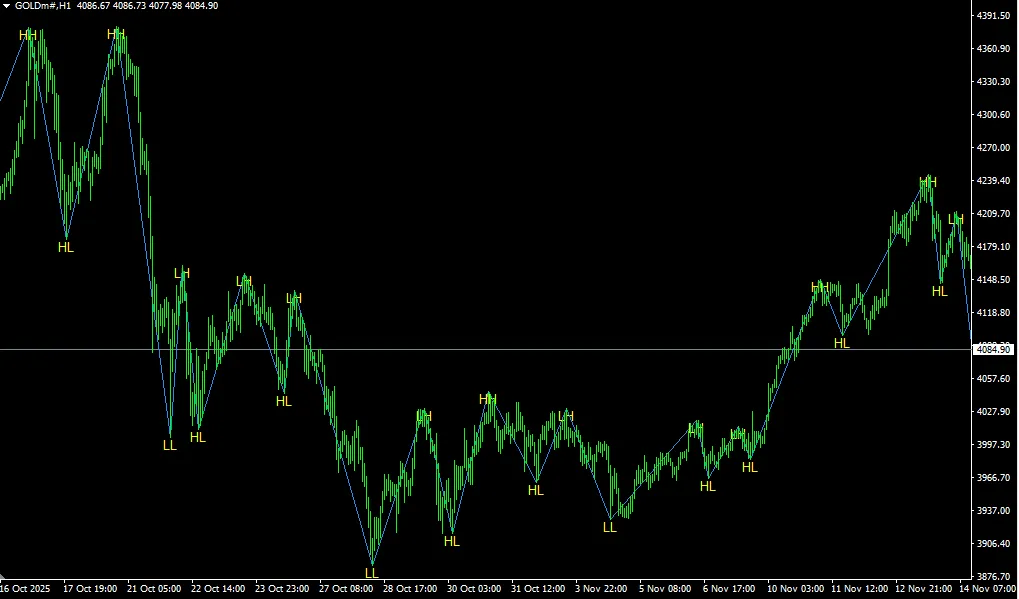
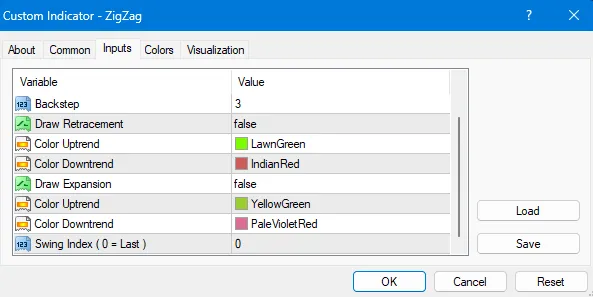
If you're diving into the world of trading, understanding patterns is crucial, and one of the most popular tools in a trader's toolbox is the ZigZag indicator. Today, we're going to talk about the ZigZag HH, HL, LH, and LL pattern label indicator specifically for MetaTrader 4 (MT4). What is the ZigZag Indicator? The ZigZag indicator helps traders filter out market noise by highlighting significant price movements. It connects the peaks and troughs of price action, making it easier to identify trends and reversals. This tool is particularly useful in spotting higher highs (HH), higher lows (HL), lower highs (LH), and lower lows (LL). Why Use the ZigZag Pattern? Trend Identification: Easily spot the overall direction of the market. Clear Signals: Helps in identifying entry and exit points. Noise Reduction: Filters out minor price fluctuations for clearer analysis. Setting Up the Indicator in MT4 Setting up the ZigZag indicator in your MetaTrader 4 platform is a breeze. Here’s how to do it: Open your MT4 platform. Navigate to the 'Insert' tab. Select 'Indicators' and then click on 'Custom.' Find and select the ZigZag indicator from the list. Adjust the settings to suit your trading style. Final Thoughts The ZigZag HH, HL, LH, LL pattern label indicator can be a game changer in your trading strategy. By using this tool effectively, you can gain a clearer perspective on market trends and make more informed trading decisions. Remember, practice makes perfect, so give it a go and see how it fits into your trading routine!

2025.11.17
Dollar Index Tracker: Elevate Your Trading with Real-Time USD Insights
MetaTrader4
Dollar Index Tracker: Elevate Your Trading with Real-Time USD Insights

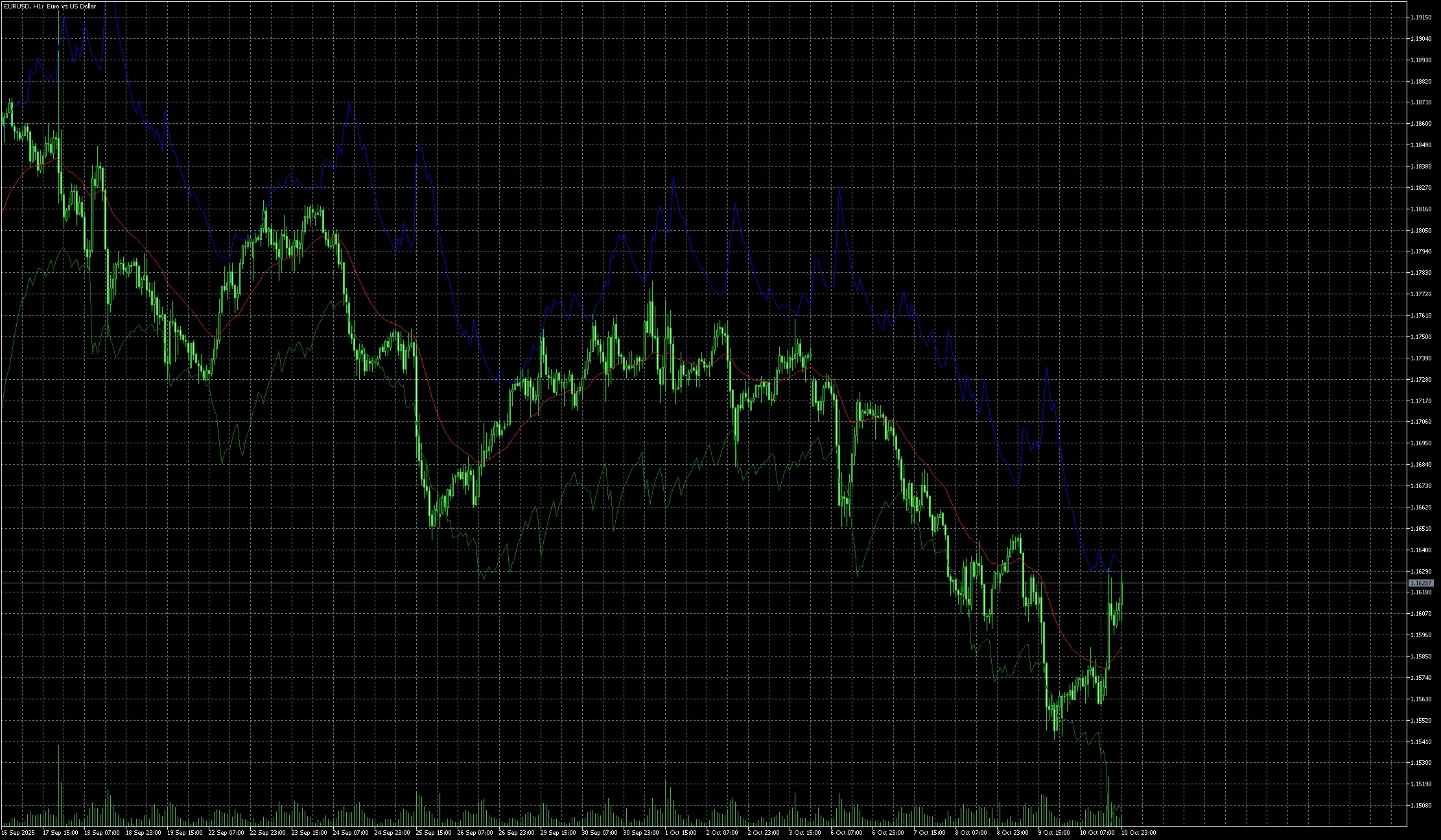
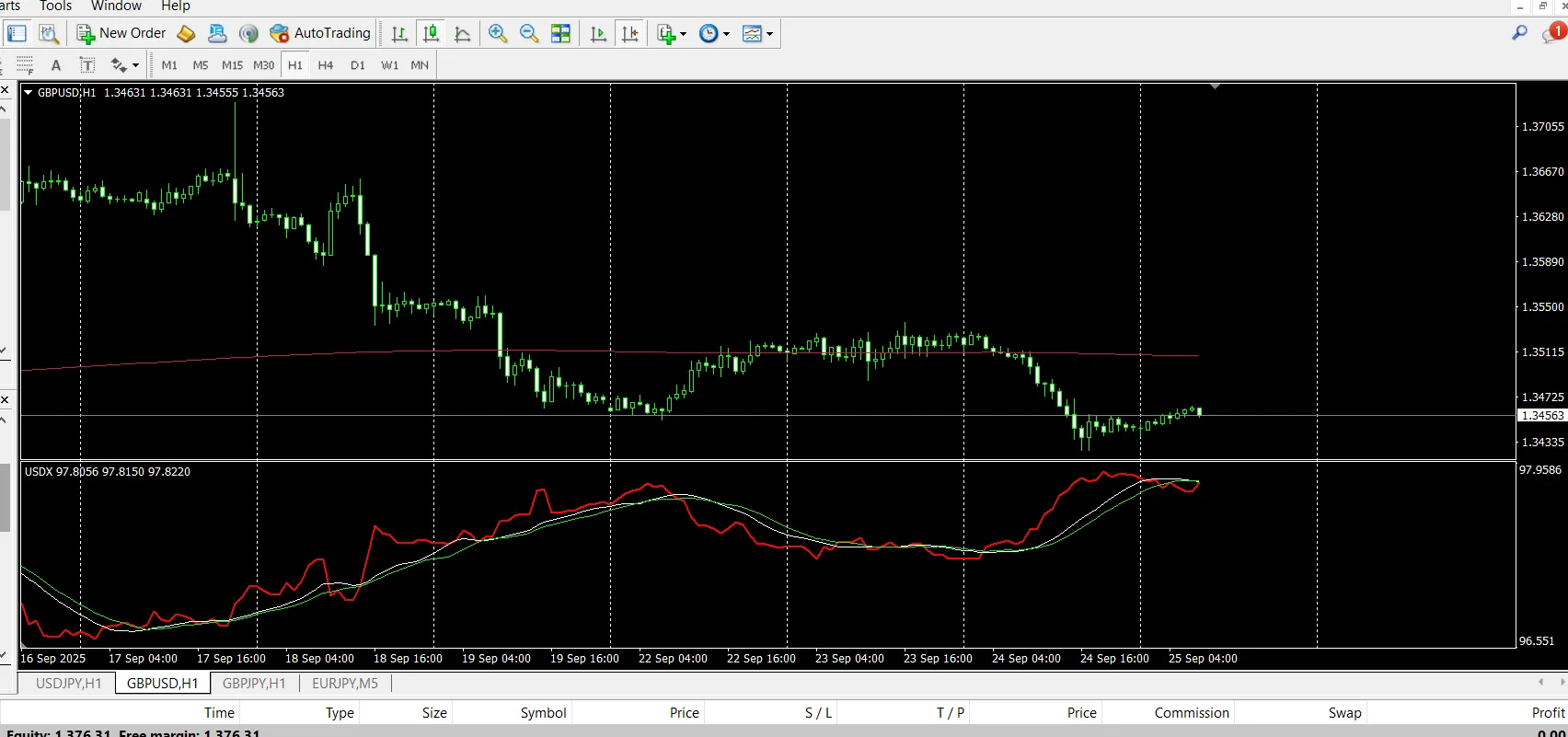
The Dollar Index Tracker is an essential tool that calculates and displays the US Dollar Index (USDX / DXY) right beneath your current trading pair chart. This handy feature allows you to effortlessly compare the strength of the US Dollar against a basket of major currencies while analyzing your chosen pair. The USDX is derived from six key currency pairs: EUR/USD, USD/JPY, GBP/USD, USD/CAD, USD/CHF, and USD/SEK. Each pair contributes differently to the index, with EUR/USD holding the largest weight. Since its introduction in 1973 with a base value of 100, it's become one of the most closely monitored indicators of dollar strength. How It Works The Dollar Index Tracker runs the USDX calculation in the background: USDX = 50.14348112 × EURUSD^-0.576 × USDJPY^0.136 × GBPUSD^-0.119 × USDCAD^0.091 × USDSEK^0.042 × USDCHF^0.036 The result is displayed in a separate sub-window below your chart. You can even customize the display with two moving averages to smooth out the index and highlight trends. Input Parameters Core Settings IndexPairs – Default: "EURUSD, USDJPY, GBPUSD, USDCAD, USDSEK, USDCHF" → Currency pairs used for USDX calculation. IndexCoefficients – Default: "-0.576, 0.136, -0.119, 0.091, 0.036, 0.042" → Weight of each pair in the calculation. IndexInitialValue – Default: 50.14348112 → Base value for the USDX formula. Moving Averages MA_Period1 (default = 13) – Period of the first moving average. (Set to 0 to disable.) MA_Period2 (default = 17) – Period of the second moving average. (Set to 0 to disable.) MA_Mode1 / MA_Mode2 – Method of calculation (SMA, EMA, SMMA, LWMA). Example Strategies 1. Divergence Detection If the USDX is rising while EUR/USD is also increasing, this signals that the Euro is significantly stronger than other currencies in the USDX basket. If the USDX is falling but USD/JPY remains stable, it shows weakness in the JPY compared to the others. 2. Trend Confirmation When the USDX is trending upwards and your USD pair is following suit, it gives you added confidence to hold your trades longer. 3. Multi-Timeframe Context Utilize the USDX on higher timeframes (H4/D1) while trading your pair on lower ones (M15/H1) to stay aligned with the overall strength of the dollar. Why Choose Dollar Index Tracker? Unlike standard moving average or RSI tools, the Dollar Index Tracker provides direct insight into the world’s leading currency. It serves as a correlation filter for USD trades, helping you: Avoid false signals in major currency pairs. Confirm the true strength of the dollar. Spot divergence setups before they become apparent to the crowd. By merging comprehensive USDX data with your pair’s chart, you gain a significant edge in decision-making and risk management. ⚠️ Important Note:Ensure that all six pairs used in the USDX formula (EURUSD, USDJPY, GBPUSD, USDCAD, USDSEK, USDCHF) are visible in your Market Watch window. If not, the indicator may not calculate correctly. If the display seems off, try refreshing the chart (for example, switch to another timeframe and back).

2025.09.29
Unlock Trading Success with the Trend Vision MT4 Indicator
MetaTrader4
Unlock Trading Success with the Trend Vision MT4 Indicator

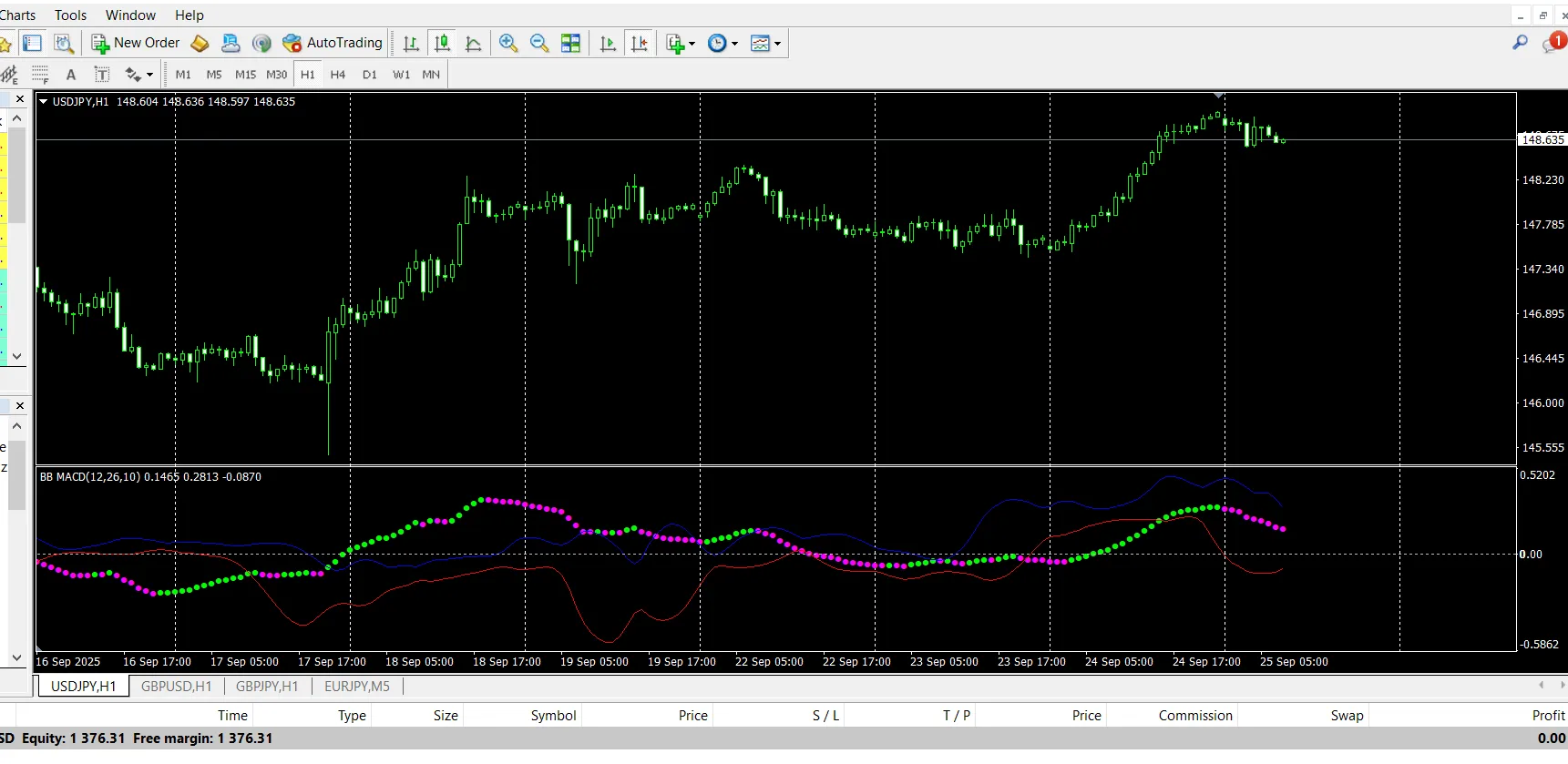
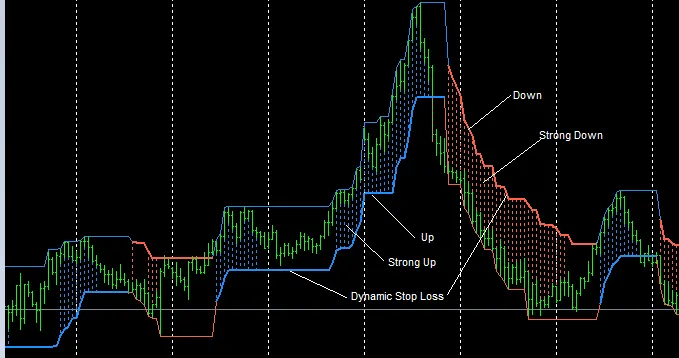
What Is Trend Vision? Trend Vision is a custom MT4 indicator that skillfully combines MACD momentum with Bollinger Bands volatility to deliver clear and reliable trading signals. Think of it as your trusty sidekick in the trading arena! MACD reveals momentum shifts, divergences, and the strength of trends. Bollinger Bands gauge volatility by measuring expansions and squeezes. This powerful fusion helps filter out the noise, allowing you to focus on high-probability moments where momentum and volatility align perfectly. How It Works (In Simple Terms) MACD checks momentum by comparing fast and slow moving averages. Bollinger Band calculations assess volatility using a moving average plus standard deviation. When both indicators line up, Trend Vision: Displays color changes and dots/lines on your chart. Issues an alert (if you’ve got it enabled). Visually indicates shifts so you can act swiftly. Key Features MACD + Bollinger Fusion → enjoy double confirmation for your signals. Visual Signals → color changes plus arrows/dots right on your chart. Multi-Timeframe Use → effective for everything from 1M scalping to weekly swings. Alert System → on-screen, push, email, and sound alerts at your fingertips. Filter Options → choose between stricter or more frequent signals based on your strategy. Performance Control → limit the number of bars calculated for faster performance. Input Parameters Calculation Settings FastLen (default = 12) – Fast MA period for MACD. SlowLen (default = 26) – Slow MA period for MACD. Length (default = 10) – Period used for both MA and standard deviation in Bollinger calculations. barsCount (default = 400) – Max number of chart bars to process (higher numbers mean more historical data). StDv (default = 2.5) – Standard deviation multiplier that controls band width. Alerts EnableNativeAlerts (false) – Activate MT4 pop-up alerts for color changes. EnableSoundAlerts (false) – Hear a sound when a color change happens. SoundFileName ("alert.wav") – Specify the sound file to play. EnableEmailAlerts (false) – Send email notifications (requires MT4 email setup). EnablePushAlerts (false) – Get push notifications on your MT4 mobile (set up needed). StricterAlerts (false) – Get alerts only on the first change above zero (bullish) or below zero (bearish) for cleaner signals.

2025.09.24
Unlock Trading Potential with MA Cross Alert for MT4
MetaTrader4
Unlock Trading Potential with MA Cross Alert for MT4

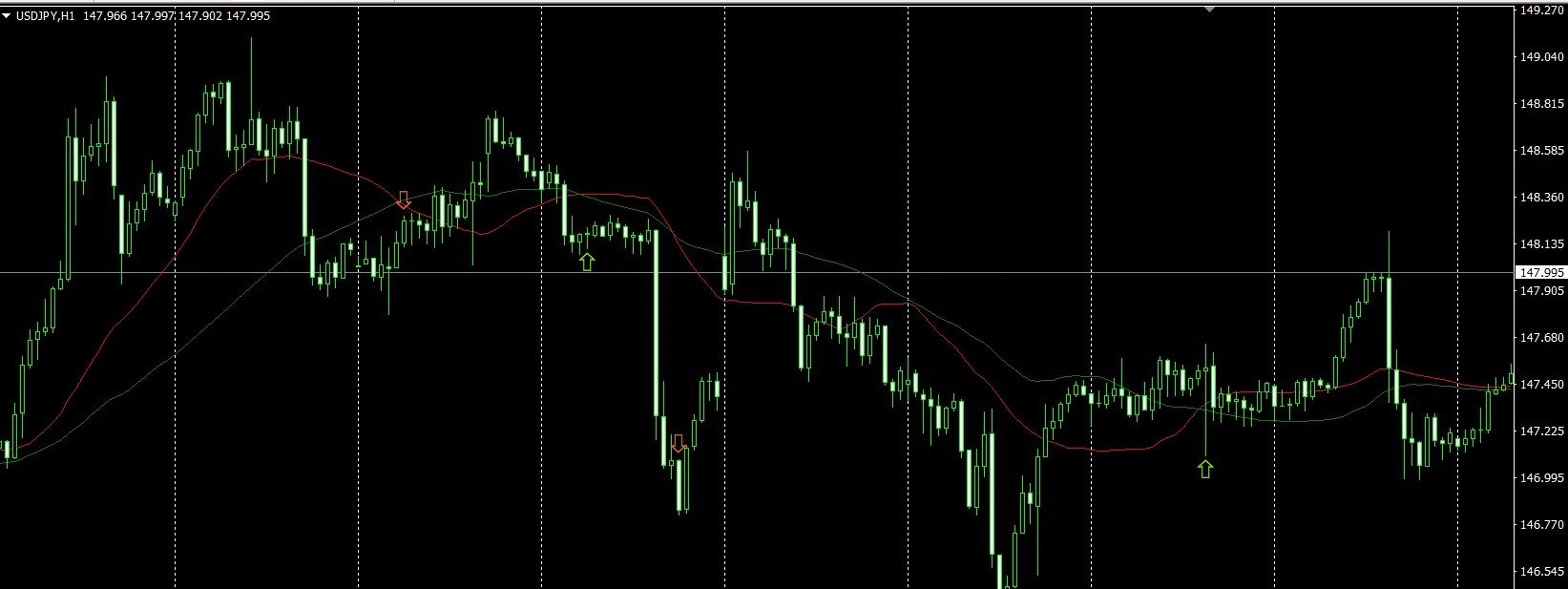
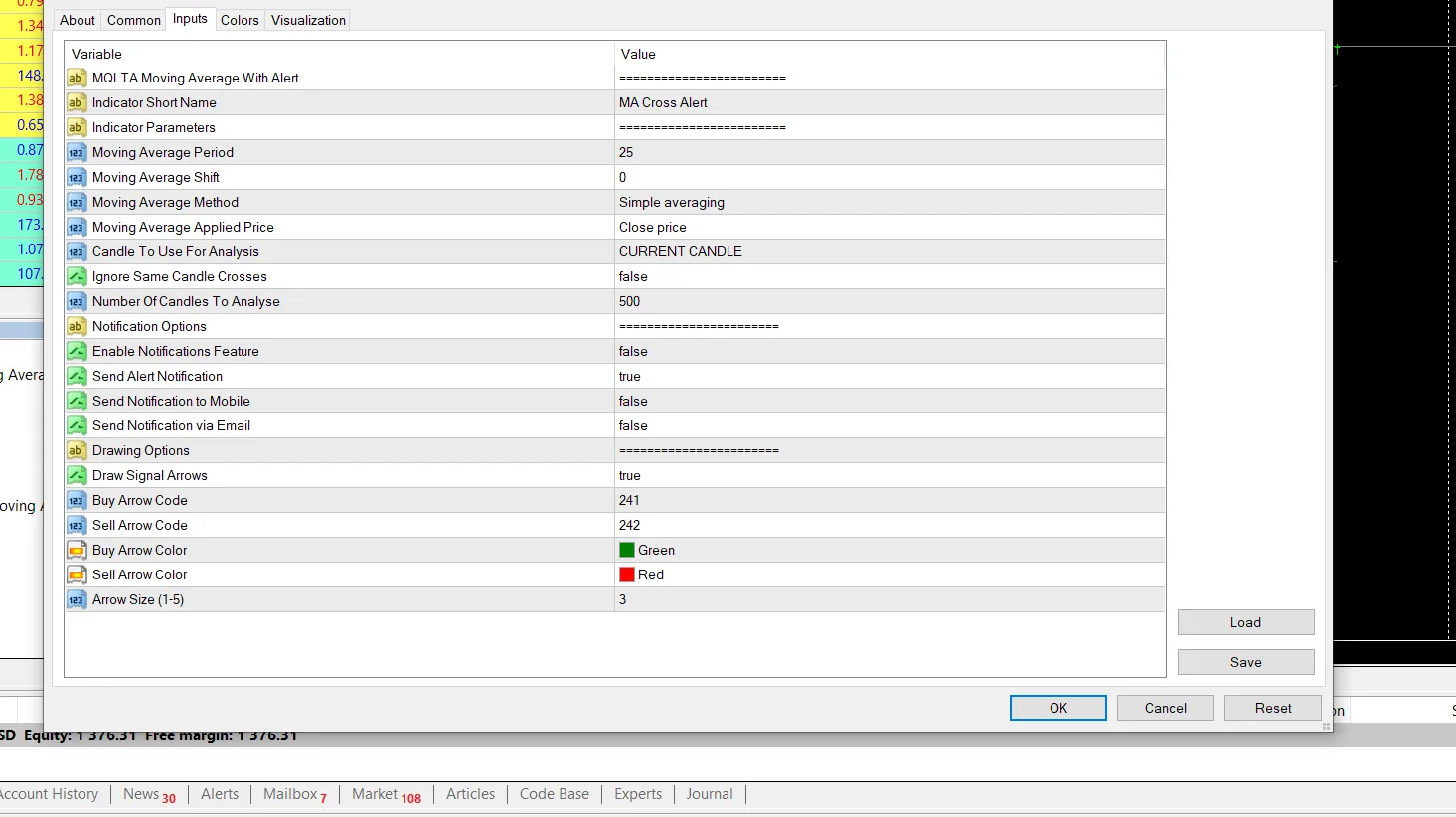
What Is MA Cross Alert? MA Cross Alert is a handy custom indicator for MetaTrader 4 that tackles a common issue: while MetaTrader’s built-in Moving Average displays the line, it doesn’t notify you when the price crosses it. This tool fills that gap by providing instant notifications whenever the price moves above or below the MA line. Whether you’re following trends or looking for reversal signals, this indicator has got your back. Why Is It Useful? With MA Cross Alert, you can say goodbye to staring at charts waiting for price movements! It alerts you the moment a crossover occurs. It draws arrows on the chart displaying buy or sell signals at each crossover. Compatible with all major MA types: Simple (SMA), Exponential (EMA), Smoothed (SMMA), Linear Weighted (LWMA). This makes it a versatile tool for traders of all levels who depend on MAs. Alerts & Notifications You get to choose how you'd like to be notified: On-Screen Alerts – Pop-up messages in your MT4 platform. Mobile Push Notifications – Alerts sent directly to your MT4 mobile app. Email Notifications – Receive emails whenever a crossover is detected. ⚠️ Note: To receive mobile and email alerts, you'll need to configure your MT4 notification settings. Signals on Chart Beyond alerts, this indicator marks signals visually: Buy Arrow → when the price crosses above the MA. Sell Arrow → when the price crosses below the MA. Optional labels for reviewing past signals. This feature makes it easy to backtrack and analyze how frequently these crossovers occur. Input Parameters Moving Average Settings MA Method – Choose from SMA, EMA, SMMA, LWMA, or Hull MA. MA Period – Set the number of candles for MA calculation. Applied Price – Options include Close, Open, High, Low, Median, Typical, or Weighted price. Signal Settings Candle To Use For Analysis – Current Candle: Triggers alerts as soon as price touches/crosses the MA (fast but may repaint). Previous Candle: Confirms only after a candle closes across the MA (safer with fewer false signals). Ignore Same Candle Crosses – Filters out whipsaw signals from candles that open on one side and close on the other. Number Of Candles To Analyze – Limit checks to the most recent N candles for quicker performance. Notifications Enable Notifications Feature – Master switch for alerts. Send Alert Notification – On-screen alerts. Send Notification To Mobile – Push notifications to your MT4 app. Send Notification Via Email – Email alerts for cross detections. Display Options Show Arrows On Cross – Draw buy/sell arrows on the chart. Show Signal Labels – Display labels with crossover information. Example Use Cases 1. Trend Following StrategyA trader sets the 50 EMA as their baseline. When the price closes above the EMA, MA Cross Alert shows a Buy Arrow and sends an alert. When the price closes below the EMA, it shows a Sell Arrow.✅ Perfect for riding the larger trend. 2. Reversal StrategyA trader utilizes the 200 SMA. When the price crosses back below the 200 SMA, it indicates a potential reversal. Instant alerts ensure the trader doesn’t miss the action.✅ Great for identifying turning points at critical levels. 3. Multi-Timeframe TradingSet alerts on both the 15M chart (for short-term moves) and the H4 chart (for long-term trends).✅ Aligning signals across timeframes offers stronger confirmation.

2025.09.23
Mastering Trades with 2 Moving Averages and Bollinger Bands on MetaTrader 5
MetaTrader4
Mastering Trades with 2 Moving Averages and Bollinger Bands on MetaTrader 5

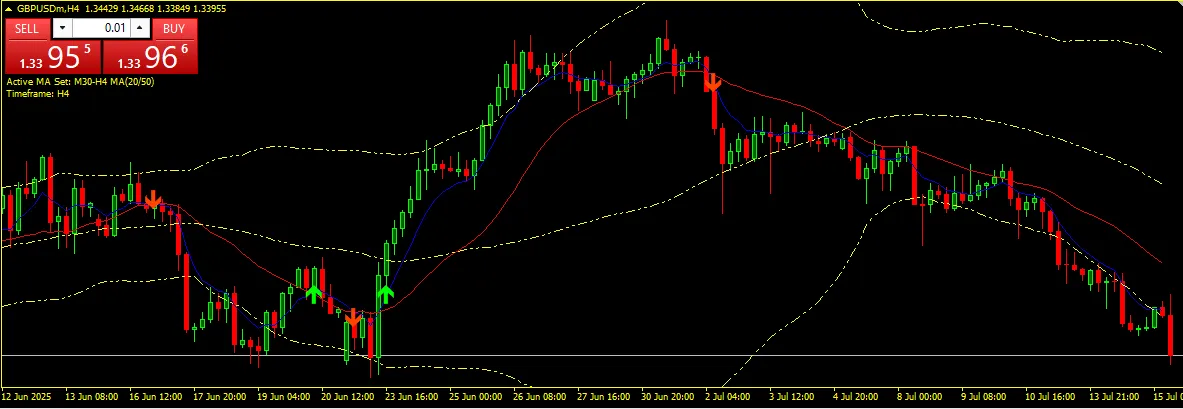
2 Moving Averages with Bollinger Bands is an incredibly versatile technical analysis tool for MetaTrader 5 (MT5) that marries two timeless trading strategies: moving average crossovers and Bollinger Bands. This combo can really up your trading game! 📌 Key Features: ✅ Configurable two moving averages (fast/slow): Easily customize the period, method (SMA, EMA, SMMA, LWMA), and price applied. ✅ Buy and Sell arrows based on crossover logic: A Buy signal pops up when the fast MA crosses above the slow MA. A Sell signal appears when the fast MA crosses below the slow MA. ✅ Optional alert system: Chart alerts to keep you in the loop. Sound alerts (alert.wav) for immediate notification. Email notifications to stay updated on the go. ✅ Integrated Bollinger Bands: Upper, Middle, and Lower Bands are clearly displayed. Fully customizable: choose your period, deviation, price, style, and shift. ✅ Works seamlessly on any symbol and time frame. ✅ Clean, non-repainting logic based on closed candles ensures reliable signals. ✅ Perfect for scalping, swing trading, or following trends. 📊 Use Case: This indicator is a great asset for traders looking to spot potential trend reversals and entry points using moving average crossovers. Plus, it helps you visually keep tabs on volatility and price channels with the Bollinger Bands. You can even use it on its own or layer it with other indicators like RSI or CCI for more sophisticated setups. ⚙️ Input Settings Overview: MA1 Settings (Fast MA): Period, Method, Price MA2 Settings (Slow MA): Period, Method, Price Bollinger Bands Settings: Period, Deviation, Shift, Style, Width, Price Alerts: Manage chart, sound, or email alerts easily. ⚠️ Disclaimer: Keep in mind, this indicator does not guarantee winning trades. Always implement proper risk management and strategy testing. The developer isn't liable for any financial losses that may occur. Download for MT5 now! You can find it here: 2 Moving Averages with Bollinger Bands

2025.07.16
Unlock Trading Potential: Double Moving Averages with Fibonacci for MetaTrader 4
MetaTrader4
Unlock Trading Potential: Double Moving Averages with Fibonacci for MetaTrader 4

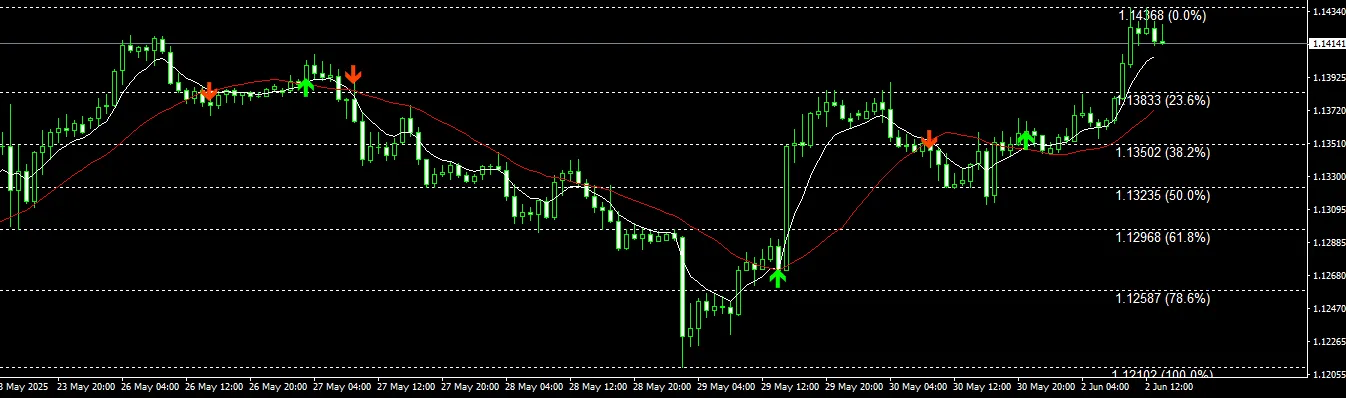
Exciting news, traders! There’s a new update ready for you. You can download the Double MA with Special Time Frame including Fibonacci for free! Double Moving Averages with Fibonacci is an innovative MQL4 indicator designed for traders who want to combine trend-following strategies with support and resistance tools all in one go. This indicator uses two customizable moving averages to signal when to buy or sell based on their crossover points. When the quicker moving average crosses above the slower one, it’s your cue to buy—indicated by a handy visual arrow. On the flip side, a downward crossover suggests it’s time to sell. These signals are crucial for spotting trend changes and pinpointing entry opportunities. But that’s not all! This indicator also integrates Fibonacci retracement levels along with optional Fibonacci Fan lines, calculated from recent swing highs and lows. These Fibonacci tools serve as dynamic support and resistance zones, helping you identify potential reversal points or continuation trends. What’s more, it offers real-time alerts through pop-up notifications, sounds, and emails, so you won’t miss any trading signals as they pop up. It’s versatile enough to be used across all time frames—perfect for scalping, day trading, or swing trading strategies. You even have the ability to manually set Fibonacci levels, giving you complete control over your technical setup based on your unique trading style. With its clear visual layout and multiple alert options, this tool is designed to enhance your decision-making process when trading.

2025.06.02
Mastering Trends with the 2 Moving Averages Indicator for MetaTrader 4
MetaTrader4
Mastering Trends with the 2 Moving Averages Indicator for MetaTrader 4

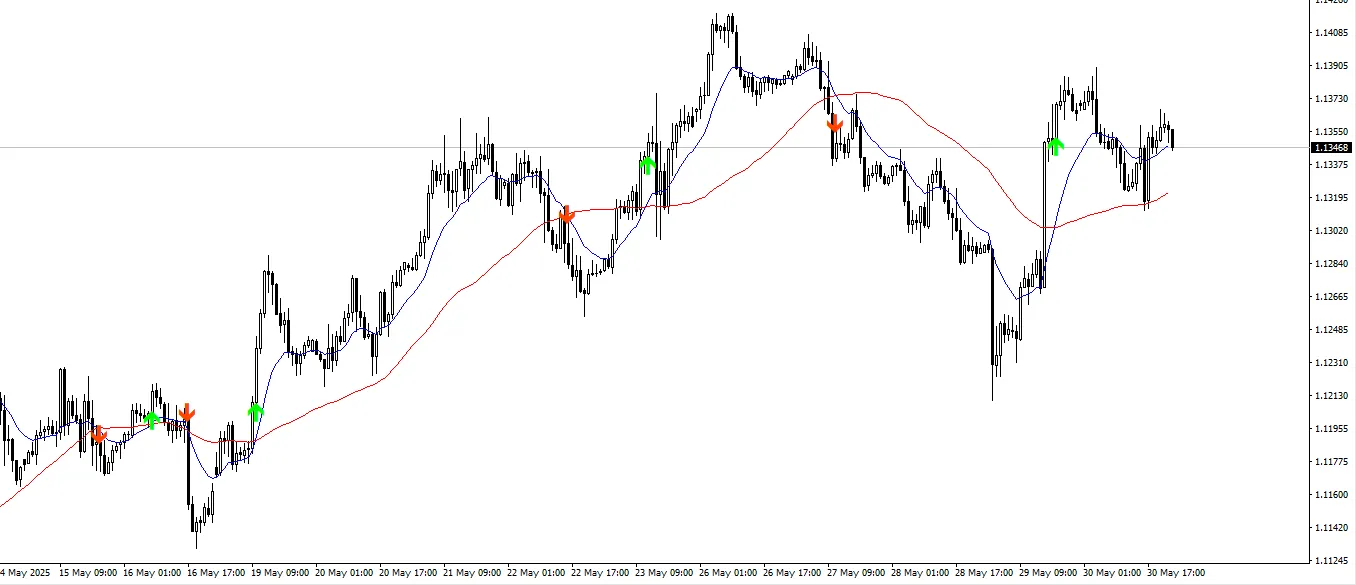
Exciting news! We've just rolled out a new update. You can download the Double MA with Special Time Frame and Fibo for free! 2 Moving Averages is an invaluable MQL4 tool that helps traders pinpoint trend directions, potential entry points, and gauge market momentum. It does this through the use of two moving averages—generally a fast (short-term) and a slow (long-term) average. The main concept here is the moving average crossover strategy: when the fast moving average crosses above the slow one, it signals a buy opportunity, and conversely, a sell signal is generated when it crosses below. What makes this indicator stand out is its ability to integrate dynamic support and resistance level plotting. This feature gives traders an extra layer of confirmation for their trading decisions. By highlighting key price levels where the market has previously reversed or consolidated, it aids in avoiding false signals, enhancing the accuracy of your entries and exits. You can easily customize the periods and types of moving averages (e.g., Simple, Exponential, Smoothed, or Linear Weighted), making this tool versatile for various trading styles and market conditions. Plus, it operates seamlessly across all time frames, making it ideal for scalpers, swing traders, and those focusing on long-term trends. Key Features: Configurable fast and slow moving averages Buy/sell signals based on MA crossovers Automatic detection and plotting of support and resistance levels Alerts or visual markers for crossovers and key zones Compatible with all symbols and time frames Whether you're a newbie eager for a straightforward trend-following system or a seasoned pro looking to refine your entry points, Double Moving Averages delivers a powerful blend of simplicity and depth to enhance your technical analysis.

2025.06.01
Understanding Fair Value Gaps: A Key Indicator for MetaTrader 4
MetaTrader4
Understanding Fair Value Gaps: A Key Indicator for MetaTrader 4

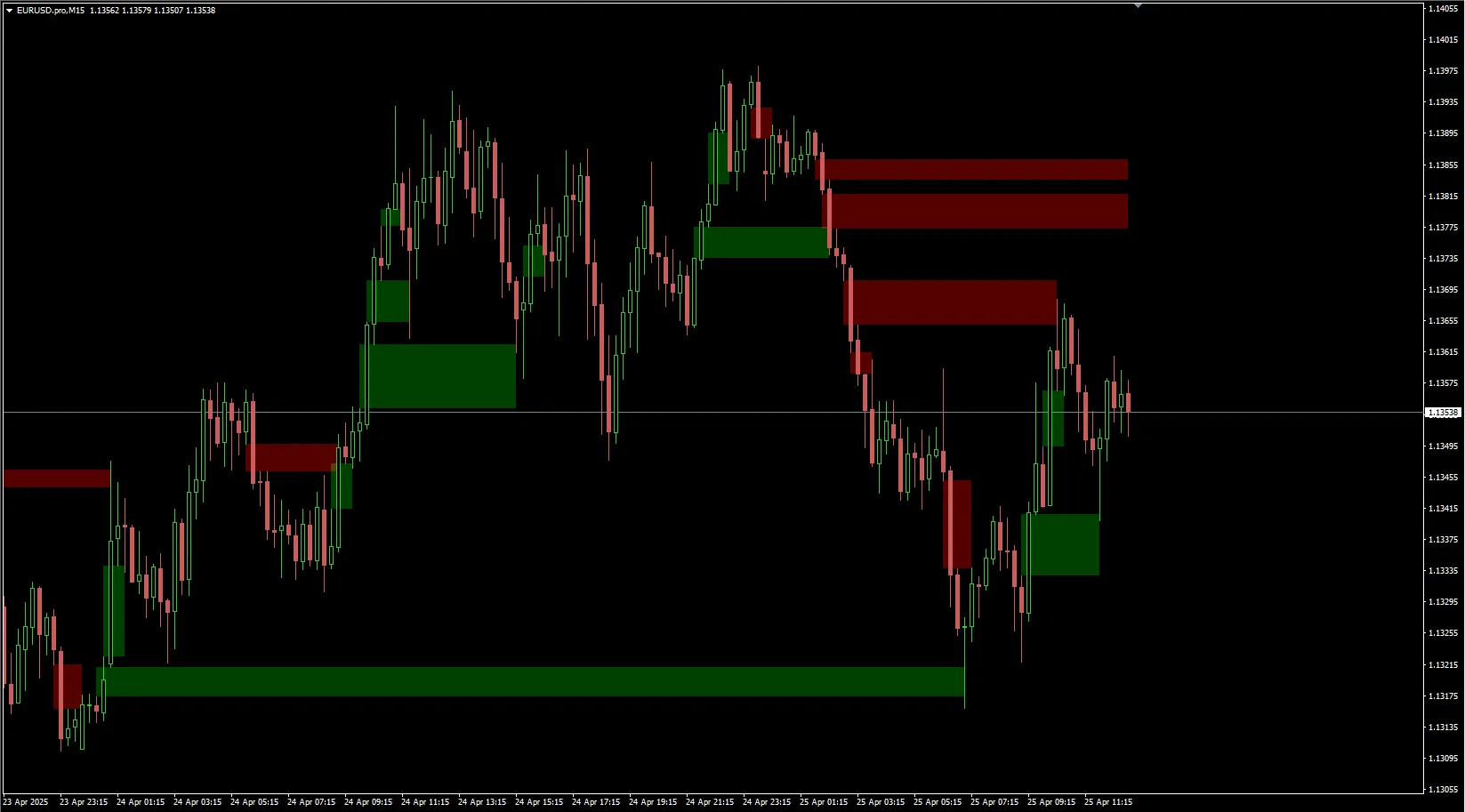
What Are Fair Value Gaps? Hey there, fellow traders! Today, we’re diving into a crucial concept that can really sharpen your trading strategies: Fair Value Gaps (FVG). If you’re using MetaTrader 4, understanding this indicator could give you an edge in your trading game. Why Fair Value Gaps Matter Fair Value Gaps are areas on the price chart where the market has moved too quickly, leaving behind a gap in pricing. These gaps can signal potential reversals or continuations in the market. If you can spot them, you can make more informed trading decisions. How to Identify Fair Value Gaps Look for Price Gaps: These often occur after significant news events or market openings. Check for Volume: A gap accompanied by high trading volume can be a strong indicator. Use Candlestick Patterns: Candlestick formations around these gaps can provide further clues for entry and exit points. Applying Fair Value Gaps in Your Trading Strategy Incorporating Fair Value Gaps into your trading strategy can be a game changer. Here’s how you can utilize them: Set Alerts: Use MetaTrader 4 to set alerts for when price approaches these gaps. Combine with Other Indicators: Pair FVGs with trend indicators for a more robust trading signal. Manage Risk: Always set stop-loss orders to protect your capital when trading around these gaps. Final Thoughts Fair Value Gaps are an essential tool in any trader’s toolkit. By mastering this indicator, you’ll be better equipped to navigate the markets with confidence. So, the next time you’re analyzing your charts, keep an eye out for those gaps!

2025.04.25
Unlock Trading Success with the Trade Assistant MT4 Indicator
MetaTrader4
Unlock Trading Success with the Trade Assistant MT4 Indicator

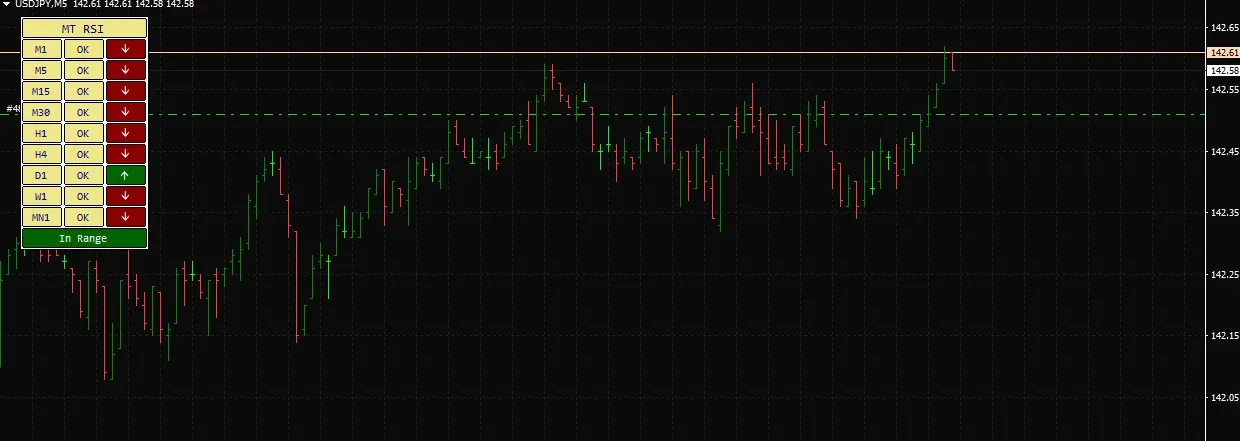
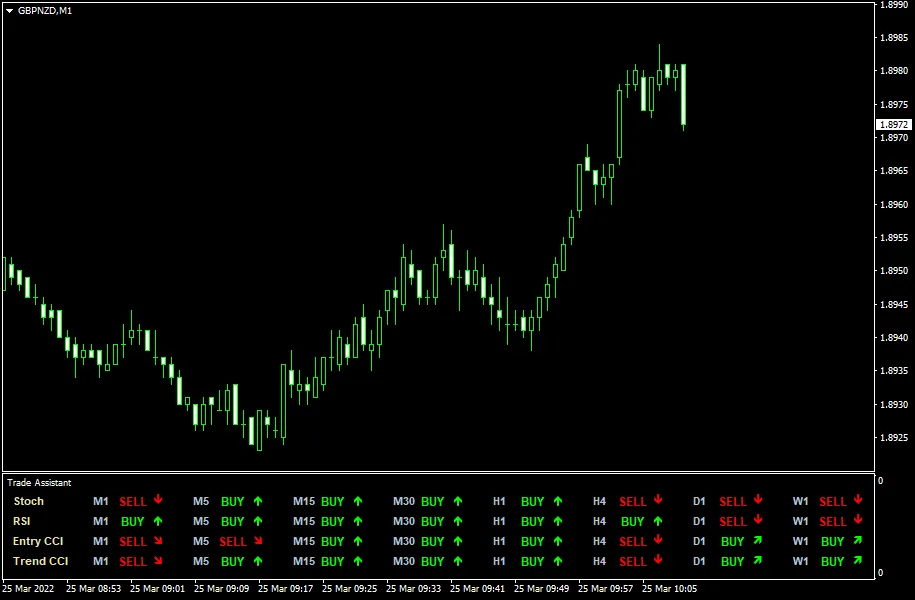
Trade Assistant MT4 Indicator is a powerful multi-timeframe tool designed to enhance your trading experience. Built on the foundations of three widely used indicators—the Stochastic Oscillator, RSI (Relative Strength Index), and CCI (Commodity Channel Index)—this indicator provides a comprehensive view of trend directions across various timeframes, including M1, M5, M15, M30, H1, H4, D1, W1, and MN1. No matter which timeframe you attach this indicator to, you'll have a crystal-clear picture of the market trends. Key Features The Trade Assistant can be seamlessly downloaded for both MT4 and MT5 platforms, making it incredibly versatile for traders at all levels. Input Parameters CheckCandle (default = Previous) — This setting determines which candle to check for indicator values, applicable for both display and alerts. PercentK (default = 8) — The number of bars used to calculate the %K line of the Stochastic indicator. PercentD (default = 3) — The number of bars used to calculate the %D line of the Stochastic indicator. Slowing (default = 3) — This value controls the slowing of the Stochastic indicator. RSIP1 (default = 14) — The period for the first RSI (fast). RSIP2 (default = 70) — The period for the second RSI (slow). Enable (default = false/true) — Set this to true to allow the Trade Assistant to calculate and display signals for the specified timeframe. EnableNativeAlerts (default = false) — When set to true, a native MetaTrader popup alert will trigger when a confluence of signals appears for any timeframe. EnableEmailAlerts (default = false) — If true, you'll receive an email notification when a confluence of signals is detected. Ensure your email settings are correctly configured in MetaTrader via Tools -> Options -> Email. EnablePushAlerts (default = false) — Similar to email alerts, this sends a notification to your mobile device when signal confluence occurs. Check your notification settings in MetaTrader via Tools -> Options -> Notifications. Other parameters — Customize symbol codes for trend direction arrows and colors to suit your preferences.

2025.02.04
1 2 3 4 5 6 Next Last