Technical Indicator

Understanding Inside and Outside Bars in Trading
MetaTrader5
Understanding Inside and Outside Bars in Trading

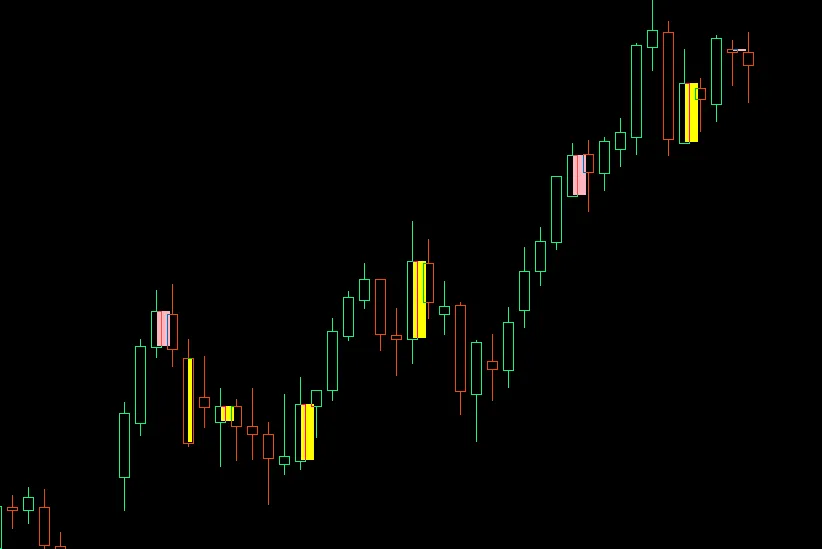
When it comes to candlestick patterns, two heavy hitters you definitely want to know about are Inside Bars and Outside Bars. Let’s break them down! What is an Inside Bar? An Inside Bar is a candlestick that is completely contained within the high-low range of the previous candle. In simpler terms, it’s like the market is taking a breather, unsure of its next move. What is an Outside Bar? On the flip side, an Outside Bar (often referred to as an Engulfing Bar) completely engulfs the high-low range of the previous candle. This indicates a stronger move, where either buyers or sellers have taken control. Visual Display Colored Rectangles: This feature highlights the candle bodies with colored boxes. Yellow for Inside Bars Light Pink for Outside Bars Customizable Appearance: You can adjust colors, background placement, and border width to suit your trading style. Configuration Options Toggle Visibility: Easily switch the visibility of Inside Bars and Outside Bars on your chart. Maximum Display: Control how many patterns you want to display at once. Background Placement: Choose whether the colored boxes appear behind or in front of your price action. Why Inside Bars Matter Consolidation Signals: Inside Bars indicate market indecision or compression. Breakout Setup: They often precede significant price moves, making them a great setup for traders. Continuation Patterns: They can signal a pause in the trend before the market continues in the same direction. Why Outside Bars Are Important Reversal Signals: Outside Bars often indicate potential trend changes. Engulfing Patterns: These classic candlestick patterns signal reversals and can be crucial for timing your trades. Momentum Shifts: They show whether buyers or sellers are dominating the market over the previous period. Understanding Inside and Outside Bars can give you a solid edge in your trading strategy. Keep an eye on these patterns, as they often hold the key to upcoming market movements!

2025.12.01
Mastering the Confluence Index: Using Stochastic, RSI, and MACD for Trend Trading
MetaTrader5
Mastering the Confluence Index: Using Stochastic, RSI, and MACD for Trend Trading

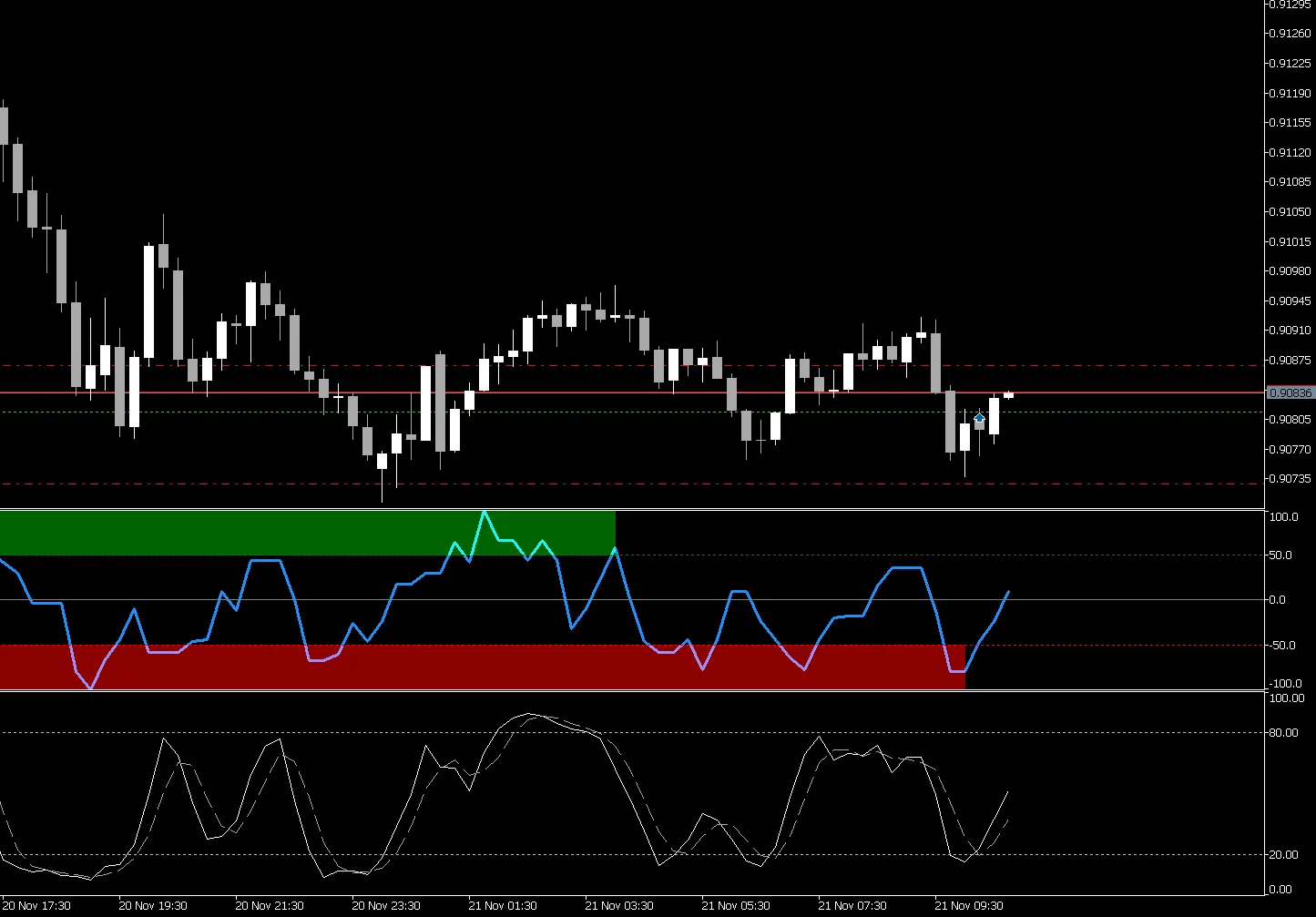
Hey there, traders! Today, let's dive into a powerful tool that can help you spot trend entries like a pro: the Confluence Index. This nifty indicator combines the Stochastic Oscillator, RSI, and MACD across three different timeframes to give you a comprehensive view of market trends. Understanding the Confluence Index The Confluence Index scores alignments of these three indicators, allowing you to identify optimal entry points. When all indicators line up and the score is above 50, it suggests a bullish trend, while a score below -50 indicates a bearish trend. Think of it as your go-to confirmation tool for trend continuation setups, support and resistance reactions, and spotting exhaustion conditions. Why Use a Scoring System? Instead of just normalizing values, we utilize a scoring method that has proven surprisingly effective in my own trading experience, especially when it comes to detecting divergences. Don’t knock it until you’ve tried it! How to Use the Confluence Index Trend Continuation: Look for scores above 50 to confirm ongoing bullish trends. Support/Resistance Reactions: Use the index to gauge how the price interacts with key levels. Exhaustion Points: A score below -50 can indicate a potential reversal. Here's a visual representation of the Confluence Index in action: Getting Started with the Code If you're eager to implement the Confluence Index in your trading, here's a sneak peek at the code setup: //+------------------------------------------------------------------+ //| MultiConfluence_Index.mq5 | //+------------------------------------------------------------------+ // Define your input parameters here input ENUM_TIMEFRAMES TF1 = PERIOD_CURRENT; // Timeframe 1 (Fast) input ENUM_TIMEFRAMES TF2 = PERIOD_H1; // Timeframe 2 (Medium) input ENUM_TIMEFRAMES TF3 = PERIOD_H4; // Timeframe 3 (Slow) // Add your Stochastic, RSI, and MACD parameters here //+------------------------------------------------------------------+ Feel free to tweak the parameters to fit your trading style. Remember, the goal is to create a system that works for you! So there you have it – a straightforward guide to the Confluence Index and how you can leverage it in your trading arsenal. Give it a shot, and who knows, it might just become your new favorite tool!

2025.11.23
Understanding Average Daily Range: A Key Volatility Indicator for Traders
MetaTrader5
Understanding Average Daily Range: A Key Volatility Indicator for Traders

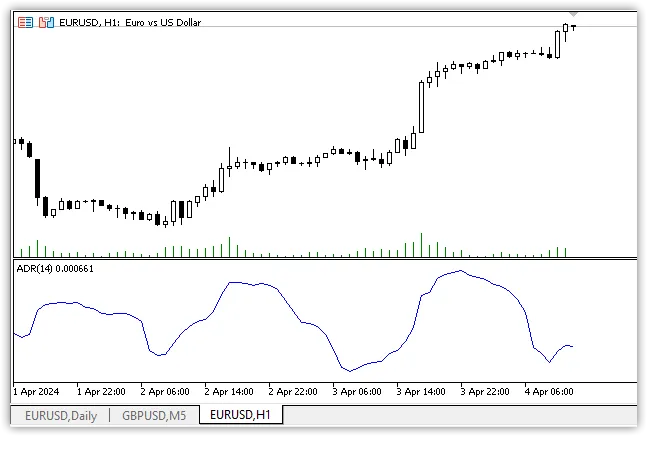
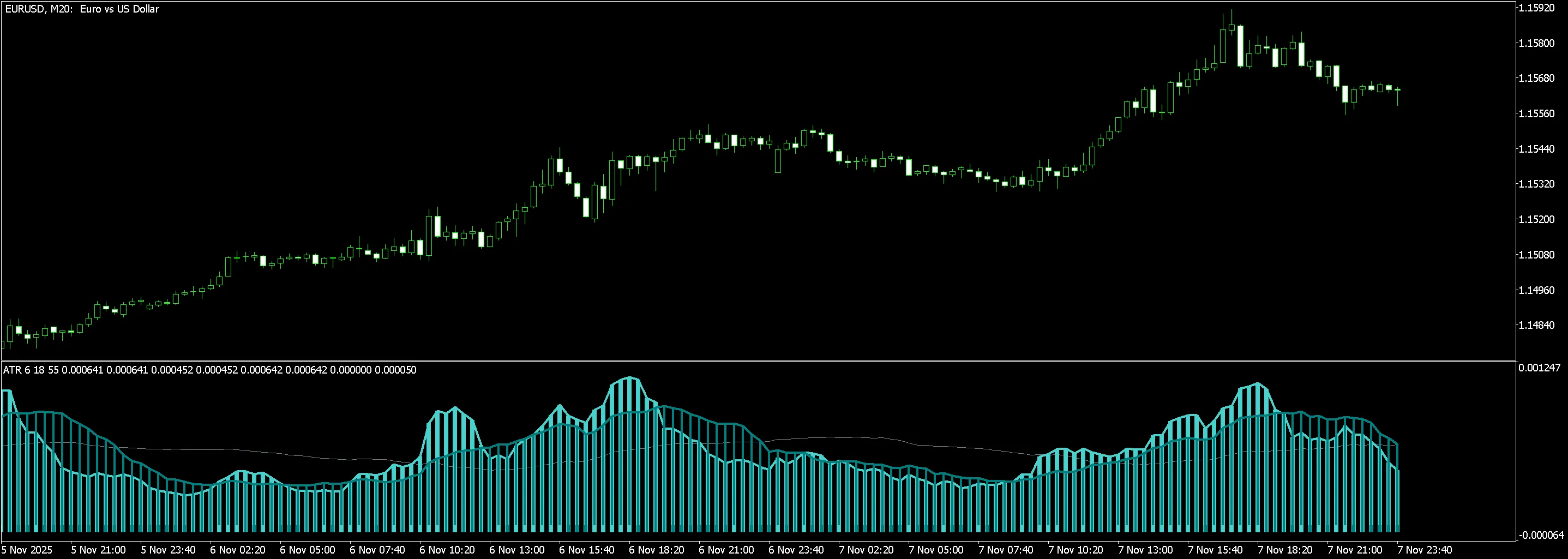
The Average Daily Range (ADR) is a valuable indicator that helps traders gauge the volatility of an asset. It highlights the average price movement between the highest and lowest points over a specified number of days. To compute the ADR, the indicator calculates the difference between the maximum and minimum prices for a set period, like 14 days, and then finds the average of these movements: Average Day Range = SMA(High - Low, Length) Both the Average Daily Range (ADR) and the Average True Range (ATR) are essential tools for analyzing market volatility, yet they are calculated and interpreted differently. What is Average Daily Range (ADR)? The Average Daily Range (ADR) measures the typical range of price fluctuations over a determined time frame. To determine the ADR, you would take the difference between the day’s high and low prices over a chosen period (commonly 14 days) and calculate the average of these differences. This provides traders with insights into the expected volatility of an asset during a trading day, helping them to craft their trading strategies accordingly. Understanding Average True Range (ATR) The Average True Range (ATR) also measures volatility, but it employs a slightly different calculation method, making it a more versatile and precise indicator. To calculate the ATR, you first find the true range for each day, which is the highest value among the following three: The difference between the current day’s high and low prices. The difference between the current day’s high price and the previous day’s close. The difference between the current day’s low price and the previous day’s close. Next, you average these true range values over a specific period, often 14 days. The ATR takes into account price gaps between trading days, providing a more accurate picture of volatility, especially in markets where large price swings occur between sessions. Key Differences Between ADR and ATR Calculation Methodology: ADR focuses solely on the average range between the day’s high and low prices, while ATR incorporates the gaps between closing and opening prices of consecutive trading days. Usage: ADR is primarily utilized for estimating daily volatility, whereas ATR serves as a broader measure of volatility that can be applied across various trading strategies, including risk management and setting stop-loss orders. Flexibility: ATR is often regarded as a more adaptable tool due to its ability to respond to changing market conditions and account for price gaps.

2025.11.22
Mastering the MACD-v Indicator for Enhanced Trading in MetaTrader 4
MetaTrader4
Mastering the MACD-v Indicator for Enhanced Trading in MetaTrader 4

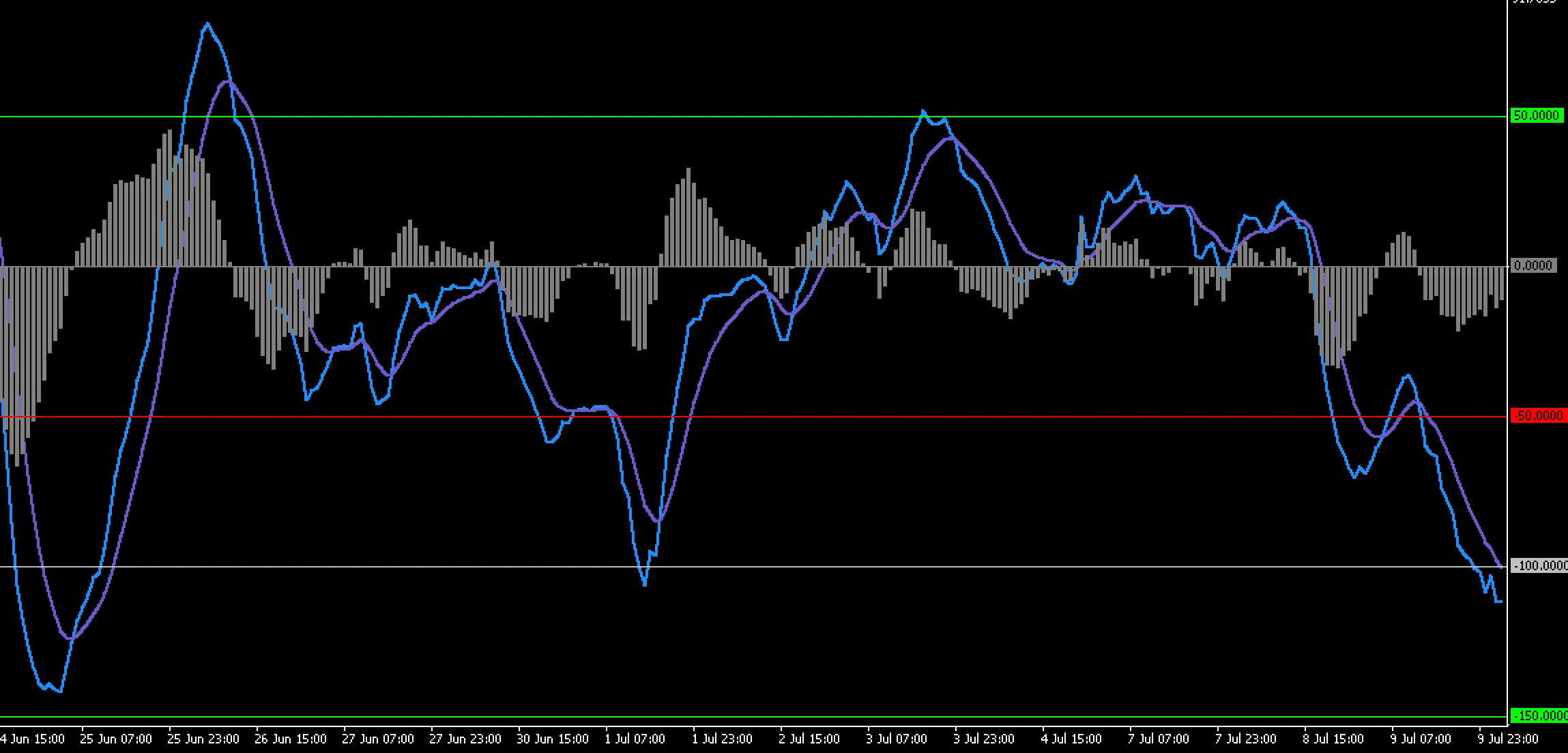
View Indicator Screenshot Author of the Idea: Alex Spiroglou, Code Author: OU Let’s dive into the MACD-v Indicator, an innovative tool that takes the classic MACD to the next level. This indicator is rooted in the research of MACD-v: Volatility Normalised Momentum, a paper by Alex Spiroglou that garnered the prestigious Charles H. Dow Award (2022) and the Founders Award (2022) from the CMT Association. Spiroglou’s work redefined momentum trading by weaving volatility into the MACD framework. The MACD-v adapts the familiar MACD structure, giving traders clearer signals, smoother transitions, and more intuitive visual cues, especially during times of fluctuating volatility. With this setup, you’ll be able to see trends emerge more clearly. The indicator calculates a fast and slow moving average based on your chosen price source, then derives the MACD line from their difference. You’ll also find a smoothed signal line and a histogram that reflects the distance between the MACD and signal lines. This helps in spotting momentum buildup, signs of exhaustion, and potential trend shifts. Keep an eye on crossovers and histogram expansions; they’re your main timing signals! Interpreting the MACD-v is in line with traditional MACD theory but offers a more nuanced response to volatility. When the MACD line crosses above the signal line, it indicates bullish momentum; conversely, a cross below suggests bearish momentum. An expanding histogram indicates acceleration, while a flattening one signals a slowdown. Look out for divergences between price movements and histogram readings—they can point to weakening trends. External Variables FastPeriod – Sets the fast MA period to control responsiveness. SlowPeriod – Defines the slow MA period for smoothing broader trends. SignalPeriod – Smooths the MACD line to define signal timing. MAType – Choose between EMA, SMA, or WMA for calculation. PriceSource – Selects the price series for calculations. Mode – Choose how to display the indicator (classic, histogram-only, heatmap, dashboard). ShowHistogram – Toggles the visibility of the histogram. ShowLevels – Optional reference levels (zero line or thresholds). Alert settings – Enable or disable alerts for crossovers or zero-line interactions. Color and style settings – Customize the appearance, including line thickness and behavior during direction changes. These variables let you personalize the indicator to match your trading style without needing any specific configurations for different symbols. It’s versatile and works well across all markets! Recommended Use This indicator can be applied on any timeframe. If you’re an intraday trader, you might prefer using it on M15 to H1 charts. Swing and position traders will likely find H4 to D1 more beneficial. Pairing the MACD-v with a trend filter can significantly reduce noise and enhance accuracy in your trades. The histogram is particularly useful for assessing momentum exhaustion and spotting potential reversals when the expansion starts to slow down.

2025.11.20
Mastering the ZigZag Pattern: HH, HL, LH, LL Indicator for MetaTrader 4
MetaTrader4
Mastering the ZigZag Pattern: HH, HL, LH, LL Indicator for MetaTrader 4

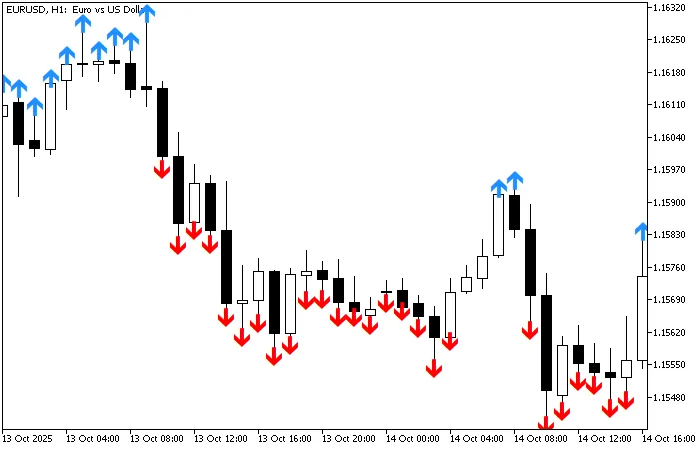
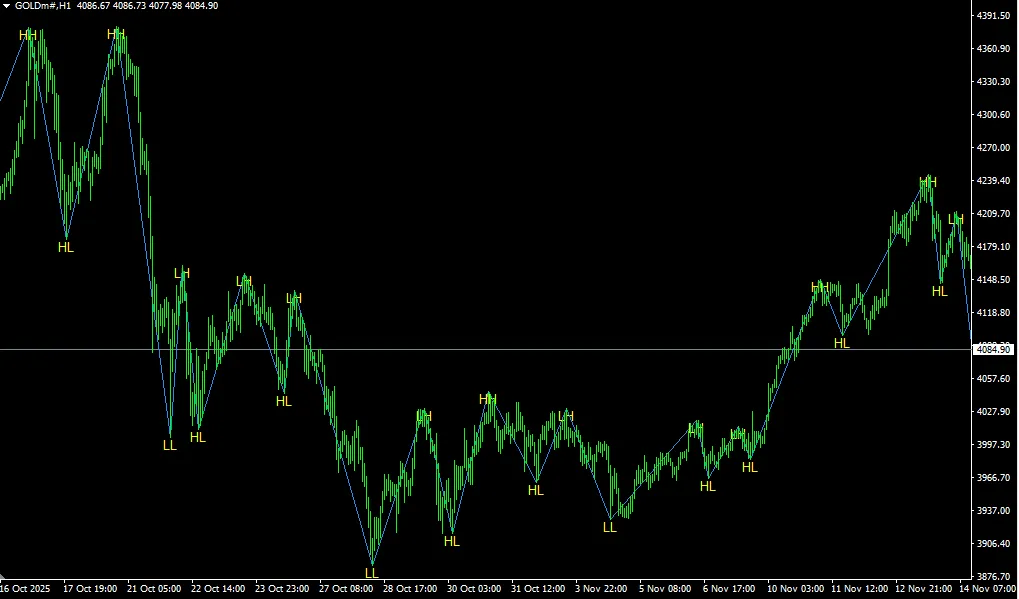
If you're diving into the world of trading, understanding patterns is crucial, and one of the most popular tools in a trader's toolbox is the ZigZag indicator. Today, we're going to talk about the ZigZag HH, HL, LH, and LL pattern label indicator specifically for MetaTrader 4 (MT4). What is the ZigZag Indicator? The ZigZag indicator helps traders filter out market noise by highlighting significant price movements. It connects the peaks and troughs of price action, making it easier to identify trends and reversals. This tool is particularly useful in spotting higher highs (HH), higher lows (HL), lower highs (LH), and lower lows (LL). Why Use the ZigZag Pattern? Trend Identification: Easily spot the overall direction of the market. Clear Signals: Helps in identifying entry and exit points. Noise Reduction: Filters out minor price fluctuations for clearer analysis. Setting Up the Indicator in MT4 Setting up the ZigZag indicator in your MetaTrader 4 platform is a breeze. Here’s how to do it: Open your MT4 platform. Navigate to the 'Insert' tab. Select 'Indicators' and then click on 'Custom.' Find and select the ZigZag indicator from the list. Adjust the settings to suit your trading style. Final Thoughts The ZigZag HH, HL, LH, LL pattern label indicator can be a game changer in your trading strategy. By using this tool effectively, you can gain a clearer perspective on market trends and make more informed trading decisions. Remember, practice makes perfect, so give it a go and see how it fits into your trading routine!

2025.11.17
Mastering the Open Range Breakout Indicator for MetaTrader 5
MetaTrader5
Mastering the Open Range Breakout Indicator for MetaTrader 5

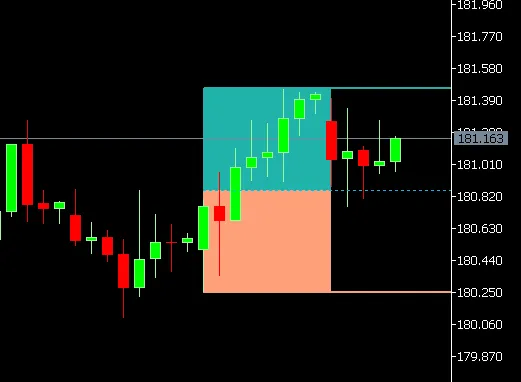
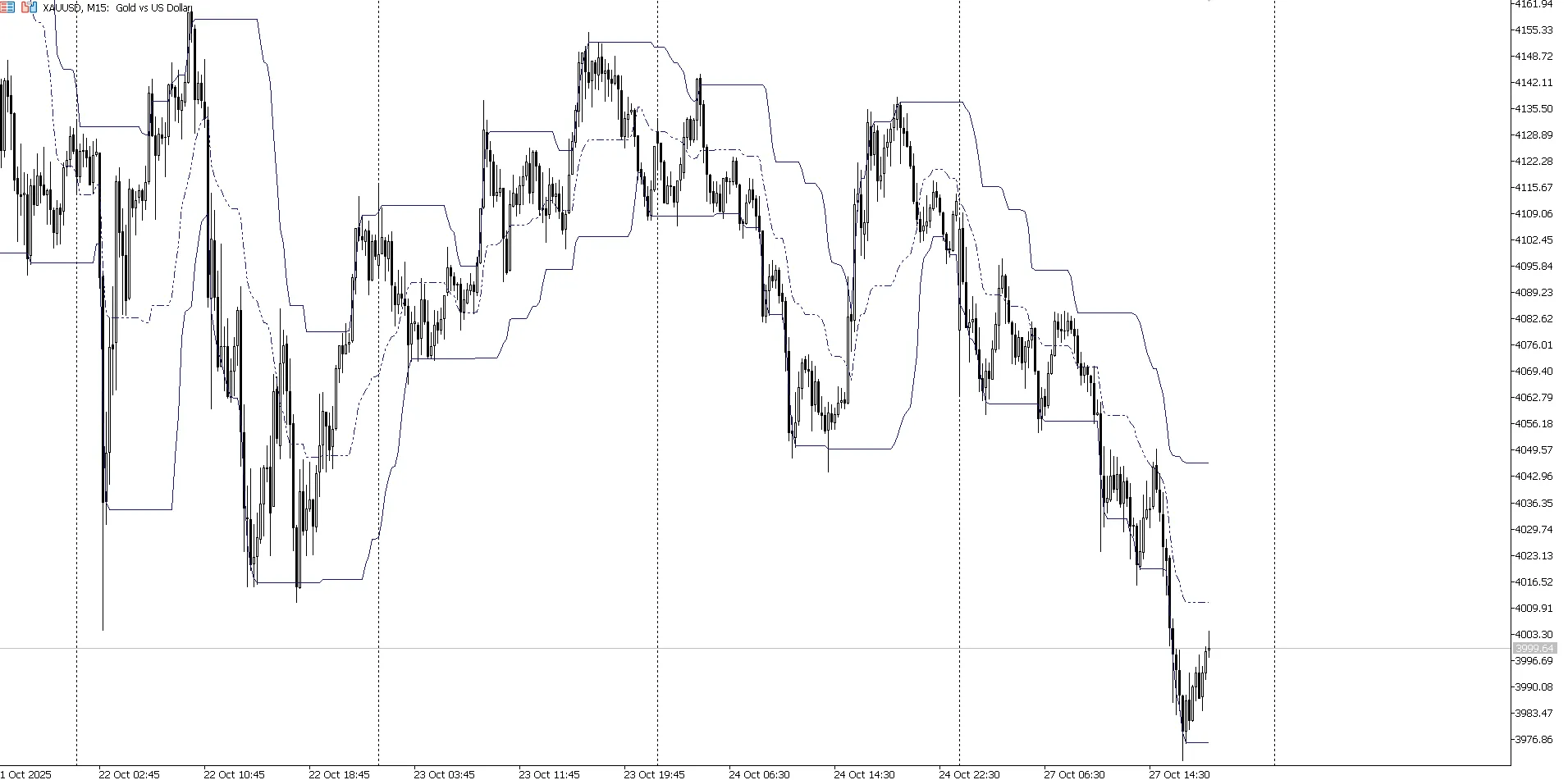
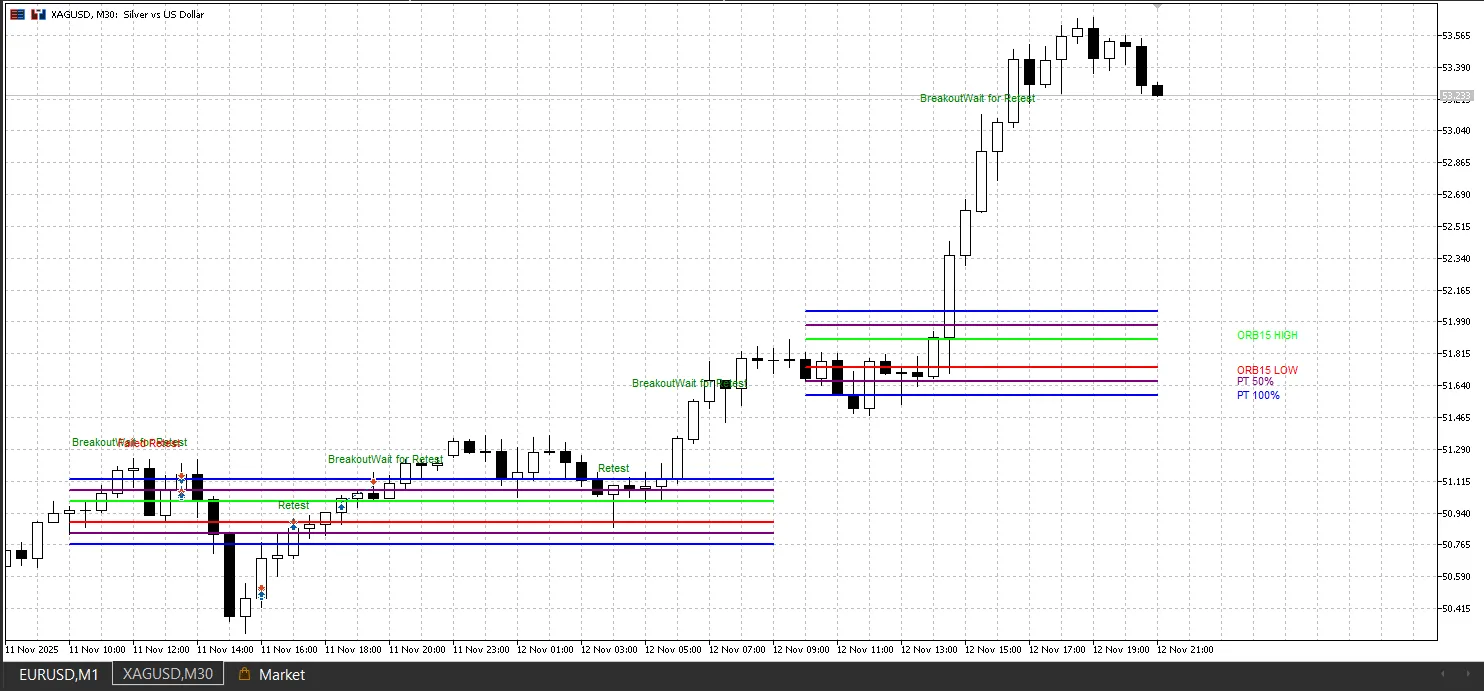
Overview The Open Range Breakout (ORB) indicator is a game changer for traders looking to pinpoint price breakouts from the day's opening range. The idea behind this tool is straightforward: the high and low prices set during the first few minutes of a trading session often act as vital support and resistance levels for the rest of the day. This nifty indicator automatically calculates the opening range based on your chosen time frame, plots multiple price targets, and even gives you visual and audio alerts for potential trading setups. It’s all about helping you spot high-probability breakout trades and retests! Core Concept The ORB strategy hinges on the fact that traders establish an initial price range when the market opens. When the price breaks free from this range with momentum, it typically continues in the breakout direction. This indicator tracks that opening range and forecasts multiple profit targets based on its size. Key features include automatic breakout detection, retest identification, and progressive profit targets calculated as multiples of the opening range. Indicator Parameters Basic Settings sOpeningRangeMinutes (default: "15") This sets the length of the opening range in minutes. Options are 5, 15, or 30 minutes, or 0 for custom ranges. The 15-minute opening range (9:30-9:45 EST) is popular for US equities, while shorter periods work well in faster markets. alertBreakoutsOnly (default: false) When this is enabled, alerts trigger only on confirmed breakouts, not just price crossing the ORB levels. This helps filter out false signals by ensuring the price closes beyond the range and continues in the breakout direction. showLabels (default: true) This option shows labels for all ORB levels and price targets on your chart, indicating "ORB HIGH", "ORB LOW", and percentage-based profit targets (PT 50%, PT 100%, etc.). showPreviousDayORBs (default: true) This controls whether ORB levels from previous sessions appear on your chart. Disable it to show only the current day's ORB, which can clean up your view. showEntries (default: true) This enables visual markers for potential entry points, including labels like "Breakout - Wait for Retest", "Retest", and "Failed Retest". These help you pinpoint the best entry timing. Display Options showPriceTargets (default: true) Displays primary profit targets at 50% and 100% of the opening range, which are commonly used for taking partial profits. showPriceTargetsExtended (default: false) Adds extended profit targets from 150% to 500% of the opening range, perfect for trending markets or volatile instruments like gold (XAUUSD). showMidPoint (default: false) Plots a line in the center of the opening range, which often acts as a pivot level for mean reversion strategies. showShadedBox (default: true) This features a filled rectangle over the opening range, giving you a clear visual cue of the ORB zone. Color Customization shadeColor (default: clrTeal) This sets the color for the shaded rectangle of the opening range. orb50Color (default: clrPurple) Color for the 50% profit target lines. orb100Color (default: clrBlue) Color for the 100% profit target lines. orbOtherColor (default: clrTeal) Color for all extended profit targets (150% to 450%). Time Settings sORBStartTime (default: "0930-0945") Custom time in 24-hour format (HHMM-HHMM) when sOpeningRangeMinutes is set to 0, allowing flexibility in defining the opening range. sTimeZone (default: "EST") The timezone for the opening range calculation. The indicator calculates times based on your broker's server time. Label Formatting labelOffsetBars (default: 5) This adjusts the horizontal spacing between current price action and label position. Positive values shift labels to the right. labelOffsetPips (default: 0) This adjusts vertical spacing for label positioning, preventing overlap with price action or other elements. labelFontSize (default: 8) The font size for all text labels on your chart, which you can tweak based on your screen resolution. labelAnchor (default: ANCHOR_LEFT) This sets the anchor point for label positioning, with options like ANCHOR_LEFT, ANCHOR_RIGHT, ANCHOR_CENTER, etc. maxLineBars (default: 500) This limits the line length for ORB level lines, preventing excessively long lines on historical data for better performance. How the Indicator Works Opening Range Calculation The indicator identifies the opening range by monitoring the specified time and recording the highest high and lowest low during that period. For instance, with a 15-minute setup, it captures the range from 9:30 to 9:45. Once the opening range time is up, the high and low levels are locked in and extended forward as horizontal lines for the rest of the trading session. Price Target Calculation All profit targets are calculated as multiples of the opening range size. If the range is 20 points, the 50% target is 10 points beyond the ORB high (for long trades) or below the ORB low (for short trades). This ensures profit targets adjust to market volatility, with larger ranges leading to wider targets. Breakout Detection Logic The indicator uses multi-bar confirmation for breakout signals. A valid breakout needs the price to close above the ORB high on one bar, then continue higher on the next bar with the low staying above the ORB high. This helps filter out false breakouts where price just spikes through the level before reversing. For downside breakouts, the price needs to close below the ORB low and continue with highs remaining below that level. Retest Identification After a confirmed breakout, the indicator looks for pullbacks to the broken level. A valid retest occurs when price touches the ORB level and closes on the correct side, confirming the level has flipped from resistance to support (or vice versa). Failed retests are flagged when price breaks back through the ORB level in the opposite direction, invalidating the original breakout signal. Interpretation and Trading Applications Breakout Trading Strategy The main use of this indicator is to spot high-probability breakout trades. When price breaks out of the opening range with volume, traders can jump in the direction of the breakout, placing stops below the ORB low (for longs) or above the ORB high (for shorts). The first profit target is generally the 50% level, where you can take partial profits. The remaining position can target the 100% level or beyond in strongly trending conditions. Retest Entry Method If you're on the more conservative side, waiting for a retest after the initial breakout is a solid strategy. The "Breakout - Wait for Retest" label signals this opportunity. When price pulls back to test the broken level and finds support (or resistance), it gives you a lower-risk entry point with a tighter stop loss. This method significantly improves the risk-reward ratio compared to jumping on the initial breakout. Range-Bound Trading When the price stays within the opening range, you can use mean reversion strategies, buying near the ORB low and selling near the ORB high. The midpoint line serves as a reference for neutral positioning. Multi-Timeframe Analysis This indicator can be applied across multiple timeframes. Many traders use a 5-minute ORB for scalping, a 15-minute ORB for day trading, and a 30-minute ORB for swing trading, providing a comprehensive view of potential support and resistance zones. Recommended Symbols and Timeframes Optimal Timeframes The indicator shines on 1-minute (M1) to 15-minute (M15) charts, where intraday price action is clear. The M5 timeframe hits a sweet spot between reducing noise and maintaining responsiveness. Suitable Instruments The ORB strategy works wonders on liquid instruments with distinct opening sessions: Forex pairs: EURUSD, GBPUSD, USDJPY at their respective regional opens Gold (XAUUSD): Very responsive to opening range breakouts due to strong directional moves Stock indices: US30, NAS100, SPX500 during the New York session open Cryptocurrencies: BTCUSD, ETHUSD during high-volume periods The indicator performs best on instruments with defined trading sessions rather than 24-hour markets without clear opening times. Performance Optimization The indicator comes with several performance enhancements for seamless chart operation. Buffer initialization to EMPTY_VALUE prevents unnecessary line drawing, while the maxLineBars parameter limits the length of historical lines. The rectangle drawing logic waits until the session wraps up before rendering, which cuts down on computational overhead during active trading. Object naming conventions use unique identifiers based on the day of the year, preventing conflicts when multiple ORB sessions are displayed at once. Alert System The notification system gives you real-time alerts through MetaTrader 5’s built-in alert feature. You can configure alerts for simple level crossings or restrict them to confirmed breakouts only. When a breakout happens, the alert message specifies whether it’s above the ORB high or below the ORB low, allowing you to quickly assess opportunities without constantly monitoring the chart. Visual Presentation All chart elements adhere to professional formatting standards with customizable colors. The default color scheme uses lime for ORB high, red for ORB low, purple for 50% targets, blue for 100% targets, and teal for extended targets and the shaded range box. This color-coding system enables quick visual identification of key levels, even on busy charts. The shaded rectangle serves as an intuitive visual reference for the opening range period, making it clear when the price trades within or outside the established range. Conclusion The Open Range Breakout indicator is a powerful trading tool that combines automatic range calculation, multiple profit targets, breakout detection, and retest identification into one easy-to-use package. Its flexibility through extensive input parameters allows you to tailor the indicator to various trading styles, from aggressive breakout trading to conservative retest entries. With its clean visual presentation and logical alert system, it suits both discretionary traders and those developing automated trading strategies. By focusing on the key opening range period, it helps traders identify the most significant support and resistance levels for each trading session.

2025.11.13
Mastering the Statistical Zigzag Indicator for MetaTrader 5
MetaTrader5
Mastering the Statistical Zigzag Indicator for MetaTrader 5

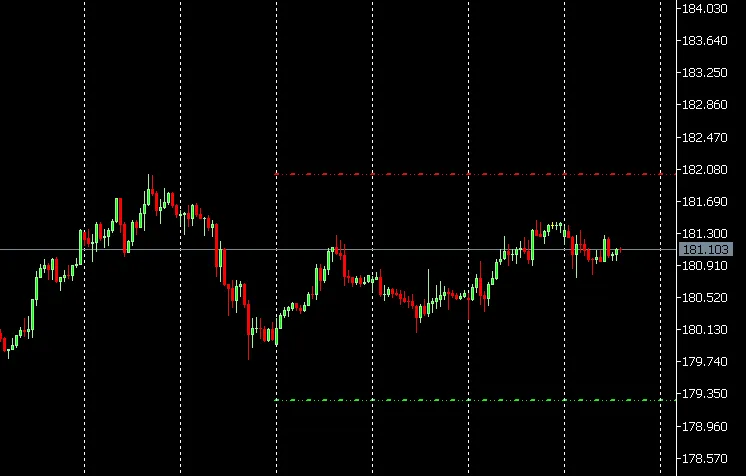
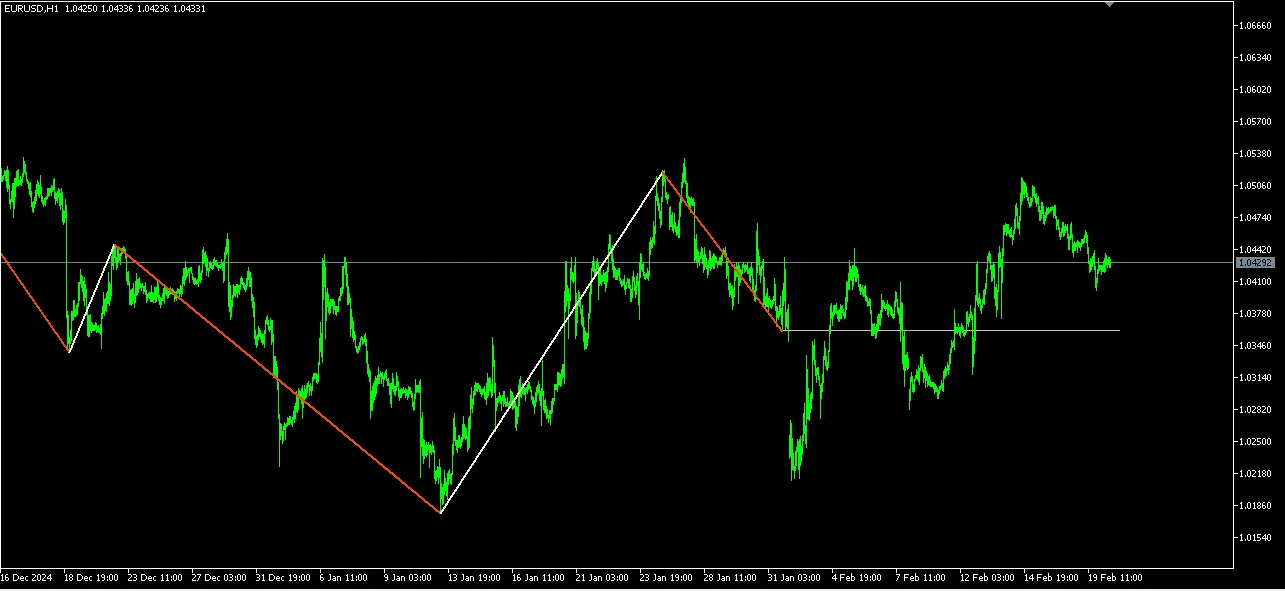
What is the Statistical Zigzag Indicator? The Statistical Zigzag indicator is a powerful tool for traders using MetaTrader 5. It helps identify swing points by confirming them when the price surpasses a specific volatility threshold. This threshold is calculated as the current standard deviation × multiplier. How It Works Unlike traditional methods that look for fixed highs and lows, this indicator assesses extremes based on local volatility. It captures the most extreme price within the move that triggered the threshold, adapting dynamically to the market's ever-changing conditions. Since the standard deviation updates with each new bar, you're always in tune with the current market trends. Understanding the Projected Levels Once a swing point is confirmed, a horizontal line projects from it, creating a statistically meaningful boundary. This line acts as a key level where the price is likely to either bounce back or break through. Think of it as a support or resistance level that you can trade off. Trading Strategies with Zigzag In a bearish trend, consider viewing any price movement above this projected level as mere noise. You might want to set a sell stop just below the line or enter directly at the level, exiting at breakeven if the price starts to go against your position. Key Inputs to Understand Length: A higher length will result in longer legs and fewer turning points, while a lower length will produce shorter legs and more turning points. Volatility Multiplier: A higher multiplier means the threshold is harder to breach, leading to more rigid legs. Conversely, a lower multiplier makes it easier to trigger, creating more responsive legs.

2025.11.07
Unlocking Market Trends with the Custom EMA Indicator for MT5
MetaTrader5
Unlocking Market Trends with the Custom EMA Indicator for MT5

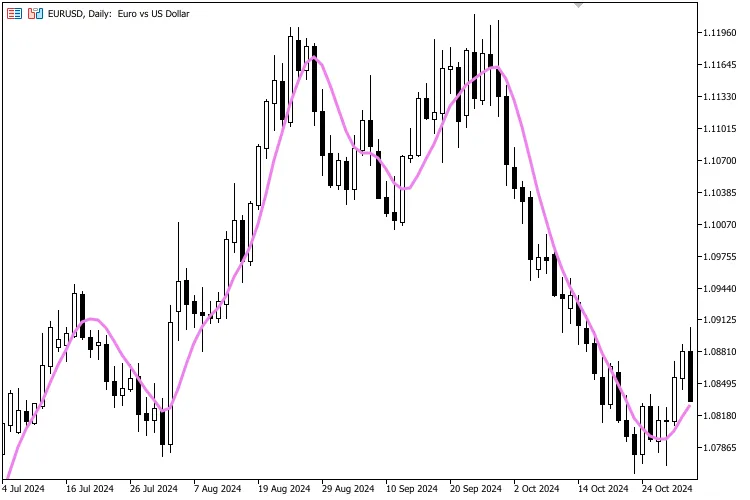
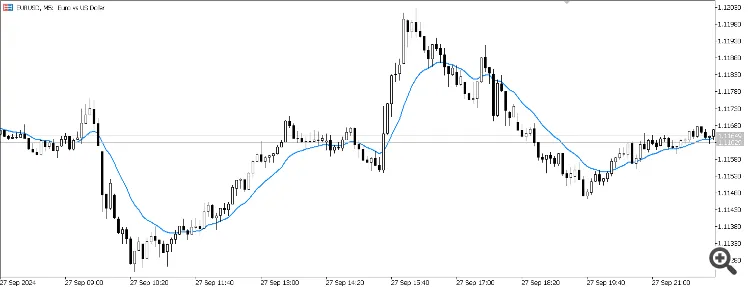
Are you on the lookout for a powerful tool to enhance your trading game? Look no further! This free custom Exponential Moving Average (EMA) indicator is designed specifically for MetaTrader 5, and it’s here to help you identify trends and generate signals right from your chart. The EMA is a go-to technical tool among traders for its ability to smooth out price data and provide insights into potential market movements. Features User-defined period for the EMA, allowing you to tailor it to your strategy. Versatile choice of applied price: Close, Open, High, Low, Median, Typical, or Weighted. Smooth calculations based on the standard EMA formula, initialized with an SMA of the first bars. Lightweight and efficient, making it easy to customize for your unique trading strategies. 📊 How to Interpret The EMA responds quicker to price changes compared to the Simple Moving Average (SMA). If the price is above the EMA, it often signals an uptrend; conversely, if it’s below the EMA, it could indicate a downtrend. This indicator is frequently employed in strategies such as: Trend-following Moving average crossovers (like EMA 50 crossing EMA 200). ⚙️ Customisation Adjust the line color and thickness to fit your style. Change the applied price and period easily in the input settings. Why Use This Indicator? It helps you identify market direction quickly, giving you the edge in your trades. This can serve as a building block for more advanced trading strategies. Ideal for traders looking for a clean and straightforward EMA implementation.

2025.11.02
1 2 3 4 5 6 Next Last