Technical Indicator

Mastering the Multi-Day Dynamic VWAP Indicator for MetaTrader 5
MetaTrader5
Mastering the Multi-Day Dynamic VWAP Indicator for MetaTrader 5

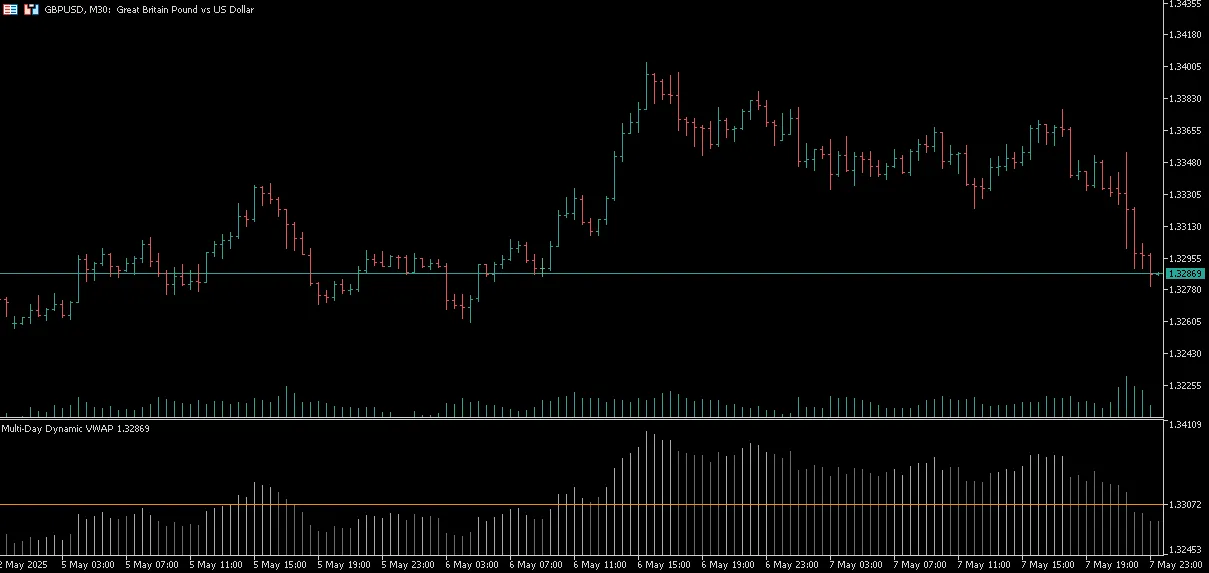
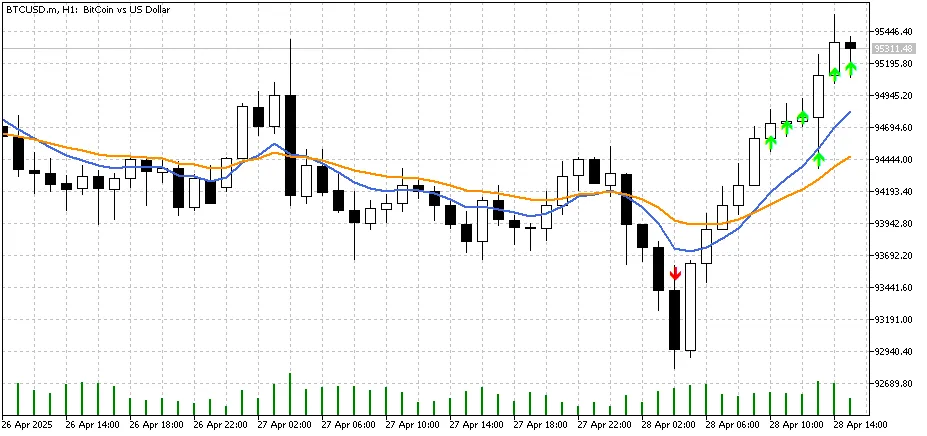
Hey fellow traders! Today, let’s dive into a powerful tool that can enhance your trading game: the Multi-Day Dynamic VWAP (Volume Weighted Average Price) indicator for MetaTrader 5. This nifty little indicator plots a dynamic VWAP level that starts from the daily timeframe, but you can fully customize the timeframe in the settings to suit your trading style. The cool thing about this indicator is its ability to calculate the VWAP over multiple days. Think of it as an anchored VWAP, but with more flexibility. It’s a great asset for pinpointing key support and resistance levels, confirming trends, and spotting mean reversion signals. Plus, it displays market close prices using Heiken Ashi trends, making it easier for you to visualize bullish and bearish momentum. So, what exactly is VWAP? In simple terms, it represents the average price weighted by volume over a chosen time period. Unlike regular averages, it shows you where the majority of volume has traded, which is crucial for institutional traders. When you're scanning for signals using VWAP, remember that it’s typically more effective to see how the market price acts in relation to the VWAP rather than just entering a trade at the VWAP level itself. Trend Support and Resistance Downtrend: VWAP serves as resistance when the current price is below VWAP.Price below VWAP = sellers are in control. Uptrend: VWAP functions as support when the current price is above VWAP.Price above VWAP = buyers are in control. Momentum When hunting for trade signals with VWAP, it’s wise to focus on how the price moves away from the VWAP level. Here’s what to look for: If price is shifting strongly away from VWAP in the trend's direction, it often indicates momentum continuation or a strong directional bias. This movement suggests that market participants are committing capital and adjusting perceived value, revealing high-conviction trading opportunities. Breakout Signals Bullish Breakout:If the price breaks above VWAP, consider it a potential buy signal, indicating buyers are stepping in. Bearish Breakout:If the price breaks below VWAP, it signals a potential sell opportunity as sellers take charge. Mean Reversion in Ranging Markets In sideways or consolidating markets, prices often retrace back to VWAP. This can present high-probability counter-trend trades and mean reversion setups.  

2025.05.08
Master Trend Changes with Custom MA Cross and RSI Indicator for MT5
MetaTrader5
Master Trend Changes with Custom MA Cross and RSI Indicator for MT5

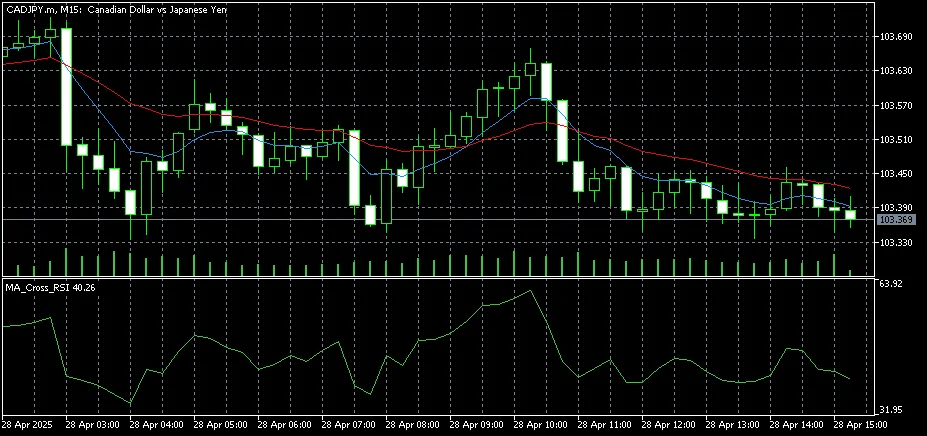
View Indicator Chart Hey there, fellow traders! If you're looking for a powerful tool to help you spot trend changes and filter your entries based on momentum, you’re in for a treat! The Custom MA Cross with RSI Indicator for MT5 is just what you need. This nifty indicator combines two moving averages with the Relative Strength Index (RSI) to deliver clear buy and sell signals right when you need them. Key Features: Customizable Moving Averages: Choose your preferred type (SMA, EMA, etc.), periods, and price source for each moving average. Crossover Alerts: Get instant visual and optional sound alerts when the fast MA crosses above or below the slow MA. RSI Filter: The indicator only displays signals when the RSI is above or below user-defined levels, helping you dodge those pesky false entries during weak trends. On-Chart Signals: Buy and sell arrows pop up directly on your chart at the crossover point, provided RSI conditions align. User-Friendly Settings: Whether you’re just starting out or you’re a seasoned pro, the simple input options make this tool accessible to all. How It Works: The indicator keeps an eye on two moving averages. When the fast MA crosses above the slow MA and the RSI is above your set level, a buy signal is triggered. Conversely, if the fast MA crosses below the slow MA and the RSI is below the defined level, you’ll see a sell signal. All these signals are clearly visible on your chart for easy reference. Benefits: Boosts your trend-following strategies. Helps filter out those choppy market conditions. Gives you the confidence to enter trades with clarity. This indicator is perfect for any timeframe and currency pair on the MetaTrader 5 platform. Plus, you can personalize it with colors that suit your style!

2025.04.28
Understanding Fair Value Gaps: A Key Indicator for MetaTrader 4
MetaTrader4
Understanding Fair Value Gaps: A Key Indicator for MetaTrader 4

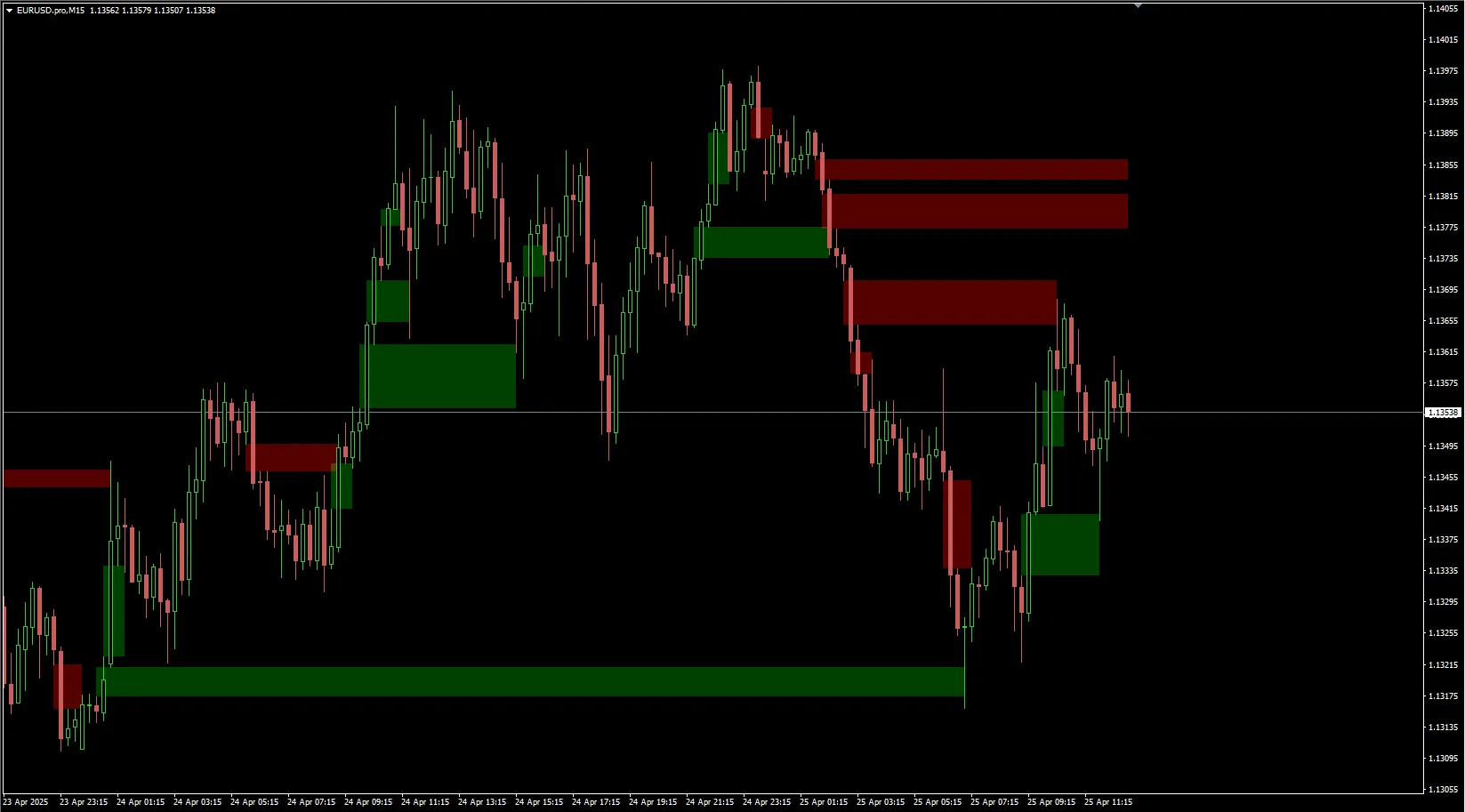
What Are Fair Value Gaps? Hey there, fellow traders! Today, we’re diving into a crucial concept that can really sharpen your trading strategies: Fair Value Gaps (FVG). If you’re using MetaTrader 4, understanding this indicator could give you an edge in your trading game. Why Fair Value Gaps Matter Fair Value Gaps are areas on the price chart where the market has moved too quickly, leaving behind a gap in pricing. These gaps can signal potential reversals or continuations in the market. If you can spot them, you can make more informed trading decisions. How to Identify Fair Value Gaps Look for Price Gaps: These often occur after significant news events or market openings. Check for Volume: A gap accompanied by high trading volume can be a strong indicator. Use Candlestick Patterns: Candlestick formations around these gaps can provide further clues for entry and exit points. Applying Fair Value Gaps in Your Trading Strategy Incorporating Fair Value Gaps into your trading strategy can be a game changer. Here’s how you can utilize them: Set Alerts: Use MetaTrader 4 to set alerts for when price approaches these gaps. Combine with Other Indicators: Pair FVGs with trend indicators for a more robust trading signal. Manage Risk: Always set stop-loss orders to protect your capital when trading around these gaps. Final Thoughts Fair Value Gaps are an essential tool in any trader’s toolkit. By mastering this indicator, you’ll be better equipped to navigate the markets with confidence. So, the next time you’re analyzing your charts, keep an eye out for those gaps!

2025.04.25
Countdown 2.0: The Must-Have Indicator for MetaTrader 5 Traders
MetaTrader5
Countdown 2.0: The Must-Have Indicator for MetaTrader 5 Traders

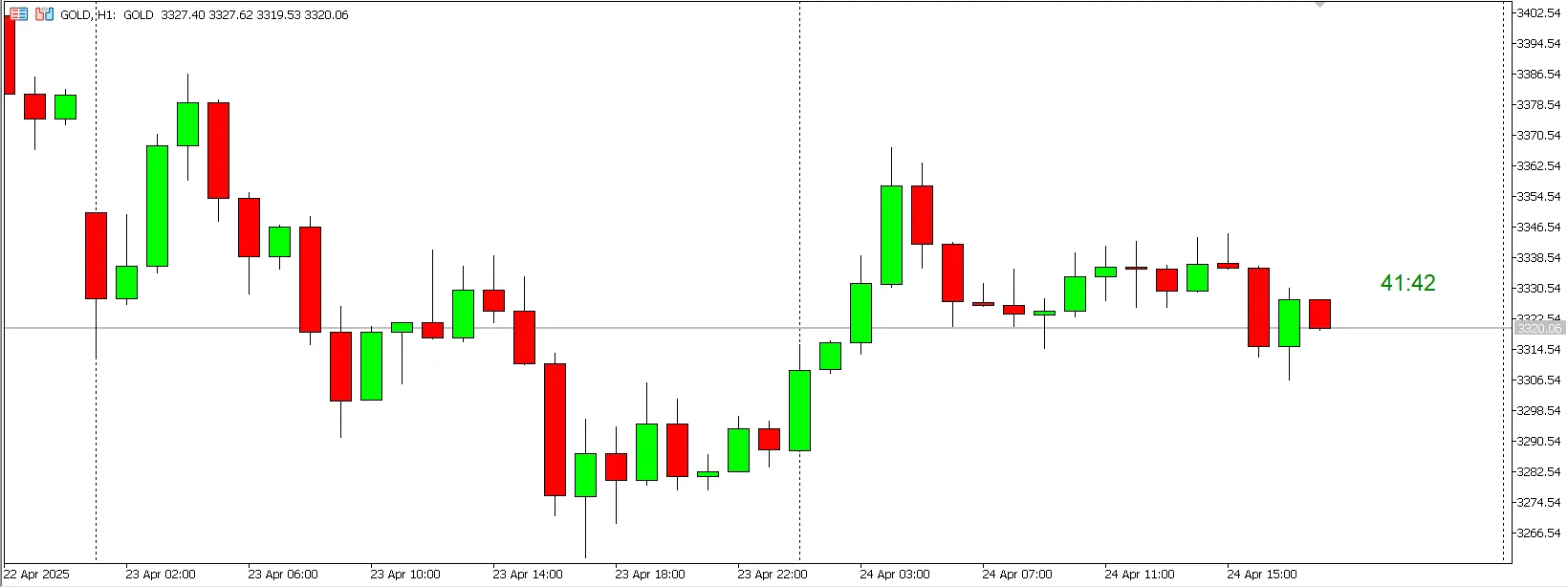
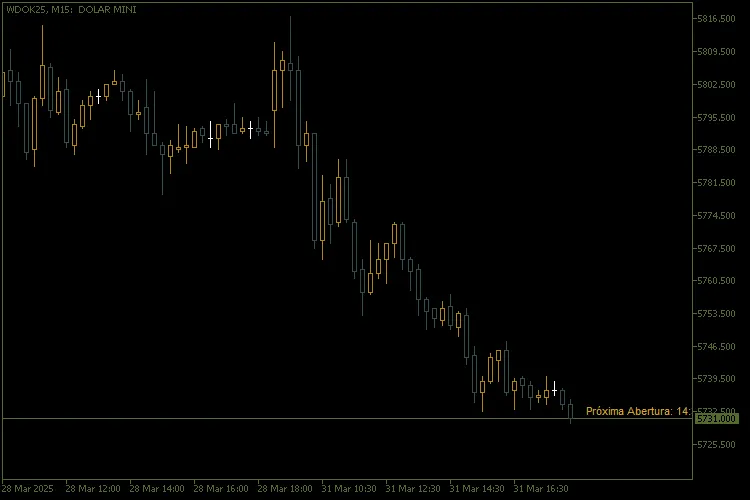
Key Features 1. Flexible Display Modes: - Commentary: The countdown appears right in the top left corner of your chart. - Chart Edges: You can position the stopwatch in any corner of the chart, keeping it in a fixed view. - Near Price: The stopwatch dynamically follows the price in real-time, ensuring it’s always visible close to the market action. 2. Time Zone Compatibility: - Automatically adjusts to the Brasilia time zone (UTC-3), with automatic updates for daylight saving time (DST). 3. Smart Countdown: - Calculates the time remaining until the next candlestick when the market is open. - Calculates the time remaining until the next market open when closed, with adjustments for weekdays and weekends. 4. Full Customisation: - Choose the color, font size, and anchor point of the text to suit your style. - Set your preferred market opening and closing times. 5. Intuitive Interface: - Simple and well-documented input parameters make setup a breeze. How to Set Up 1. Installation: - Download the Countdown.mq5 file and place it in the Indicators folder of your MetaTrader 5. - Restart the terminal and add the indicator to your desired chart. 2. Input Parameters: - Timer Position: Pick between "Commentary", "Chart Borders", or "Next to Price". - Text Colour: Customize the timer color for better visibility. - Font Size: Adjust the text size to your liking. - Opening and Closing Times: Input your market's hours in HH:MM format (e.g. 09:00). 3. Usage: - When the market is open, the indicator shows the countdown until the next candlestick. - When the market is closed, it displays the time remaining until the next open. Benefits - Accuracy: Provides precise countdowns, considering time zones and automatic adjustments. - Versatility: Works seamlessly across any timeframe and financial asset. - Ease of Use: The user-friendly interface and clear parameters allow for quick setup. - Dynamic Visualization: The "Near Price" mode ensures the timer is always in sync with market action.

2025.04.17
Understanding Spreads: A Key Indicator for MetaTrader 5 Traders
MetaTrader5
Understanding Spreads: A Key Indicator for MetaTrader 5 Traders

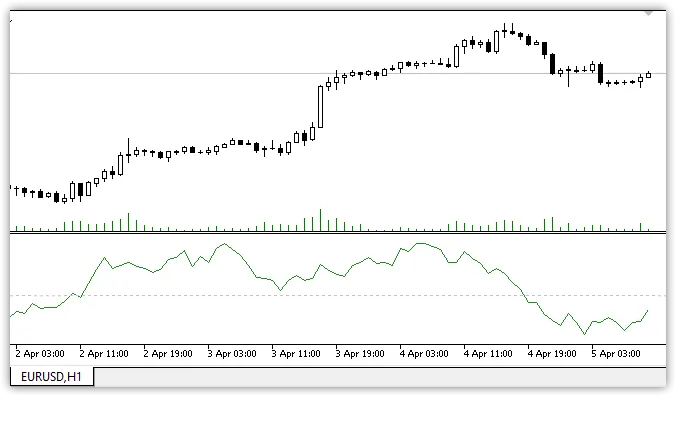
What is Spread in Trading? In the trading world, a spread refers to the difference between the bid and ask prices of two symbols. When the quotes of these symbols move in opposing directions, the second symbol is reversed. Essentially, the spread is calculated based on the sum of these quotes. Using the Spread Indicator It's important to note that only the quotes of the second symbol in the spread are reversed. The variable names are straightforward, making it easier for traders to grasp their meanings. This indicator is essential when both symbols of the spread are actively traded — particularly within the timeframe of trading sessions. Trading with Spreads: Strategies When it comes to spread trading, you can adopt a few strategies: Flat Trading: If the spread increases, consider selling; if it decreases, think about buying. Support and Resistance Levels: Look for trading opportunities around these levels after the spread chart crosses them. Setting Up Your Indicator The code for the spread indicator is thoroughly commented, making it user-friendly. When setting up the indicator for the first symbol of the spread, you'll use variables to convert to integers for easier viewing and analysis. For instance, if your quotes have five decimal places, you’ll set your multiplier to 100,000. Coefficient_to_an_integer1 = 100000; Coefficient_to_an_integer2 = 100000; input double Weighting_coefficients1 = 1;         // proportionality factor (position volume) of the first spread symbol input int Coefficient_to_an_integer1 = 100000   // number of quotation marks Sym 1 input string Symbol2 = "USDCAD"                  //second spread symbol input bool   Symbol2_Reverse = true              //inverse correlation input double Weighting_coefficients2 = 1         // proportionality factor (position volume) of the second spread symbol input int Coefficient_to_an_integer2 = 100000   // number of quotation marks Sym 2 Exploring Interpretation Variability There are numerous ways to interpret the values of the spread indicator and its movements. You can analyze breakdowns and bounces from levels, which gives you flexibility in strategy selection. For instance, tracking trends in the spread quotes can provide insights, especially when considering seasonal patterns. Classic Example: AUDUSD and USDCAD Spread Let’s take a closer look at a classic interpretation of the AUDUSD-USDCAD spread, where trading occurs within a defined range. You can also enhance your analysis by overlaying standard technical analysis figures and indicators, such as envelopes, on the spread chart to better visualize its values.

2025.04.17
Unlocking Better Volume: Your Go-To Indicator for MetaTrader 5
MetaTrader5
Unlocking Better Volume: Your Go-To Indicator for MetaTrader 5

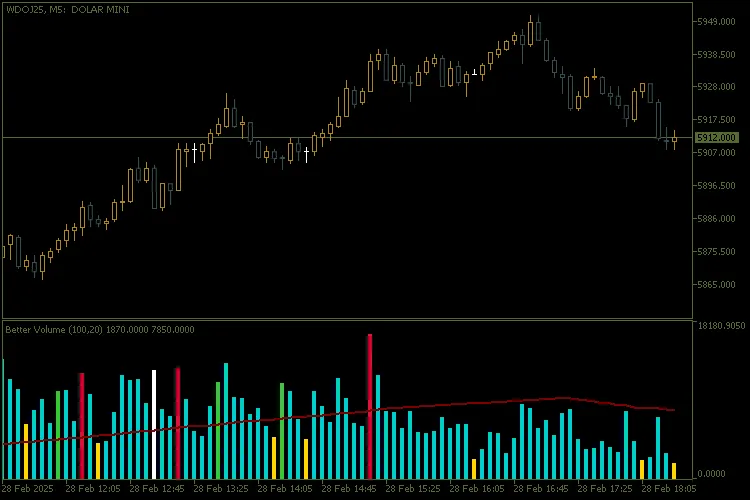
Main Features Dynamic Volume Categorization: The indicator sorts volume into various categories, using distinct colors for easy visual interpretation: Buying Climax (clrCrimson): Highlights periods of exceptionally high volume with a price increase. Selling Climax (clrLimeGreen): Indicates strong selling pressure accompanied by high volume. Churn (clrGold): Captures high volatility without a clear price trend. Climax Churn (clrMagenta): Merges buy/sell climaxes with churn, showcasing extreme volatility. Weak Candle (clrDarkTurquoise): Identifies candles with low volume in the lookback period. Volume Balance (clrWhiteSmoke): Represents standard volume without any special characteristics, serving as a "base color" when no other patterns are present. Moving Average Volume: A smoothed moving average line (clrMaroon) helps you spot volume trends over time. Advanced Customization: Moving Average Period: Tailor the moving average period to fit your trading style. Lookback Window: Adjust the lookback window to compare current volume with recent values. Volume Type: Choose between real volume (VOLUME_REAL) or tick volume (VOLUME_TICK) based on the asset's characteristics. Clear Visual Interface: A colored histogram (DRAW_COLOR_HISTOGRAM) displays volume categories intuitively for quick analysis. Flexibility for Different Timeframes: This indicator works seamlessly across any timeframe, whether you're trading intraday or looking at weekly/monthly charts. How to Interpret the Signals Buy/Sell Climax: Marks strong accumulation or distribution moments, hinting at potential trend reversals or continuations. Churn: Reflects high volatility without a clear direction, indicating market uncertainty. Weak Candles: Represents low market activity, often seen during consolidations or indecision periods. Volume Balance: Shows normal market behavior, providing insights into stability without significant anomalies. Configuration and Use Better Volume is straightforward to set up and use: Add the indicator to your chart in MetaTrader 5. Adjust the parameters as needed: Moving Average Period: Controls the smoothness of the moving average line. Lookback Window: Sets the number of candles for comparison. Volume Type: Select between real volume or tick volume. Keep an eye on the signals from the histogram and moving average line to make informed trading decisions. Why Use Better Volume? Volume Flow Analysis: Gain insights into market participants' behavior based on volume trends. Pattern Identification: Spot buy/sell climaxes, churn, and other critical patterns that can guide your trading choices. Ease of Use: The intuitive visual interface and customization options make this indicator accessible for both beginners and seasoned traders. Application Example Utilize the indicator to confirm entry and exit signals within volume-based strategies. For more details, check out this chart example.

2025.04.17
Mastering Average Price Calculation with MQL5 Indicator for MetaTrader 5
MetaTrader5
Mastering Average Price Calculation with MQL5 Indicator for MetaTrader 5

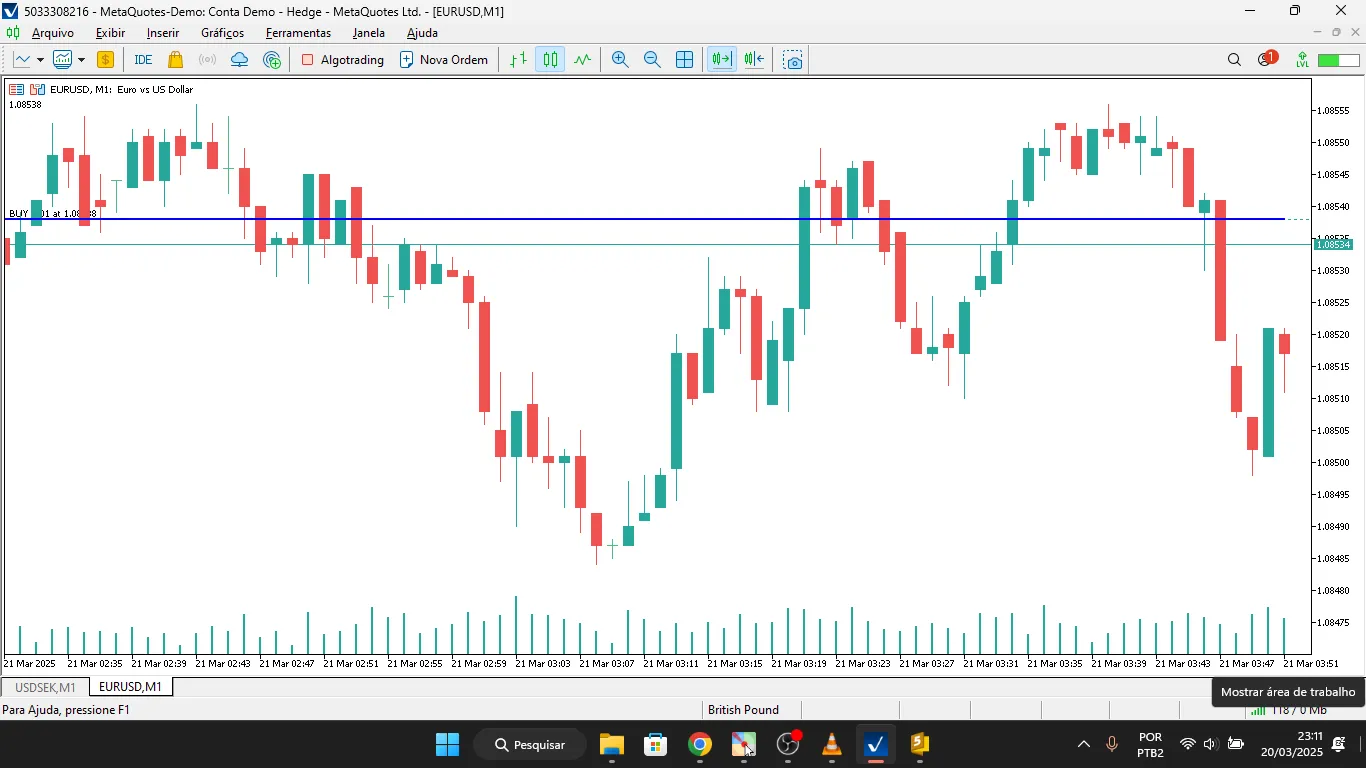
MQL5 Indicator for Calculating the Average Price of a Hedge Account Introduction Hey there, fellow traders! Today, I want to share a nifty tool with you – an MQL5 indicator designed to calculate the average price of your hedge account effortlessly. I’ve tweaked the original code a bit and even posted a walkthrough video on YouTube for you to check out: As many of you know, trading with a hedge account lets you hold both long and short positions on the same asset simultaneously. A common challenge in this setup is figuring out the average price of your open positions. Well, this article walks you through an MQL5 indicator that automatically calculates that average price for any given symbol and Magic Number, and displays it right on your chart. How Does the Indicator Work? The indicator operates in a few straightforward steps: Filters all open positions in MetaTrader 5, checking against the symbol and Magic Number you set. Separates buy and sell trades to calculate the volume and total cost for each. Calculates the weighted average price, factoring in total volume bought and sold. Displays a line on the chart that indicates the average price of your net position. Code Breakdown 1. Calculating the Average Price The CalculateHedgeAveragePrice() function loops through all your open positions and: Sorts out buys from sells. Calculates the weighted average price for each direction. Identifies whether your net position is long or short. Returns the calculated average price. 2. Initializing the Indicator In the OnInit() function, we set up the buffer that will hold the average price to be displayed on your chart. 3. Filling the Buffer The OnCalculate() function updates the indicator buffer using ArrayFill(), which improves the efficiency of the code. How to Use in MetaTrader 5 Copy and paste the code into a new .mq5 file in the Indicators folder. Compile the code in MetaEditor. Add the indicator to your chart in MetaTrader 5. Set the Magic Number for the trades you want to keep an eye on. Conclusion This MQL5 indicator is a game changer for those of you working with hedge accounts. It makes keeping track of the average price of your open positions a breeze and can be tailored for various assets and strategies. Happy trading!

2025.04.17
Understanding Chaikin Money Flow: A Trader's Guide for MetaTrader 5
MetaTrader5
Understanding Chaikin Money Flow: A Trader's Guide for MetaTrader 5

Chaikin Money Flow (CMF) is a powerful technical analysis tool that helps traders gauge the cash flow volume over a specified period. Developed by Mark Chaikin, this indicator measures the buying and selling pressure of assets, giving you insights into potential trading opportunities. The CMF summarizes cash flow volume over your chosen analysis timeframe, with the most common settings being 20 or 21 days. The values can range from 1 to -1, where higher values indicate stronger buying pressure and lower values signify increased selling pressure. How to Calculate Chaikin Money Flow The calculation of CMF involves three straightforward steps: Calculate the Cash Flow Multiplier: Money Flow Multiplier = ((Close - Low) - (High - Close)) / (High - Low) Determine Cash Flow Volume: Money Flow Volume = Money Flow Multiplier * Volume Calculate CMF: CMF(Period) = Sum(Period) of Money Flow Volume / Sum(Period) of Volume Understanding where a period closes in relation to its high and low can help identify buyer and seller pressure. If a period closes in the upper half of the range, it indicates stronger buying pressure, while a close in the lower half suggests stronger selling pressure. Trend Confirmation with CMF CMF can be a reliable tool for confirming ongoing trends. During a bullish market, consistent buying pressure (CMF values above 0) often signals that prices will continue to rise. Conversely, in a bearish trend, persistent selling pressure (CMF values below 0) indicates that prices may keep falling. Identifying Trend Reversals Watch for the CMF crossing the zero line, as this can signal a potential trend reversal. If the indicator moves from below zero to above, it often means prices are set to rise. On the flip side, if the CMF dips from above zero to below, expect prices to fall. Keep in mind that, like all indicators, CMF can generate false signals, so it’s best to analyze the specific security's behavior and adjust your thresholds accordingly. Limitations of CMF While Chaikin Money Flow is a useful indicator, it does have its drawbacks. The cash flow multiplier doesn't account for changes in trading range between periods, which can lead to a misalignment between indicator values and actual price movements, especially during gaps. Final Thoughts Chaikin Money Flow is an excellent indicator for analyzing buying and selling pressure over time. However, it's best used alongside other tools, particularly those developed by Chaikin himself, like the Accumulation/Distribution Line (ADL) and the Chaikin Oscillator. By combining these indicators, you can enhance your trading strategy and improve your chances of success.

2025.04.17
Understanding the Correlation Coefficient: A Vital Tool for Traders
MetaTrader5
Understanding the Correlation Coefficient: A Vital Tool for Traders

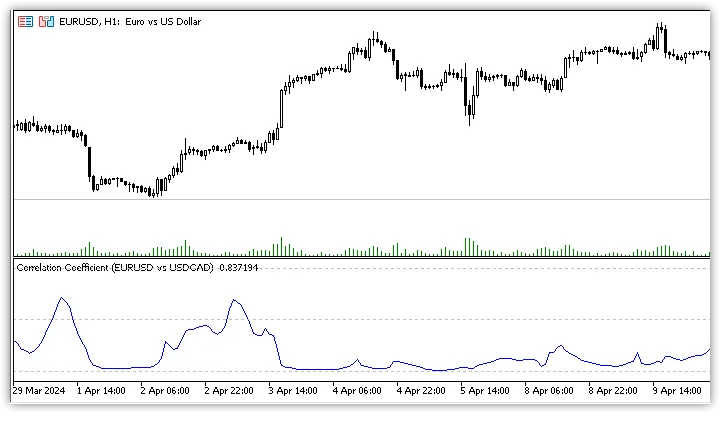
The correlation coefficient (CC) is a key statistical tool that helps traders measure the relationship between two financial instruments. Essentially, it tells you how closely related two assets are — the closer the number is to 1 or -1, the stronger the relationship. A CC close to 1 indicates that the assets move together, while a value near -1 means they move in opposite directions. A value of 0 suggests no correlation at all.To break it down further, when you’re trading, you want to keep an eye on how these instruments behave relative to one another. A correlation coefficient of +1 means a perfect positive correlation, where prices move in lockstep. Conversely, a -1 indicates a perfect negative correlation, with prices moving in exactly opposite ways. These extremes are rare, and you’ll often find the correlation coefficient fluctuating somewhere in between, reflecting the dynamic nature of financial markets.Check out the correlation between EUR/USD and USD/CAD:Here’s the USD/CAD chart overlaid on the EUR/USD chart along with their correlation coefficient:Unlike many other technical indicators, the correlation coefficient is especially useful for long-term investors. If you’re building a diversified portfolio, knowing how different assets correlate can be a game-changer. By opting for instruments that have low correlation with each other, you can avoid taking on unnecessary risk.When using the correlation coefficient indicator, you’ll find three customizable parameters:Symbol - This is where you enter the symbol of the second instrument you want to compare with the first one.Source - This determines the price source for calculating the correlation between the two instruments.Length - This sets the calculation period, indicating how many bars will be used to compute the correlation coefficient.As we’ve mentioned, the correlation between two instruments can change over time. That’s why this indicator is a handy tool for traders to stay updated on these shifts and adjust their investments as needed. Remember, staying informed is key to maintaining a balanced and effective trading strategy!

2025.04.17
Understanding the Know Sure Thing (KST) Indicator for MT5 Trading
MetaTrader5
Understanding the Know Sure Thing (KST) Indicator for MT5 Trading

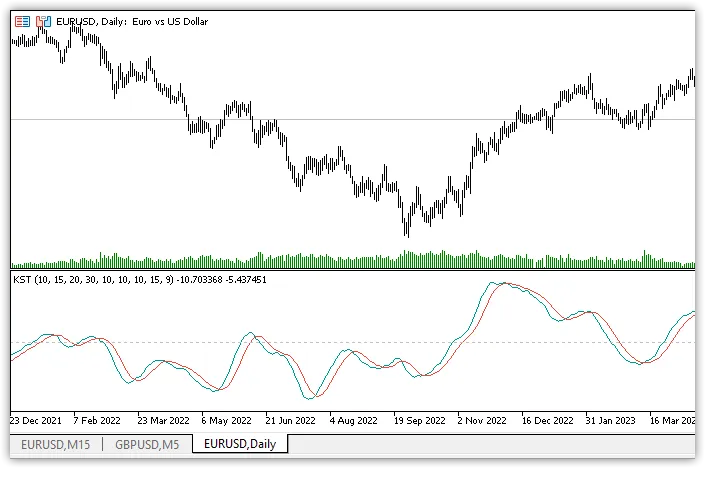
The Know Sure Thing (KST) indicator is a powerful oscillator that traders use to gauge momentum through the Rate of Change (ROC). It combines four different-period ROCs, all smoothed out using simple moving averages (SMAs). The result is a final value that oscillates above and below a zero line, giving you insight into market momentum. The indicator's signal line is simply the SMA of the KST line, which means it's effectively measuring the momentum across four distinct price cycles. Developed by Martin Pring and introduced in 1992 in Stocks & Commodities Magazine, the KST indicator has remained a go-to tool for traders worldwide. How is KST Calculated? The default calculation periods for the ROC, smoothing, and signal line are as follows: 10, 15, 20, 30, 10, 10, 10, 10, 10, 15, 9. ROCMA1 = SMA(ROC(10), 10) ROCMA2 = SMA(ROC(15), 10) ROCMA3 = SMA(ROC(20), 10) ROCMA4 = SMA(ROC(30), 15) KST = ROCMA1 + (ROCMA2 * 2) + (ROCMA3 * 3) + (ROCMA4 * 4) Signal = SMA(KST, 9) In essence, KST takes the rate of price change for four different time periods, smooths them out, and summarizes the results. Interpreting KST: What You Need to Know General Rule: When KST is positive, it indicates rising momentum, suggesting a bullish market. Conversely, when KST is negative, momentum is falling, pointing to a bearish market. It's important to note that the calculation and smoothing periods can be adjusted based on your trading preferences. Pring recommended the following parameter values for different chart types: D1: (10, 15, 20, 30, 10, 10, 10, 15, 9) W1: (10, 13, 15, 20, 10, 13, 15, 20, 9) MN: (9, 12, 18, 24, 6, 6, 6, 9, 9) Divergences: What to Watch For Divergence occurs when the price movement doesn't align with the indicator values. This mismatch can signal a potential market reversal. For instance, a bullish divergence happens when prices are dropping while KST is climbing. On the flip side, bearish divergence occurs when prices are rising and KST is falling. Overbought and Oversold Conditions Unlike other oscillators, KST isn't bound to specific ranges, making it essential to conduct your research to identify true overbought and oversold levels. Generally, these conditions can confirm a trend rather than indicate a reversal. Overbought conditions may suggest strength in a bull market, while oversold levels can indicate strength in a bear market. Crossovers: Key Signals When analyzing KST, there are two types of crossovers to consider: Zero line crossover Signal line crossover Zero line crossovers often lag and may not be very reliable, typically indicating a trend continuation. On the other hand, signal line crossovers can reveal significant changes in momentum. For example: If the KST line crosses the signal line from below while in negative territory, it indicates increasing upside momentum. Conversely, if the KST line crosses the signal line from above while in positive territory, it suggests increasing downside momentum. The Know Sure Thing (KST) indicator has its strengths and weaknesses, just like any other technical analysis tool. It shouldn't be used in isolation but rather as part of a broader trading strategy. While it can be delayed due to its moving average components, its ability to confirm trends through overbought and oversold conditions makes it a valuable asset when used alongside other indicators.

2025.04.17
First Previous 2 3 4 5 6 7 8 9 10 11 12 Next Last