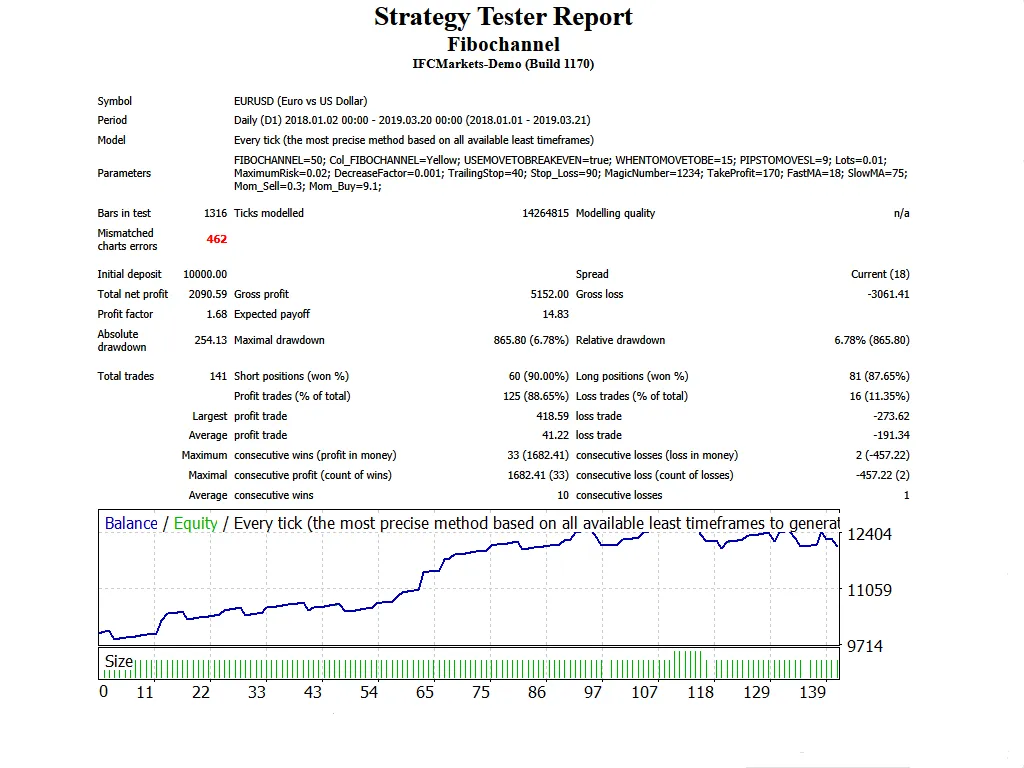
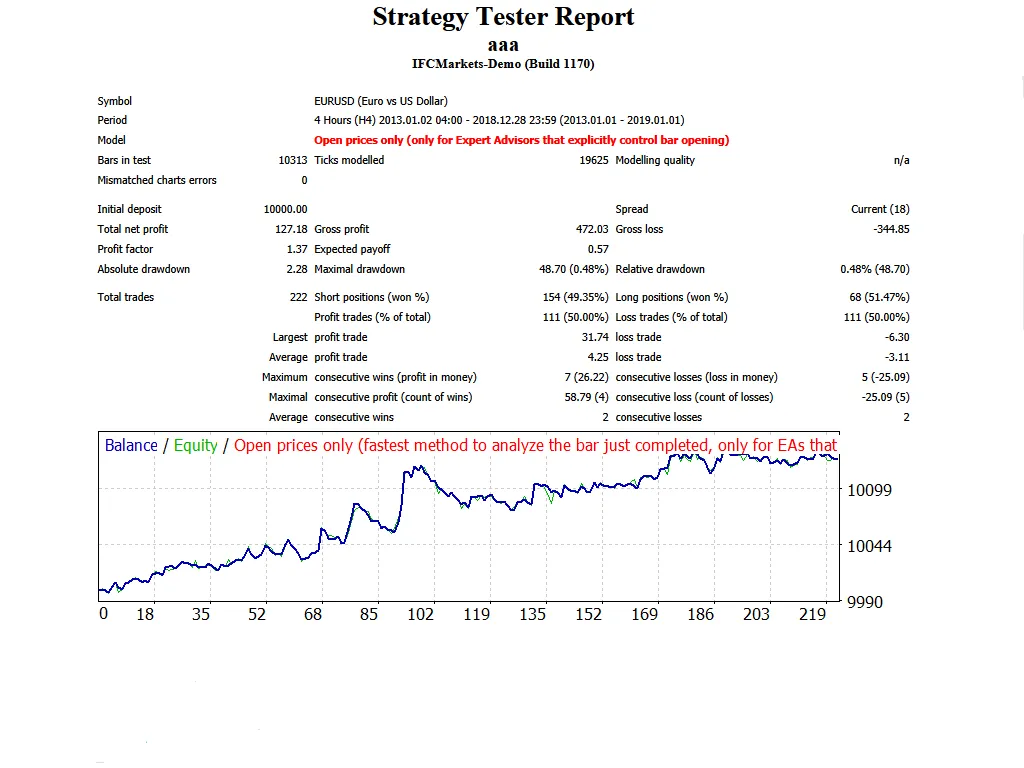
Welcome to the world of trading! Today, let’s dive into the Fibochannel Line EA, a powerful tool des...
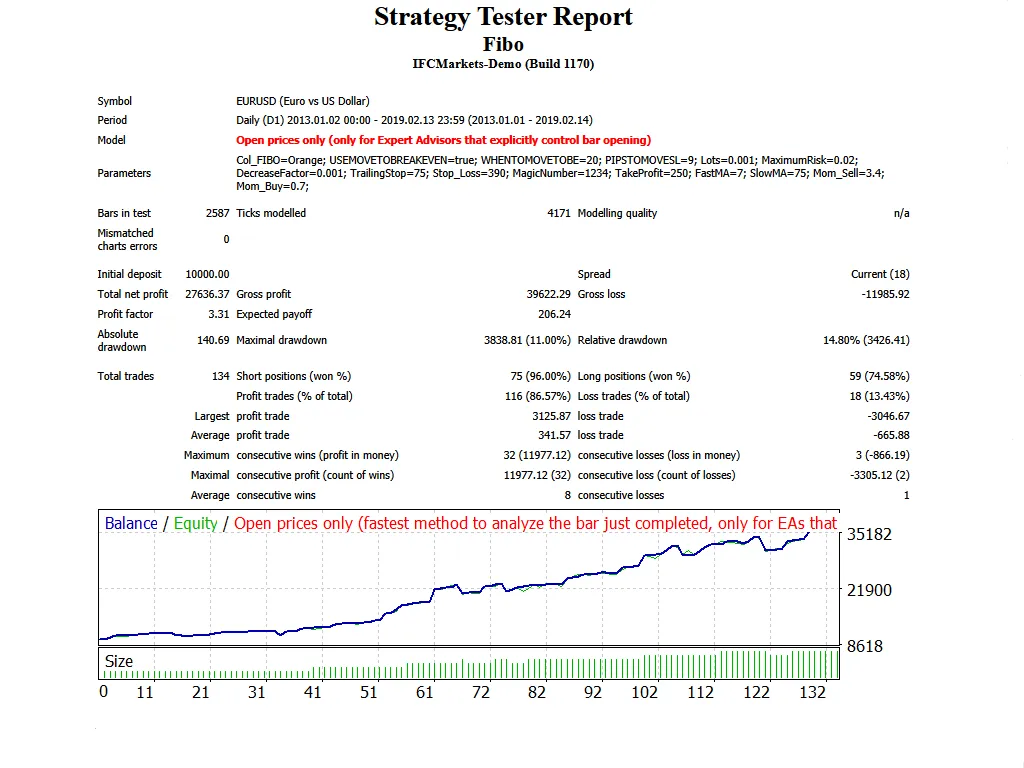
Hey traders! If you’re looking to enhance your charting game, the "Fibo" Expert Advisor (EA) is a fa...
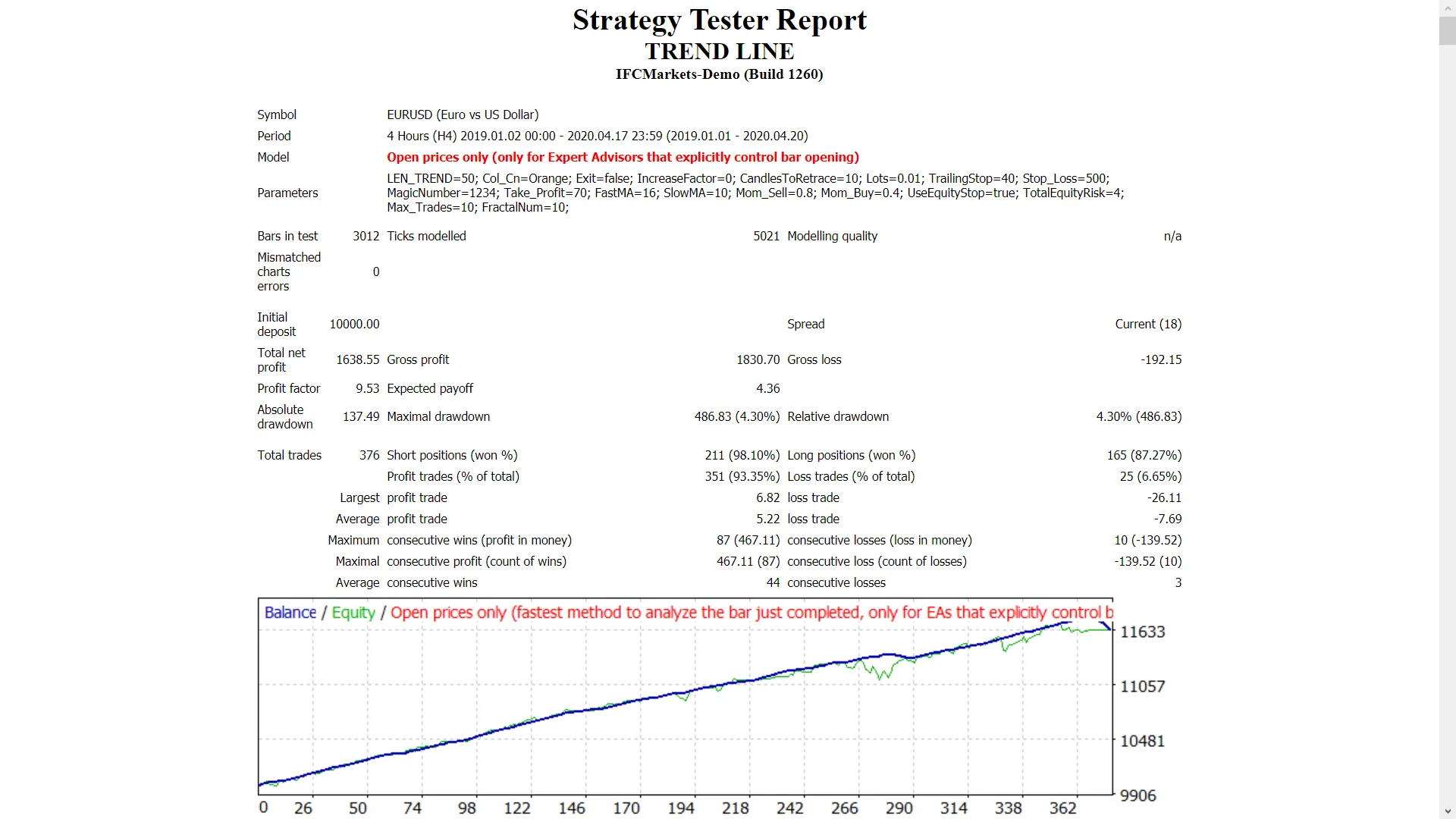
Are you ready to level up your trading game? The Trend Line EA for MetaTrader 4 is here to help you ...
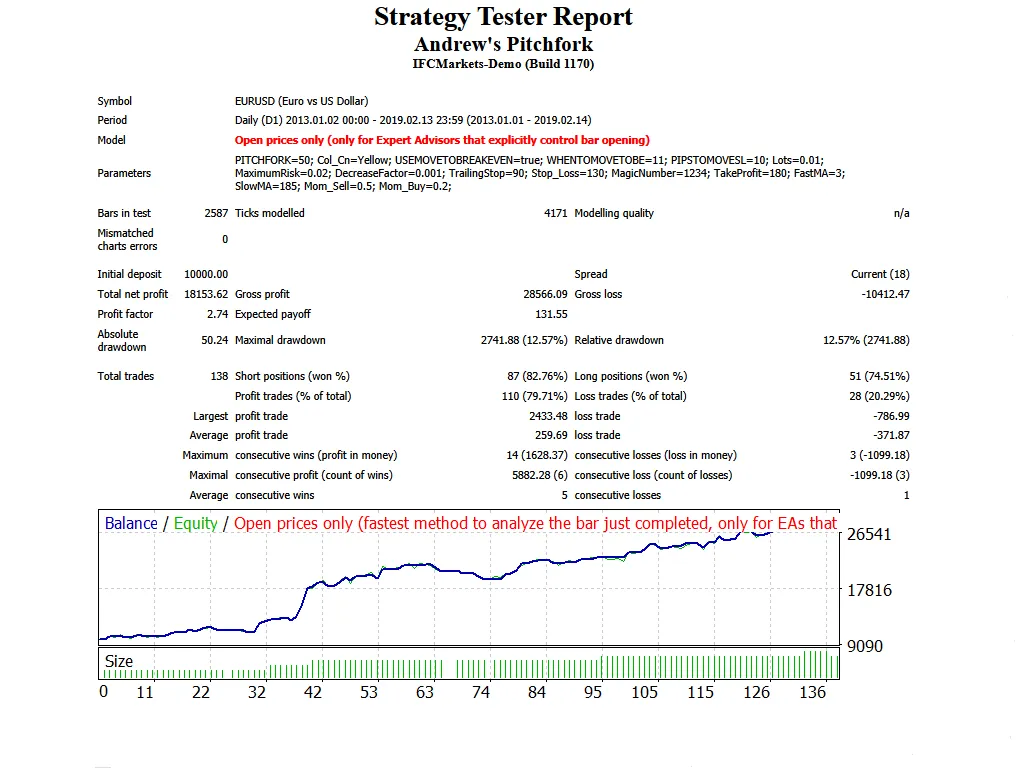
Are you ready to elevate your trading game? Let’s dive into the world of the Andrews Pitchfork Exper...
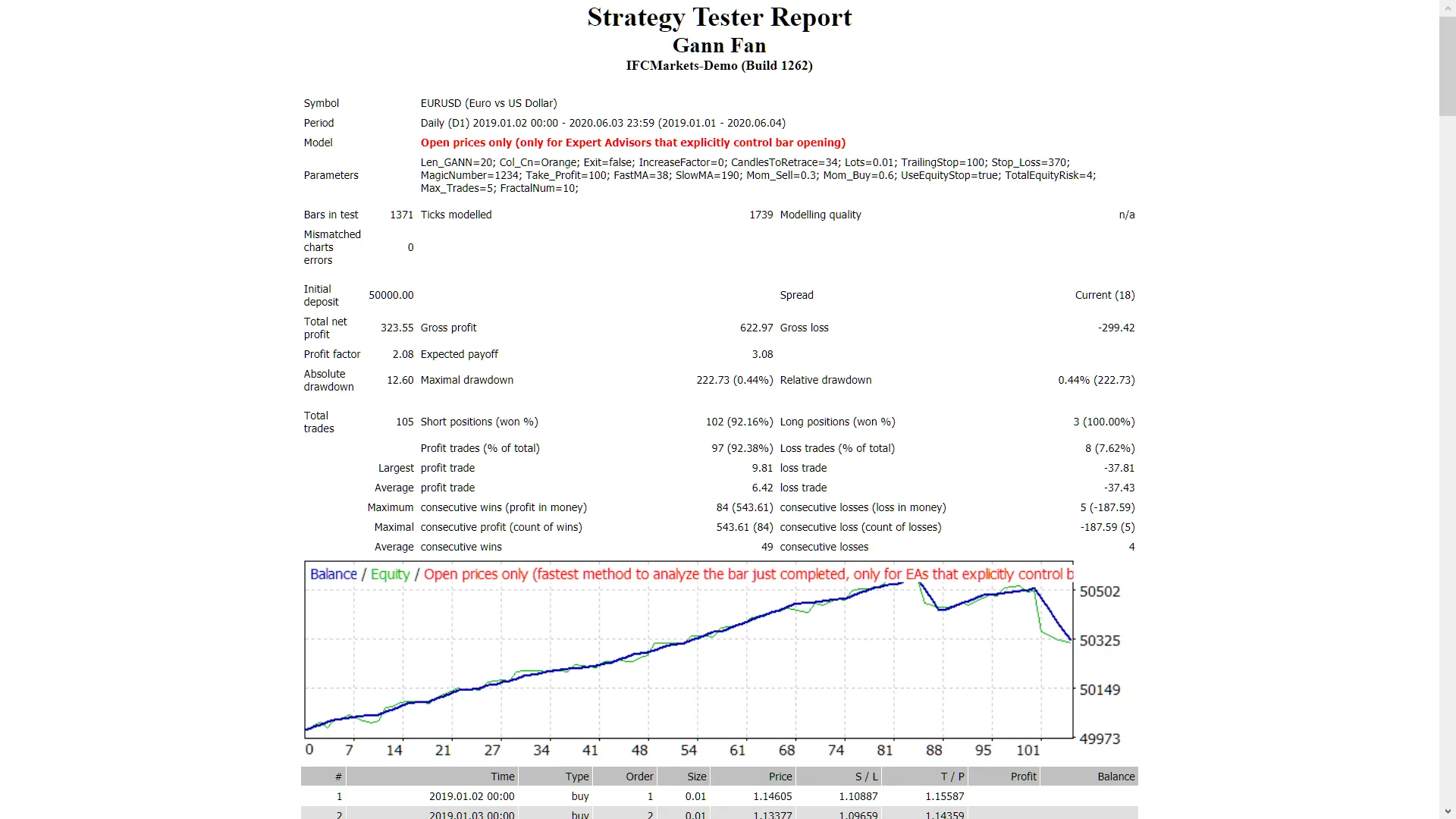
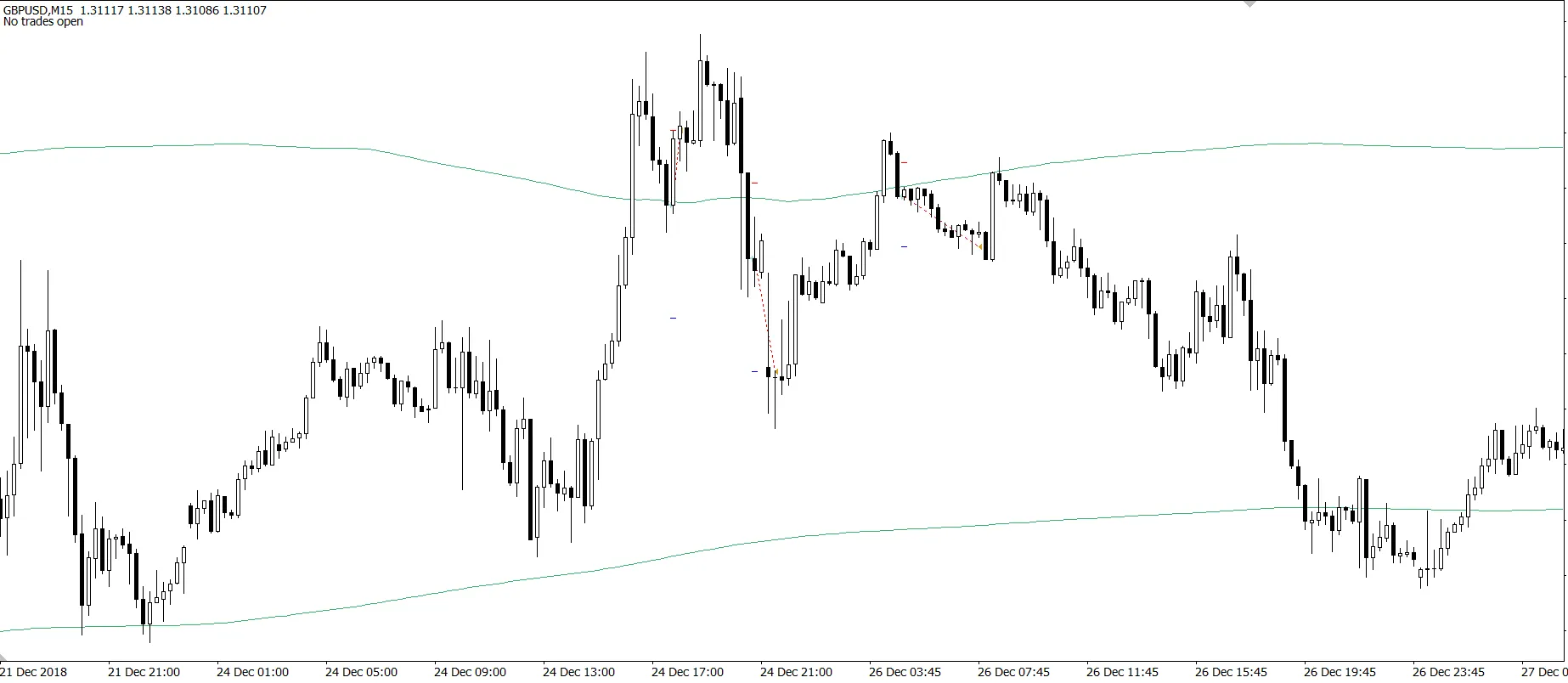
The Gann Fan Expert Advisor (EA) is a powerful tool that helps you draw Gann Fan lines on your chart...
Today, let’s dive into a trading strategy that revolves around the price breaking out of a higher pe...
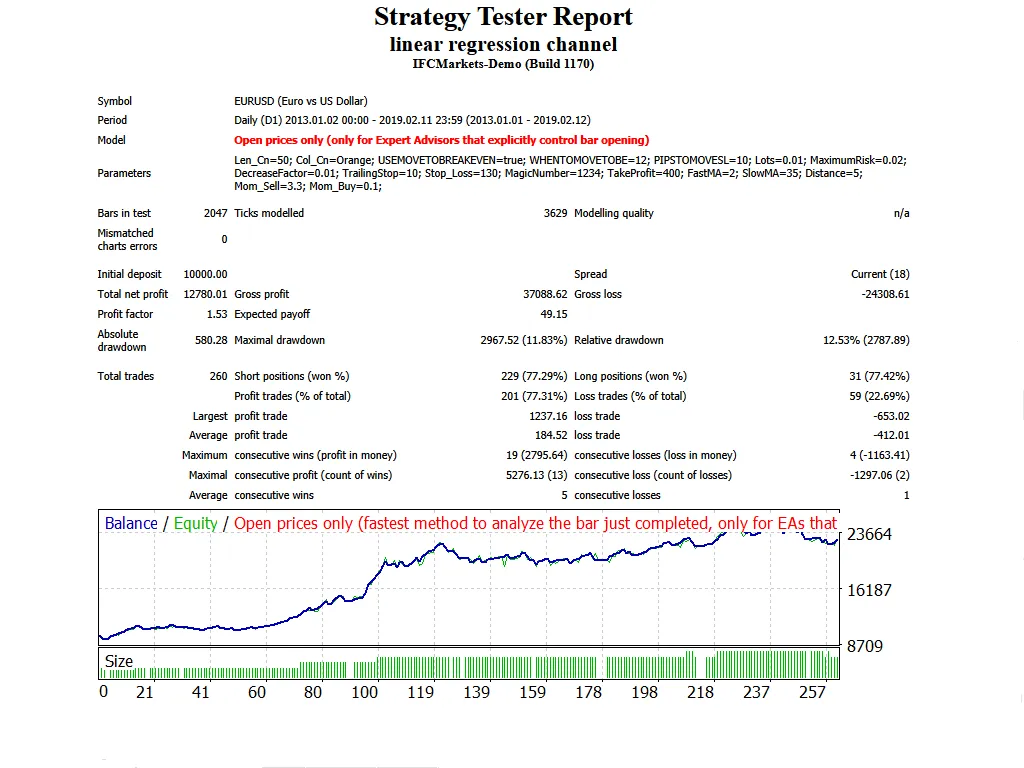
Hey there, fellow traders! Today, we’re diving into the Linear Regression Channel Expert Advisor (EA...
Unlock the Power of Manual Trading Have you ever wished you could streamline your trading process us...
Unlock the Potential of the EUR/GBP H4 EA If you're looking to enhance your trading game, the EUR/GB...
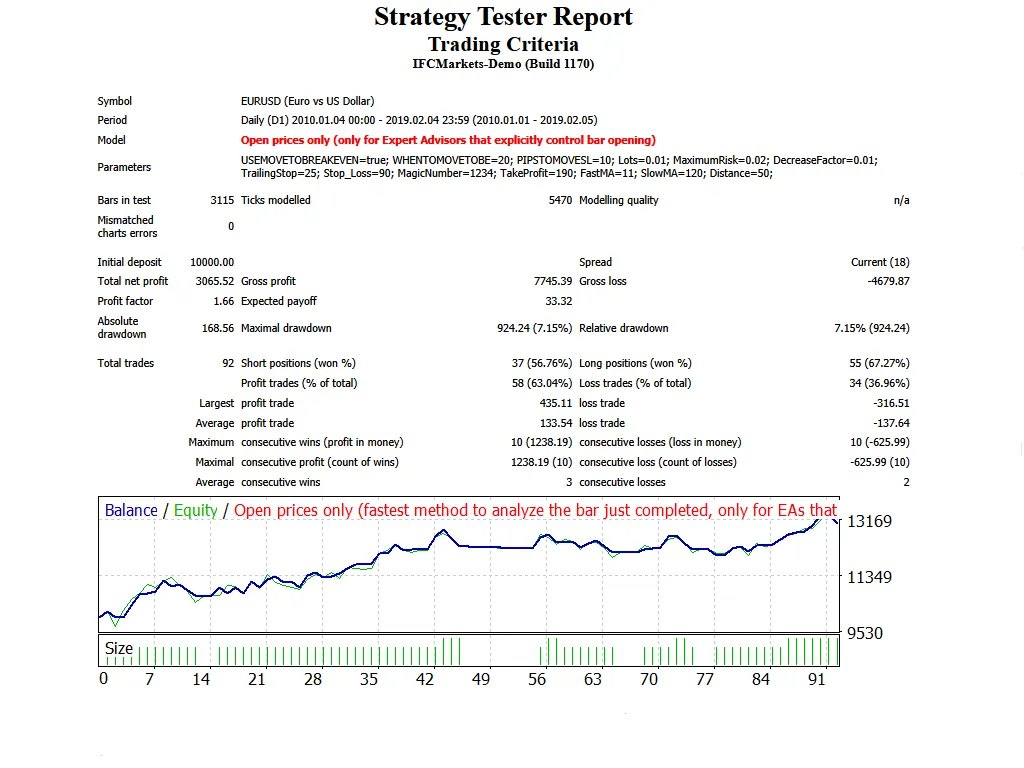
If you're looking to up your trading game, the Trading Criteria Expert Advisor (EA) is a fantastic t...
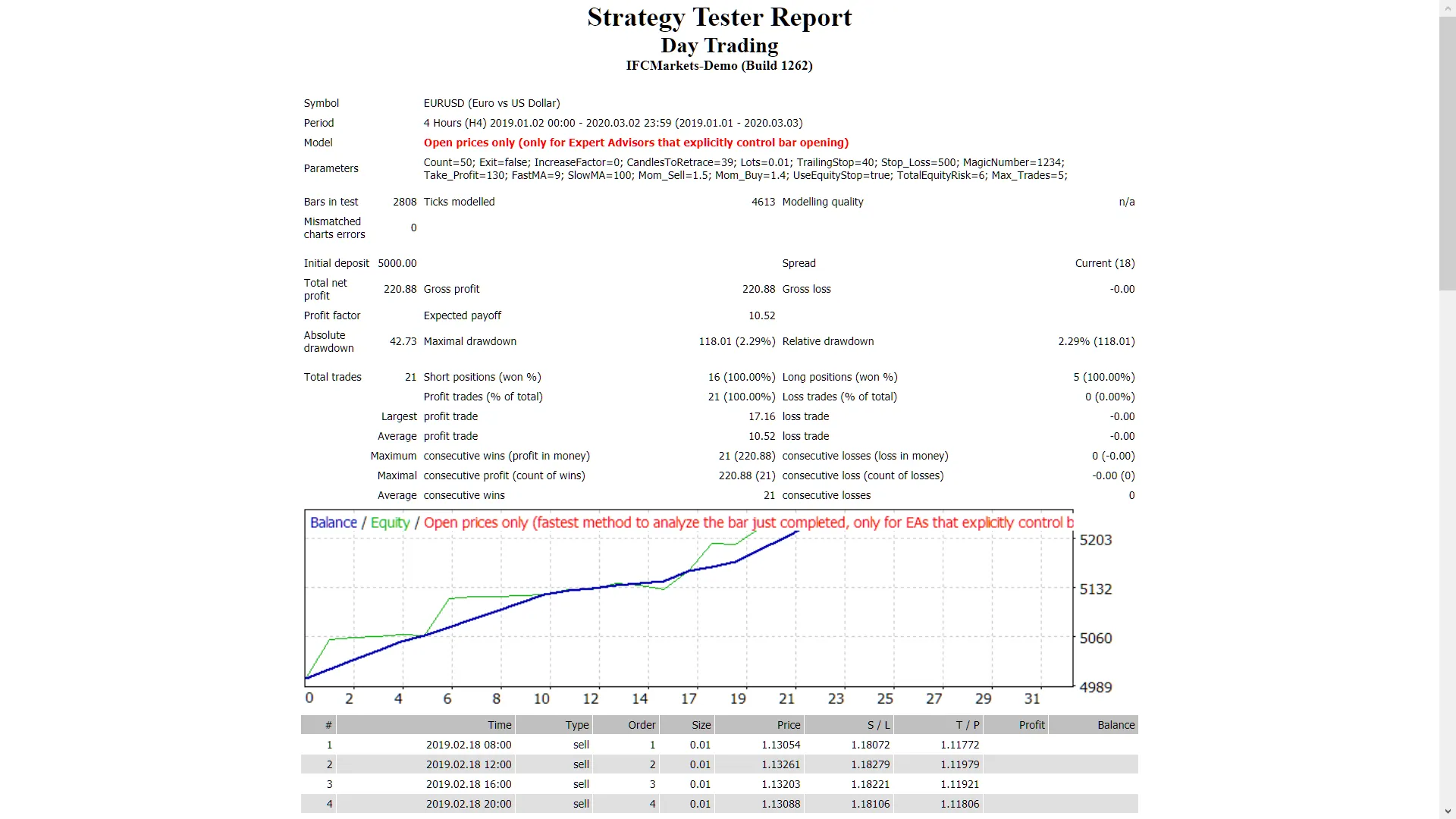
Are you ready to take your trading to the next level? This Day Trading EA utilizes a solid day tradi...
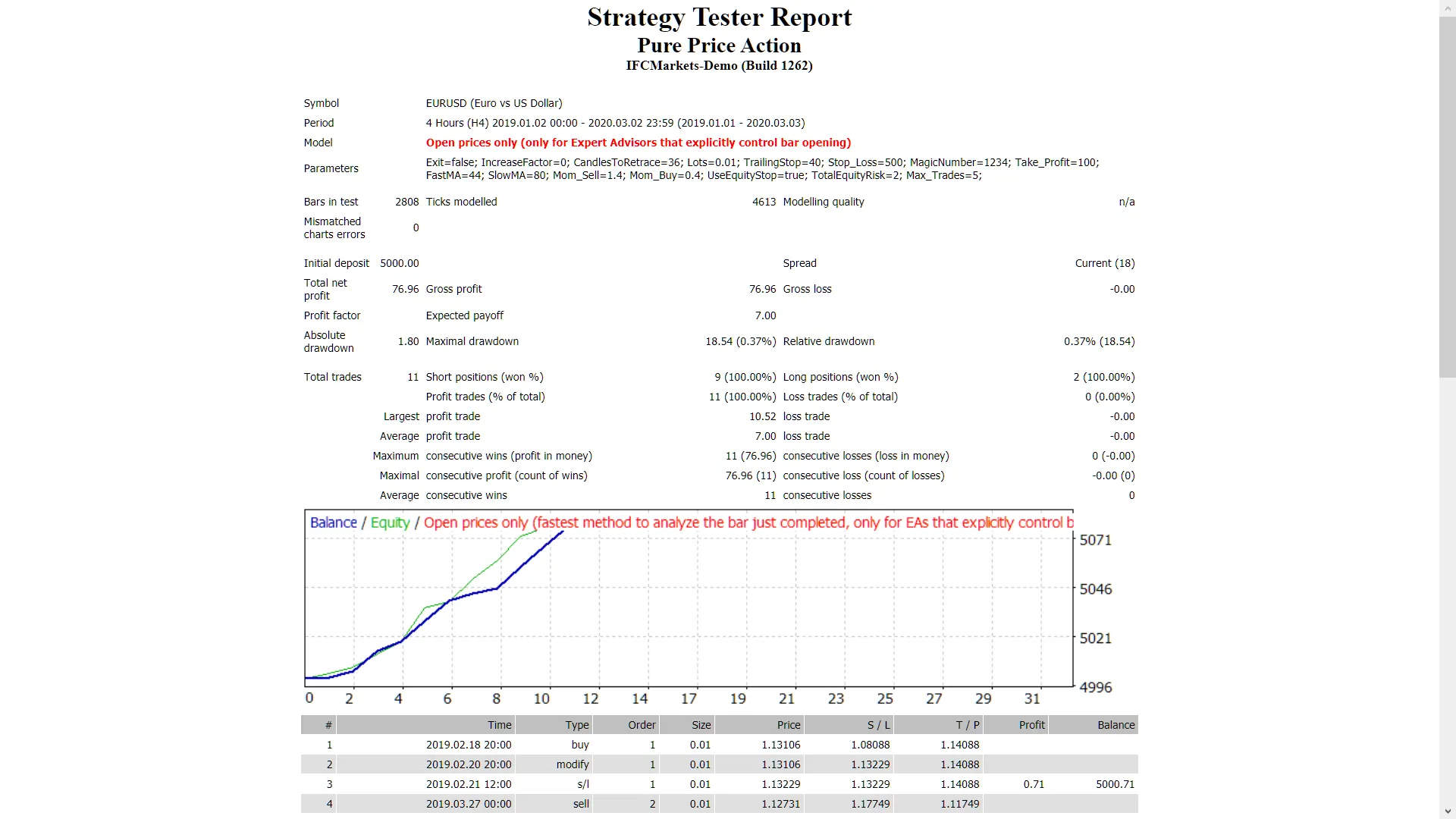
If you're looking to elevate your trading game, the Pure Price Action EA is a solid choice. This exp...
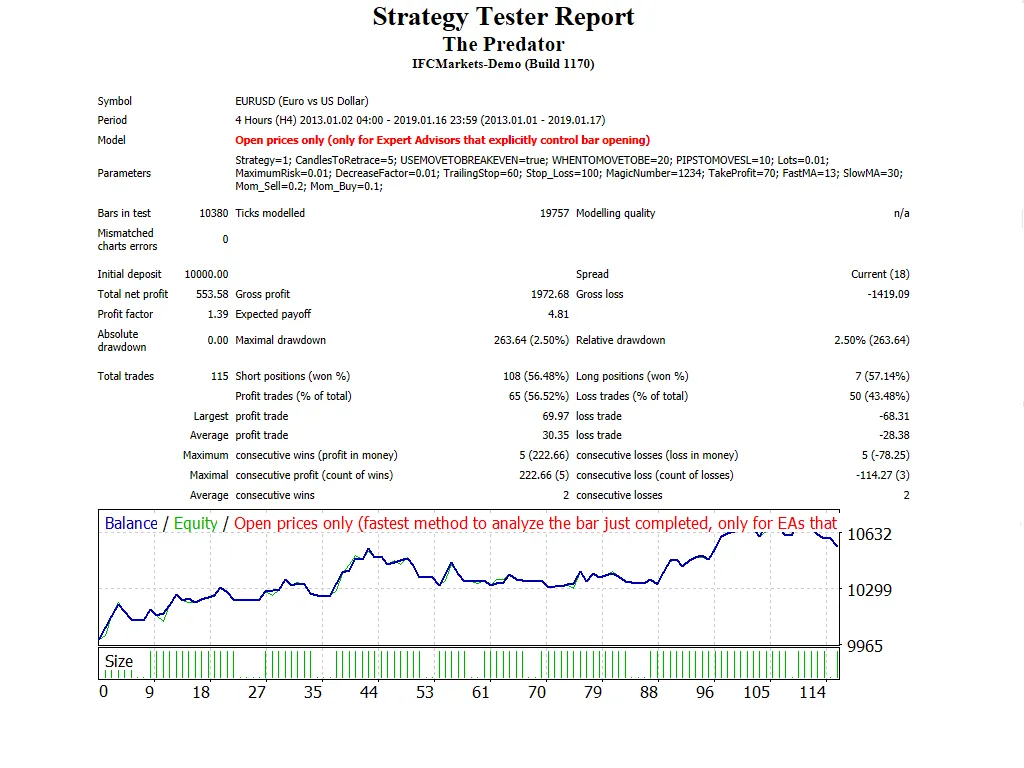
If you're on the hunt for a robust trading solution, look no further than The Predator EA. This expe...
Meet StochSeller, an expert advisor tailored for the EURCAD on the 5-minute chart, des...
If you're looking to capitalize on market movements, the 2 Days Breakout Expert Advisor (EA) for Met...
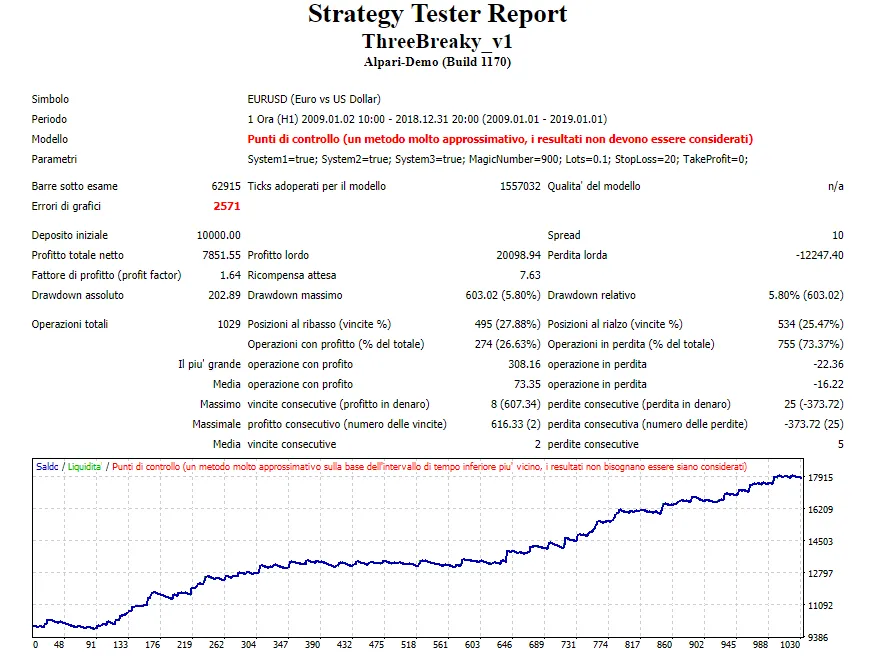
If you're on the hunt for a solid trading strategy, look no further than ThreeBreaky. This expert ad...
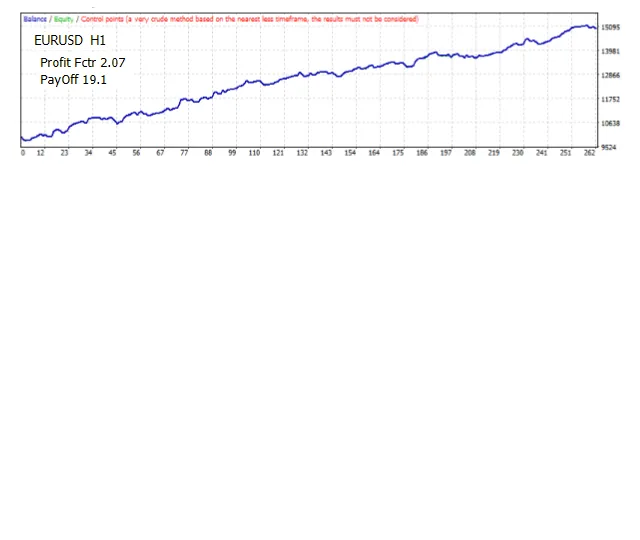
Hey traders! Today, I want to dive into a powerful trading strategy that can give you an edge in the...
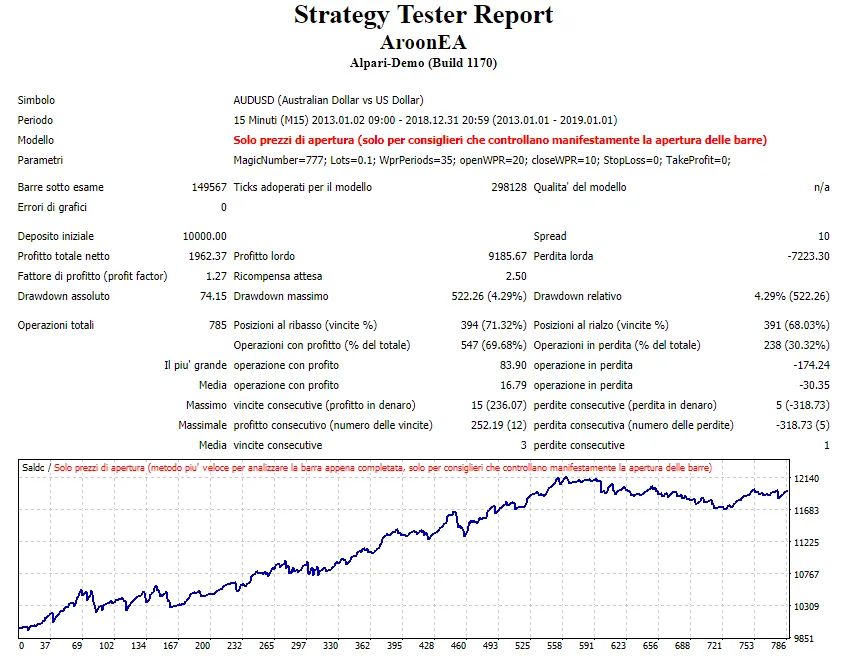
If you're on the lookout for a straightforward trading bot, the Aroon EA might just be your new best...
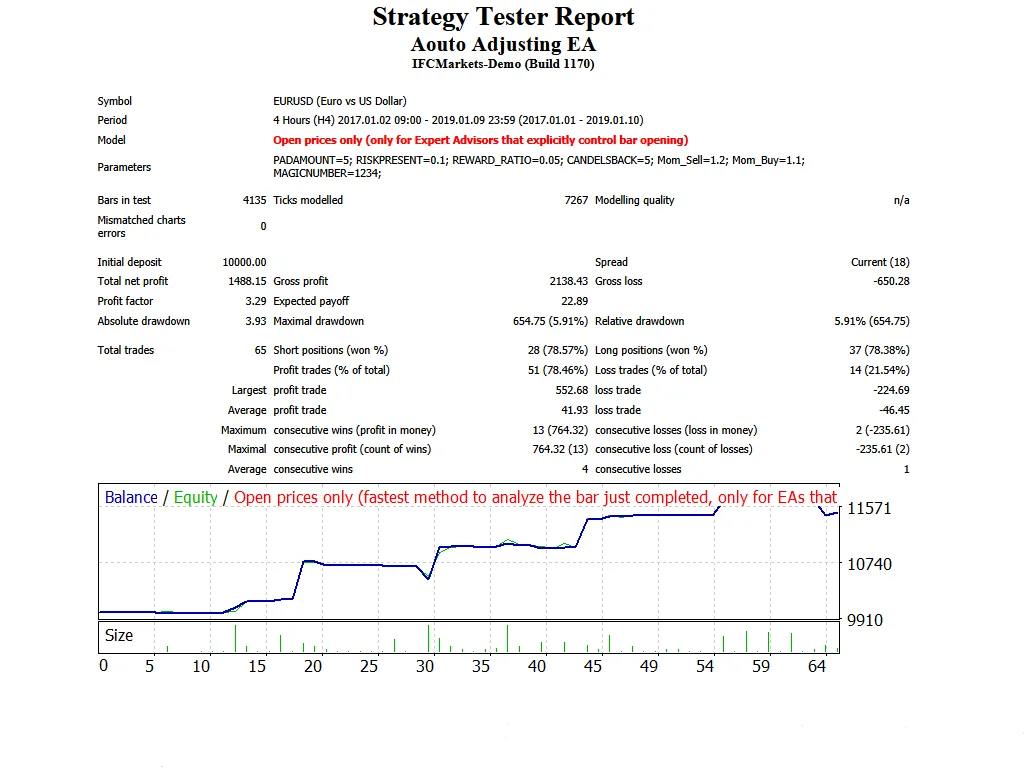
Are you looking to level up your trading game? Let me introduce you to the Auto Adjusting Expert Adv...
If you're looking to enhance your trading game, the Candle Trailing Stop Expert Advisor (EA) could b...