System Trading

Unlock Your Trading Potential with MACD Power: Your Ultimate MetaTrader 4 Expert Advisor
MetaTrader4
Unlock Your Trading Potential with MACD Power: Your Ultimate MetaTrader 4 Expert Advisor

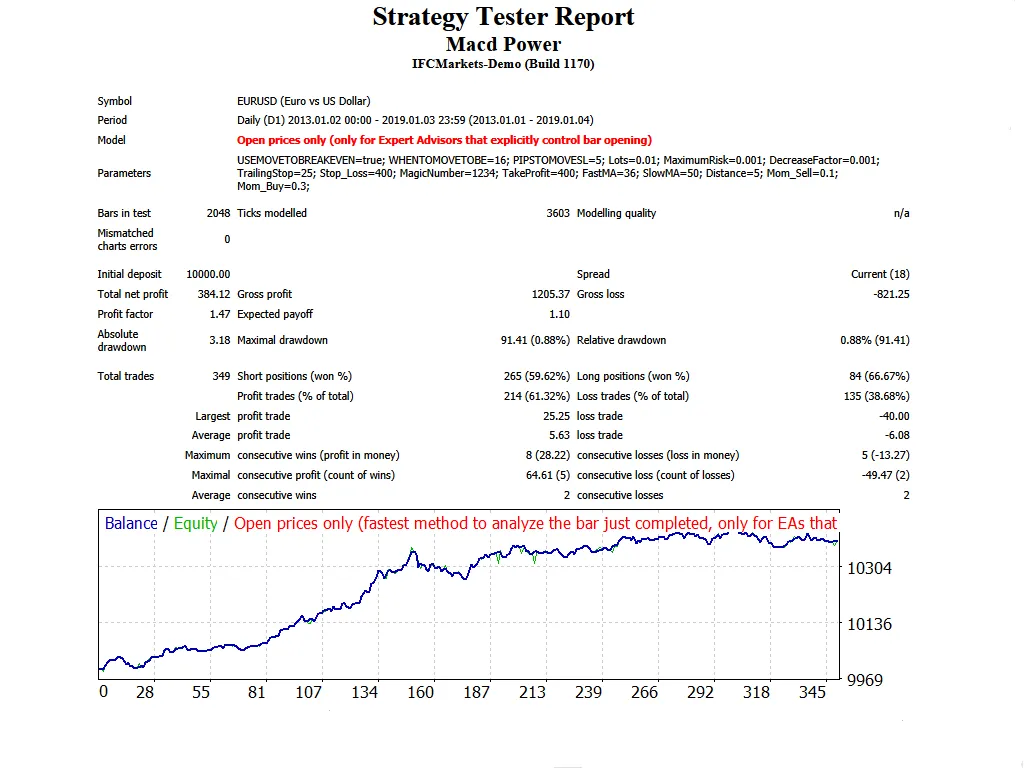
If you’re looking to enhance your trading game, let me introduce you to MACD Power. This nifty Expert Advisor (EA) utilizes two MACD indicators and comes equipped with a virtual Stop Loss and Take Profit feature. It operates seamlessly on 4-hour and daily time frames, making it a solid choice for major forex pairs and NASDAQ stocks. Plus, it performs admirably even on a 1-hour time frame! Before diving in, here are some tips: Always test it out on a demo account first. This EA only executes trades based on the opening price of the candle! If you prefer not to increase the lot size after a losing trade, simply set IncreaseFactor=0. Key Inputs to Consider: Use_TP_In_Money: Activate Take Profit in monetary terms (true/false). TP_In_Money: Set your Take Profit in money (values: 10-100). Use_TP_In_Percent: Activate Take Profit in percentage (true/false). TP_In_Percent: Set your Take Profit in percentage (values: 10-100). ------------[Money Trailing Stop For Multiple Trades]---------------------- Enable_Trailing: Activate trailing stop with monetary values (true/false). Take Profit In Money: (values: 25-100). Stop Loss In Money: (values: 1-20). ------------------------------------------------------------------------------------ Exit: Close trades if the trend goes against you to manage drawdown (true/false). Lots: Define lot size (values: 0.01-10). Lots Size Exponent: (values: 1.01-2). IncreaseFactor: Specify how much to increase lots after a losing trade (values: 0.001-0.1). Stop_Loss: Set your Stop Loss (values: 30-500). Use 600 for multiple trades. MagicNumber: Define your magic number (values: 1-100000). TakeProfit: Set your Take Profit (values: 50-200). Use 600 for multiple trades. FastMA: Define the Fast Moving Average (values: 1-20). SlowMA: Define the Slow Moving Average (values: 50-200). Mom_Sell: Set the momentum sell trigger (values: 0.1-0.9). Mom_Buy: Set the momentum buy trigger (values: 0.1-0.9). ---------------------CONTROL DRAW DOWN----------------------------- UseEquityStop: (true/false). TotalEquityRisk: (values: 0.01-20). ----------------------------------------------------------------------------- Max_Trades: (1-12). If you’re using only 1 trade: ////////////////////////////////////////////////// USETRAILINGSTOP: Activate trailing stop (true/false). WHENTOTRAIL: Specify when to trail (values: 40-100). TRAILAMOUNT: Define your trail amount (values: 40-100). Distance From Candle: Set the distance from candle (values: 1-100). USECANDELTRAIL: Activate candle trailing stop (true/false). X: Number of candles (values: 1-100). Enable "Break Even": (true/false). When move "Break Even": (values: 5-30). How much pips move- "Break Even": (values: 5-30). It’s a good idea to optimize this EA every few months, ensuring you use the same inputs mentioned above. You can utilize it as a hedging grid EA or as a single trade EA, depending on your strategy. Want to perform a back test? Check out this link: Back Test Guide.

2019.01.07
Unlock the Power of Hedging with the Hedg System EA for MetaTrader 4
MetaTrader4
Unlock the Power of Hedging with the Hedg System EA for MetaTrader 4

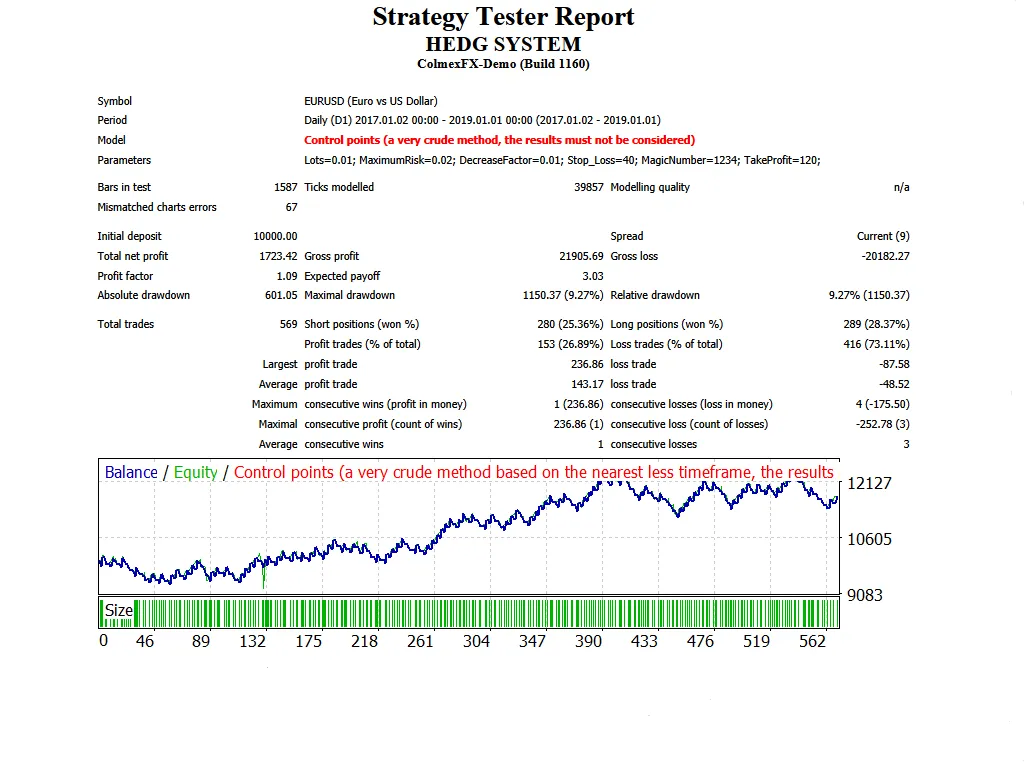
Hey there, fellow traders! If you’re looking to elevate your trading strategy, let me introduce you to the Hedg System Expert Advisor (EA). This nifty tool employs a hedging strategy, allowing you to execute both buy and sell trades simultaneously. It shines on the 1D time frames with major forex pairs. There are two versions of this EA you might want to check out: Version 2: Random Hedg – This version comes equipped with a trailing stop loss and break-even functions. Be sure to test it on a demo account first before diving in! Remember, this EA operates based solely on the price of the open candle. Input Settings Use_TP_In_Money - Activate Take Profit in money (true/false). TP_In_Money - Set Take Profit in money (values between 10-100). Use_TP_In_Percent - Activate Take Profit in percent (true/false). TP_In_Percent - Set Take Profit in percent (values between 10-100). ------------[Money Trailing Stop for Multiple Trades]---------------------- Enable_Trailing - Enable trailing with money (true/false). Take Profit In Money (current currency) (values between 25-200). Stop Loss In Money (current currency) (values between 1-20). -------------------------------------------------------------------------------------- Lots - Specify lot size (values between 0.01-10). MaximumRisk - Set maximum risk from total margin in % (values between 0.01 - 0.3). If "MaximumRisk = 0," then "Lot = constant". DecreaseFactor - Set decrease from total margin if you lose a trade. Stop_Loss - Set stop loss (values between 10-100). MagicNumber - Assign a magic number (values between 1-100000). TakeProfit - Set take profit (values between 10-100). Don’t forget to optimize this EA every few months, using the same inputs mentioned above. You can use it as a hedging grid EA or as a single trade EA. Curious about how to perform a backtest? Check out this link for a step-by-step guide: Backtest Guide.

2019.01.04
Mastering the Exp_ColorMETRO_MMRec_Duplex: A Trader's Guide to MetaTrader 5
MetaTrader5
Mastering the Exp_ColorMETRO_MMRec_Duplex: A Trader's Guide to MetaTrader 5

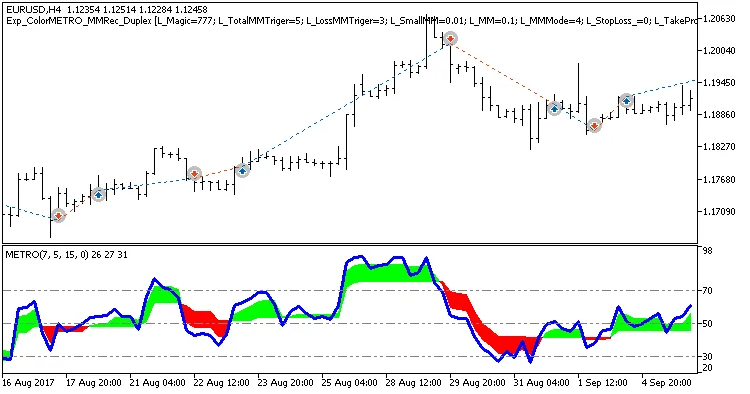
Hey there, fellow traders! Today, we're diving into the Exp_ColorMETRO_MMRec_Duplex, a powerful trading system designed for MetaTrader 5. This system boasts two identical setups for both long and short trades, all based on the reliable ColorMETRO indicator. What sets this EA apart is its capability to adjust trade volumes based on the outcomes of previous trades, making it a versatile tool in your trading arsenal. The Exp_ColorMETRO_MMRec_Duplex is an evolution of the Exp_ColorMETRO_Duplex, specifically developed to allow changes in the volume of open positions. Here’s a quick look at the key input blocks added for this purpose: input uint    L_TotalMMTriger=5;    // Last 5 Buy trades to calculate stop loss input uint    L_LossMMTriger=3;    // Number of losing Buy trades to reduce MM input double  L_SmallMM=0.01      // Deposit share for losing trades input double  L_MM=0.1            // Deposit share for normal trading input MarginMode L_MMMode=LOT;      // Lot setting mode Similarly, here’s the setup for the short trades: input uint    S_TotalMMTriger=5;    // Last 5 Sell trades to calculate stop loss input uint    S_LossMMTriger=3;    // Number of losing Sell trades to reduce MM input double  S_SmallMM=0.01      // Deposit share for losing trades input double  S_MM=0.1            // Deposit share for normal trading input MarginMode S_MMMode=LOT;      // Lot setting mode With these settings, if you find that out of the last five trades, three are losses in the same direction, the EA will open the next trade with a volume of 0.01 lots. If less than three trades are losers, it will go with a volume of 0.1 lots. This clever adjustment helps to manage risk effectively. To get the Expert Advisor up and running, you’ll need to place the compiled ColorMETRO.ex5 indicator files in the following directory: <terminal_data_directory>\MQL5\Indicators. For the tests below, we used the default input parameters of the EA. Notably, Stop Loss and Take Profit settings were not included in the testing process. Fig.1. Examples of deals on the chart with symmetrical settings. Looking at the backtesting results for EUR/USD on the H4 timeframe for 2017, we can see how well this EA performs: Fig.2. Testing results chart.

2019.01.02
Maximize Your Trades with the Exp_VortexIndicator_MMRec_Duplex EA for MT5
MetaTrader5
Maximize Your Trades with the Exp_VortexIndicator_MMRec_Duplex EA for MT5

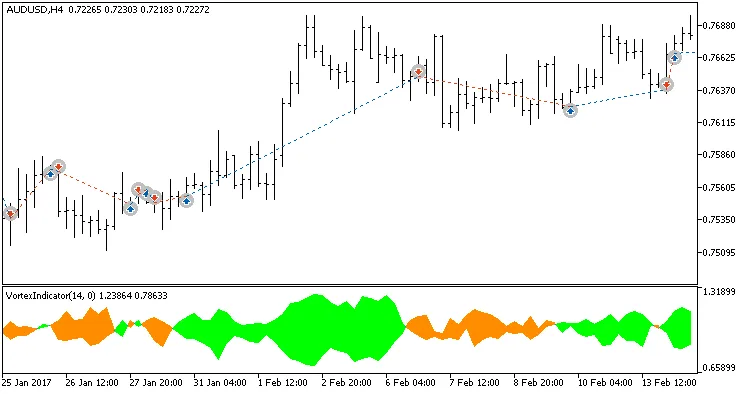
Hey fellow traders! Today, I'm excited to share an innovative trading tool that can enhance your trading strategy. The Exp_VortexIndicator_MMRec_Duplex is a powerful Expert Advisor designed for MetaTrader 5. This EA operates with two identical trading systems for both long and short positions, built around the Vortex Indicator. What’s really cool is that you can customize it in various ways, all from within a single EA! One of the standout features of this EA is its ability to adjust the trade volume based on the outcomes of previous trades. It’s like having a personal trading coach that helps you manage your risk better! The development of this EA took the Exp_VortexIndicator_Duplex trading system to the next level by allowing you to tweak the volume of your open positions intelligently. Here’s a quick look at the key input blocks you can configure: input uint    L_TotalMMTriger=5;    // Number of the last Buy trades to calculate stop loss input uint    L_LossMMTriger=3;     // Number of losing Buy trades to adjust MM input double  L_SmallMM=0.01       // Deposit share for a deal in case of loss input double  L_MM=0.1             // Deposit share for a deal during normal trading input MarginMode L_MMMode=LOT;      // Lot setting mode And for the selling side: input uint    S_TotalMMTriger=5;    // Number of the last Sell trades to calculate stop loss input uint    S_LossMMTriger=3;     // Number of losing Sell trades to adjust MM input double  S_SmallMM=0.01       // Deposit share for a deal in case of loss input double  S_MM=0.1             // Deposit share for a deal during normal trading input MarginMode S_MMMode=LOT;      // Lot setting mode So, how does it work? If you look at the last five trades and see that three of them were losers in the same direction, the EA will open the next trade in that direction with a volume of 0.01 lots. If there are fewer than three losing trades, it will use a volume of 0.1 lots. This dynamic approach helps you manage your risk efficiently! To get started with the Expert Advisor, make sure to place the compiled VortexIndicator.ex5 files in your <terminal_data_directory>/MQL5/Indicators folder. For the tests below, we used the default input parameters for the EA, and keep in mind that we didn’t apply Stop Loss and Take Profit during testing. Fig.1. Examples of deals on the chart with symmetrical settings. Testing results for 2017 on the EURAUD H8: Fig.2. Testing results chart.

2019.01.02
Master Your Trades with the Exp_Slow-Stoch_Duplex for MetaTrader 5
MetaTrader5
Master Your Trades with the Exp_Slow-Stoch_Duplex for MetaTrader 5

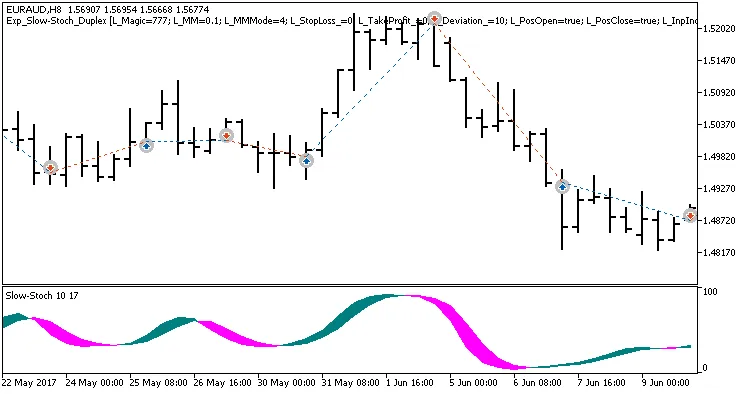
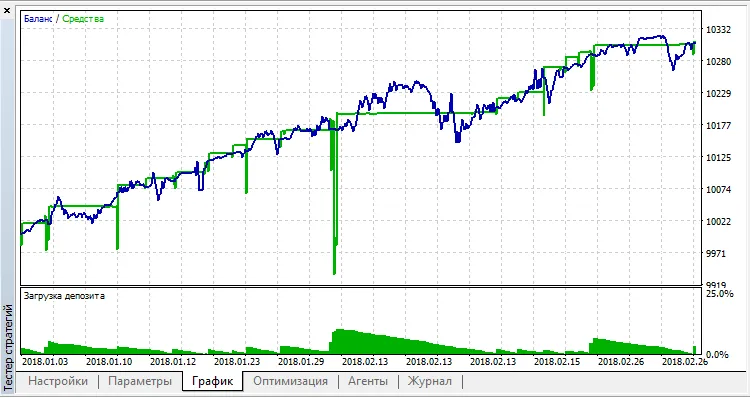
Are you ready to take your trading to the next level? Meet the Exp_Slow-Stoch_Duplex, a powerful system designed for MetaTrader 5. This Expert Advisor (EA) operates two identical trading systems tailored for both long and short positions, driven by the signals from the Slow-Stoch indicator. The beauty of this EA lies in its configurability, allowing you to customize it according to your trading style. Understanding the Input Parameters The input parameters are grouped into two distinct categories: L - Parameters for managing long positions. S - Parameters for managing short positions. //+----------------------------------------------+ //| Input parameters of the EA for long trades   | //+----------------------------------------------+ input uint    L_Magic=777;          // L magic number input double  L_MM=0.1;             // L share of a deposit per trade input MarginMode L_MMMode=LOT;      // L lot setting mode //+----------------------------------------------+ //| Input parameters of the EA for short trades  | //+----------------------------------------------+ input uint    S_Magic=555;          // S magic number input double  S_MM=0.1;             // S share of a deposit per trade input MarginMode S_MMMode=LOT;      // S lot setting mode Trade Independently Each trading system operates independently with its own magic number. This is crucial because real financial markets aren't symmetric; they often require distinct parameters for trading in bullish versus bearish conditions. To ensure optimal performance, it’s advisable to test one system at a time. You can easily disable the second system using the relevant switches. input bool    L_PosOpen=true       // L permission to enter long positions input bool    L_PosClose=true      // L permission to exit long positions Getting Started For the EA to function correctly, you need to place the compiled indicator file Slow-Stoch.ex5 into your terminal's terminal_data_older\MQL5\Indicators folder. The tests below utilized default input parameters. Note that Stop Loss and Take Profit settings were not included in these tests. Testing Results Fig.1. Examples of deals on the chart with symmetrical settings. Here are the testing results for 2017 on the EURAUD H8: Fig.2. Testing results chart. Fig.3. Examples of deals on the chart with non-symmetrical settings.

2019.01.02
Unlocking Profits: The Heikin Ashi Trader EA for MetaTrader 4
MetaTrader4
Unlocking Profits: The Heikin Ashi Trader EA for MetaTrader 4

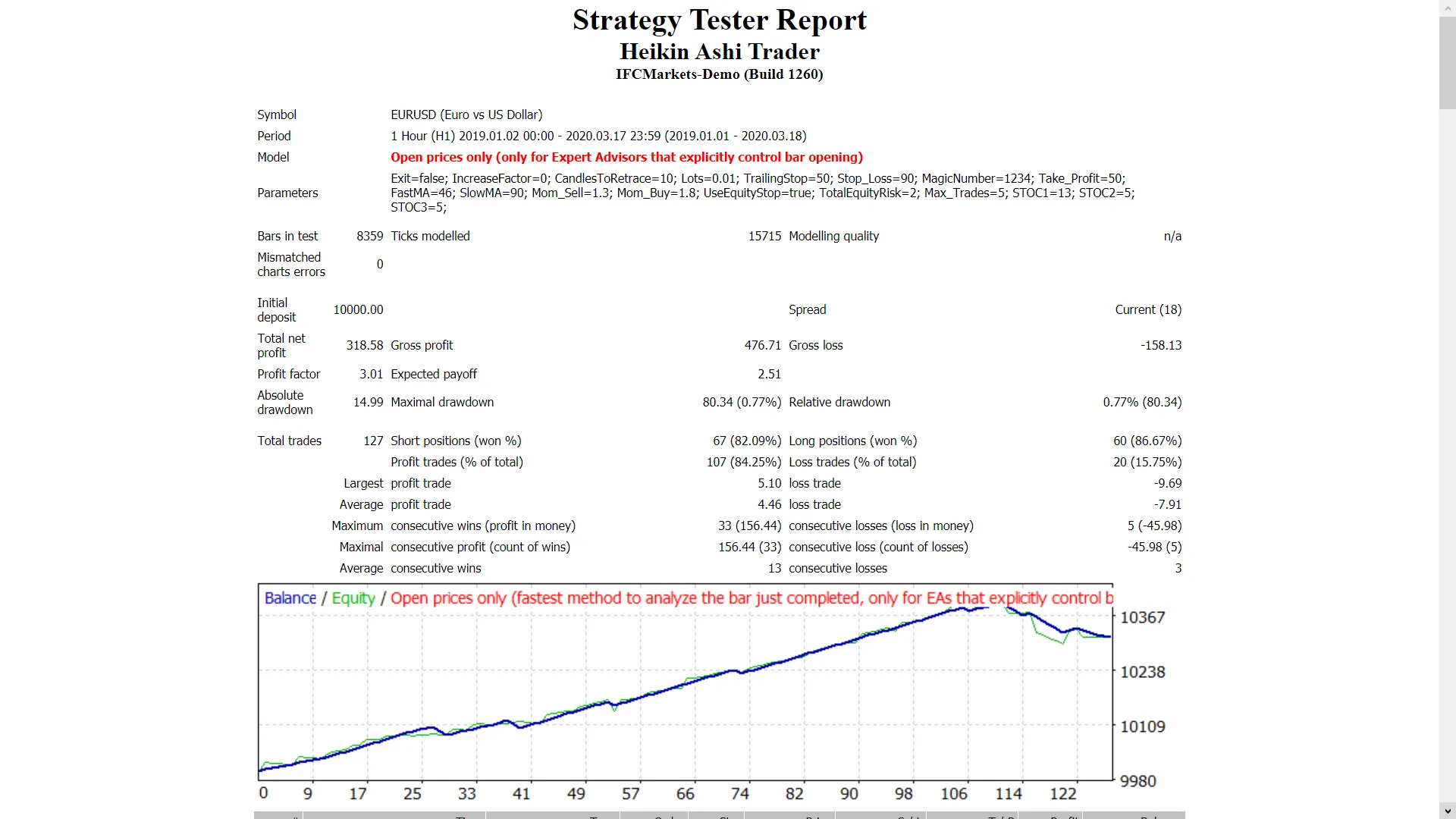
The Heikin Ashi Trader Expert Advisor (EA) utilizes a strategy centered around the Heikin Ashi indicator to enhance your trading experience. This EA is designed to work seamlessly on 1D time frames for major forex pairs and NASDAQ stocks, incorporating both a Trailing Stop Loss and Take Profit feature. Getting Started Always test it on a demo account first! This EA makes trades solely based on the opening price of the candle! If you prefer not to increase the lot size after a losing trade, simply set IncreaseFactor=0. Input Settings Overview Use_TP_In_Money: Use Take Profit in monetary terms (values: true/false). TP_In_Money: Take Profit in money (values: 10-100). Use_TP_In_percent: Use Take Profit in percentage (values: true/false). TP_In_Percent: Take Profit in percentage (values: 10-100). Enable_Trailing: Activate trailing with monetary adjustments (values: true/false). Take Profit In Money: Set in current currency (values: 25-200). Stop Loss In Money: Set in current currency (values: 1-20). Exit: Close trades if the trend reverses to control drawdown (values: true/false). Lots: Lot size (values: 0.01-1). Lots size Exponent: (values: 1.01-2). IncreaseFactor: Amount to increase lots from total margin after a losing trade (values: 0.001-0.1). Stop_Loss: Stop Loss (values: 30-500). / Set value 600 for multiple trades. MagicNumber: Unique identifier for trades (values: 1-100000). TakeProfit: Take Profit (values: 50-200). / Set value 600 for multiple trades. FastMA: Fast Moving Average (values: 1-20). SlowMA: Slow Moving Average (values: 50-200). Mom_Sell: Momentum Sell trigger (values: 0.1-0.9). Mom_Buy: Momentum Buy trigger (values: 0.1-0.9). UseEquityStop: Stop trading based on equity (values: true/false). TotalEquityRisk: Equity risk (values: 0.01-20). Max_Trades: Maximum trades allowed (values: 1-5). STOC1, STOC2, STOC3: Stochastic indicators (values: 5-20, 3-10, 3-10 respectively). TrailingStop: Set a value from 40 to 100 to activate trailing stop loss; set to "0" to disable. Enable Break Even: (values: true/false). When move Break Even: (values: 5-30). How much pips move Break Even: (values: 5-30). Pro Tip: It’s a good idea to optimize this EA every few months using the same parameters mentioned above. You can use it as a hedging grid EA or a single trade EA. Curious about backtesting? Check out this guide: Backtesting Guide.

2019.01.01
Mastering Trading with Fractals and Alligator: Your Go-To EA for MetaTrader 4
MetaTrader4
Mastering Trading with Fractals and Alligator: Your Go-To EA for MetaTrader 4

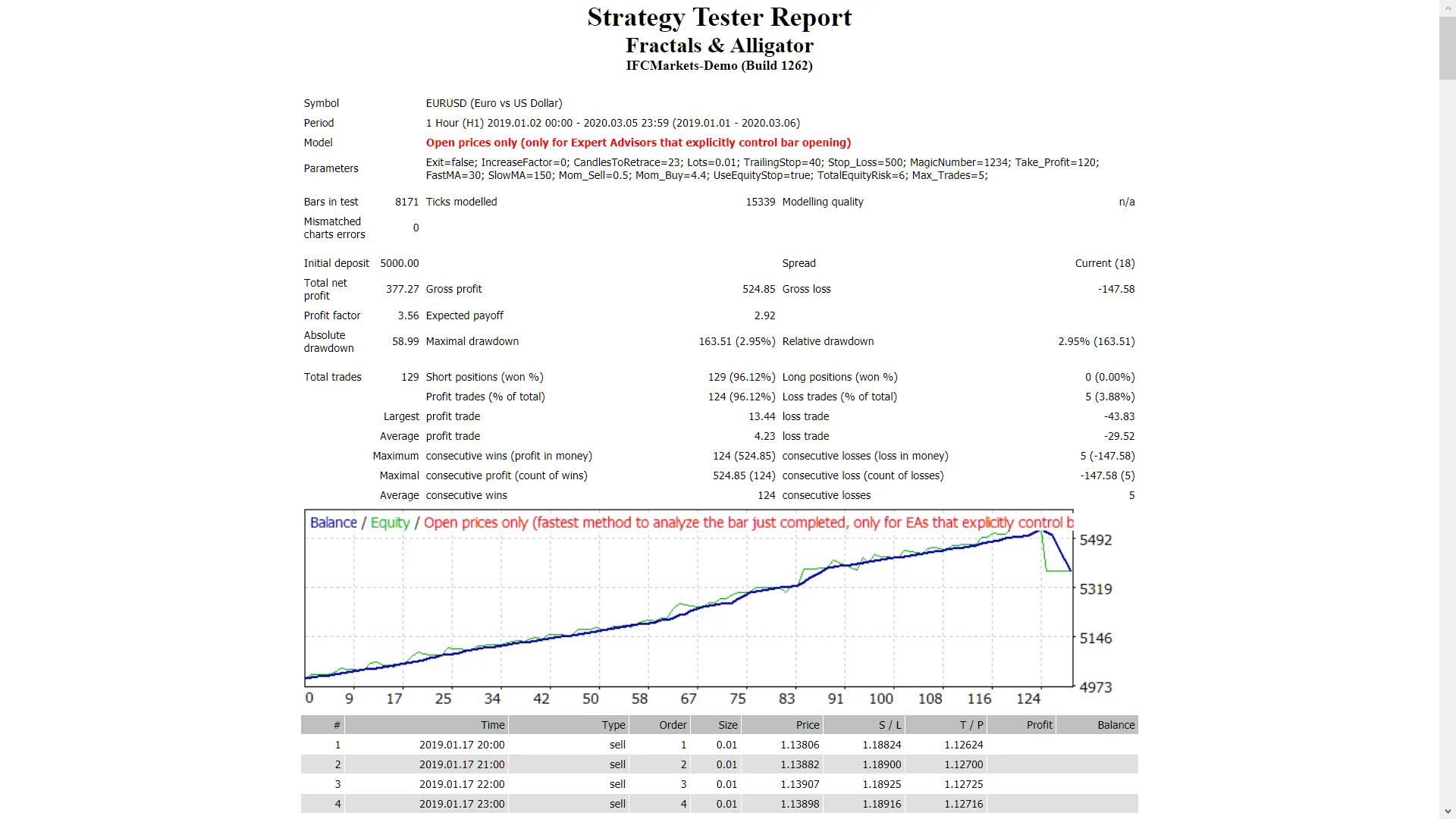
Are you looking to elevate your trading game? The Fractals & Alligator Expert Advisor (EA) is designed to trade using the powerful Fractals and Alligator indicators. With features like Trailing Stop Loss and Take Profit, this EA shines particularly on daily time frames for major forex pairs and NASDAQ stocks. Key Points to Remember: Always start by testing on a demo account first. This EA operates solely based on the price of the open candle! If you prefer not to increase lot sizes after a losing trade, set IncreaseFactor=0. Configuration Inputs: Use_TP_In_Money: Enable Take Profit in monetary terms (values: true/false). TP_In_Money: Set Take Profit in money (values: 10-100). Use_TP_In_percent: Enable Take Profit in percentage (values: true/false). TP_In_Percent: Set Take Profit in percentage (values: 10-100). ------------[Money Trailing Stop For Multiple Trades]---------------------- Enable_Trailing: Activate Trailing Stop in monetary terms (values: true/false). Take Profit In Money: Specify in current currency (values: 25-200). Stop Loss In Money: Set in current currency (values: 1-20). -------------------------------------------------------------------------------------- Exit: Close trades if the trend turns against you to manage drawdown (values: true/false). Lots: Define lot size (values: 0.01-1). Lots size Exponent: Set the exponent for lot size (values: 1.01-2). IncreaseFactor: Determine how much to increase lots from total margin after a loss (values: 0.001-0.1). CandlesToRetrace: Specify the number of candles for divergence (values: 10-100). Stop_Loss: Set Stop Loss (values: 30-500). Use 600 for multiple trades. MagicNumber: Define a unique magic number (values: 1-100000). TakeProfit: Specify Take Profit (values: 50-200). Use 600 for multiple trades. FastMA: Set Fast Moving Average (values: 1-20). SlowMA: Set Slow Moving Average (values: 50-200). Mom_Sell: Define the Momentum Sell trigger (values: 0.1-0.9). Mom_Buy: Define the Momentum Buy trigger (values: 0.1-0.9). ---------------------CONTROL DRAW DOWN----------------------------- UseEquityStop: (values: true). TotalEquityRisk: (values: 0.01-20). ------------------------------------------------------------------------------- Max_Trades: Set the maximum number of trades (1-12). FractalNum: Specify the number of highs and lows (values: 1-10). ----------------IF YOU USE ONLY 1 TRADE:----------------------- ///////////////////////////////////////////////////////////////////// USETRAILINGSTOP: Enable trailing stop (values: true/false). WHENTOTRAIL: When to begin trailing (values: 40-100). TRAILAMOUNT: Specify the trail amount (values: 40-100). Distance From Candle: Define distance from candle (values: 1-100). USECANDELTRAIL: Enable candle trailing stop (values: true/false). X: Number of candles (values: 1-100). USEMOVETOBREAKEVEN: Enable "break even" (values: true/false). WHENTOMOVETOBE: When to move to break even (values: 1-30). PIPSTOMOVESL: Specify how many pips to move stop loss (values: 1-30). - Make sure to optimize this EA every few months using the exact inputs listed above.- You can use it as a hedging grid EA or a single trade EA.- For backtesting, check out this guide: Backtesting Guide

2019.01.01
First Previous 18 19 20 21 22 23 24 25 26 27 28 Next Last