
Author
Vladmir Hlystov
Calculate Stop Loss Levels with Bill Williams' Technique
In his book, "Trading Chaos: Applying Expert Techniques to Maximize Your Profits" (Chapter 7, Level One: Novice Trader, p.95), Bill Williams vividly describes Stop Loss (SL) placement:
"...We place the airbag one tick above or below the high or low of the second bar back on a significantly higher time frame (or the next bar back that has both a higher high and a higher low or a lower high and lower low). This is our airbag protection, safeguarding us against a volatile market that moves against our position. Remember, it's not necessarily an entry signal; it’s a shield against substantial losses..."
This indicator calculates and displays Stop Loss levels for Buy and Sell positions that don’t have an SL set, following this strategy.
Indicator Variables:
int minSL = 25; // activated when 2 bars are not found
bool show_bar = true; // display bars searched for SL
bool show_info = true; // show active orders without SL
color color_BAR = DarkSlateGray; // color of the bar where SL is searched
color color_Curr_BAR = Gray; // color of the current bar
color color_SL = Gray; // color of the SL markers
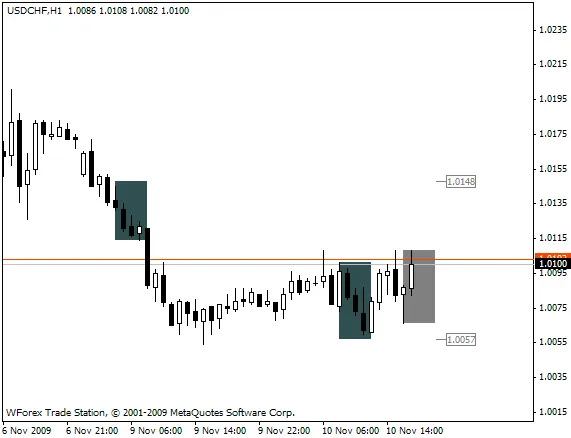
Fig 1. Bar Found for SL Calculation

Fig 2. Upper Bar Not Found (SL for Sell Position Determined Using Higher Timeframe)
Recommendations:
- Set your chart shift to display the SL level on the right side of the current bar:

- To enhance visibility, set show_bar=true.
- Good luck and happy trading!
Update: 17.10.2009
A new feature has been added:
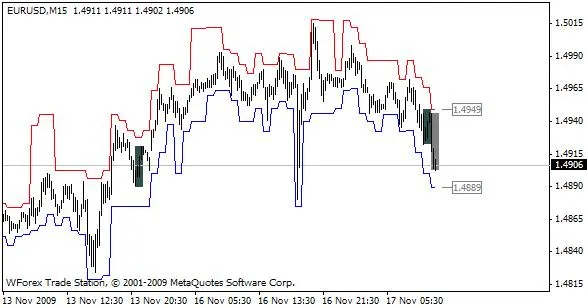
You can now display Stop Loss Levels in historical data (SL_BW.mq4):




Comments 0