
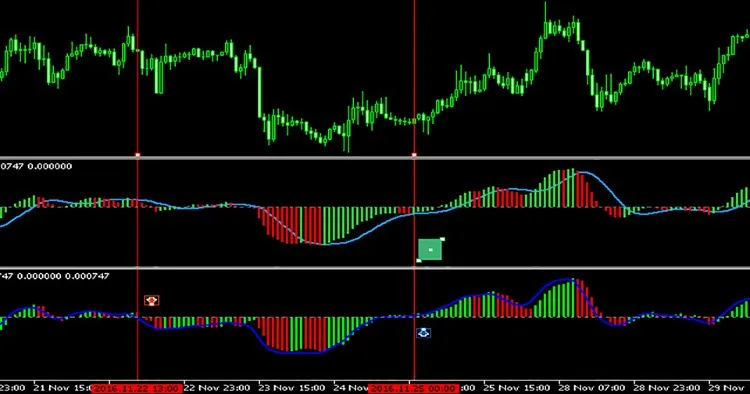
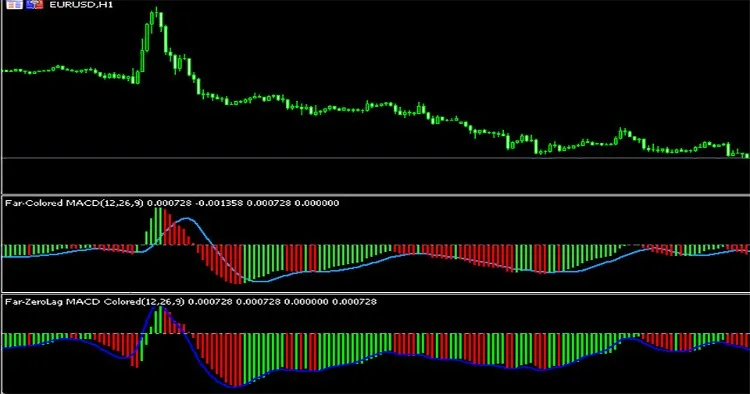
If you're looking for a powerful trading tool, the Colored Zerolag MACD for MetaTrader 5 is something you need to check out! This is the MQL5 version of the ZeroLag MACD that many of you may know from MetaTrader 4. If you want to take a trip down memory lane, you can find the original version here.
Now, there was a colored version available too, but it had its fair share of issues. You can take a look at that one here. I took it upon myself to fix the MetaTrader 4 version, which originally had 95 lines of code. It took me around 5 days to create the MetaTrader 5 version, involving a lot of reading logs, testing, and figuring out the differences between MetaTrader 5 and MetaTrader 4!
In fact, my first MQL5 version of the indicator boasted 400 lines of code, but after some optimization, I've managed to trim it down to about 290 lines while still maintaining its effectiveness!
The initial MQL5 version utilized the IMAonArray function from the MetaTrader 5 site, which led to a frustratingly long load time of 8 seconds when calculating 700 candles. Since MetaTrader 5 doesn’t have the iMAonArray function, I had to roll up my sleeves and rewrite the code, as the iMAOnArrayMQL4 from this article had loops that were just too heavy on processing.
Another thing to keep in mind is that MetaTrader 5 organizes its time series from old to new candles (left to right), while MetaTrader 4 does it the other way around (new to old, right to left). The MQL4 version was coded in a way that I couldn't just flip the arrays to get accurate results in MQL5. This meant I had to go back to the drawing board and completely adjust all the loops to ensure the indicator worked seamlessly with historical data in MetaTrader 5.
Since the original code was free, I'm excited to offer this updated version free of charge as well. I genuinely hope it helps you get faster signals than the traditional MACD!
Indicator Parameters
- FastEMA - Default is 12. This sets the period for the faster EMA.
- SlowEMA - Default is 26. This sets the period for the slower EMA, and it should be greater than the FastEMA.
- SignalEMA - Default is 9. This sets the period for the Signal line, which will appear in blue.




Comments 0