
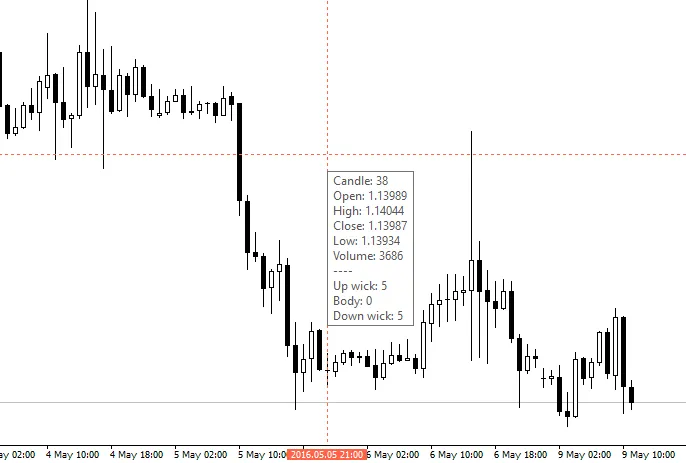
Are you looking to enhance your trading experience? The iCrosshair indicator for MetaTrader 4 is here to make your life easier. It draws two lines (one vertical, one horizontal) that function like a standard crosshair, but with added features that provide extra bar information.
When you hover your mouse over any bar, you’ll see:
- Candle number
- Open, high, close, low, and volume data
- Candle body and wick lengths (upper and lower)
What’s New in Update v1.01:
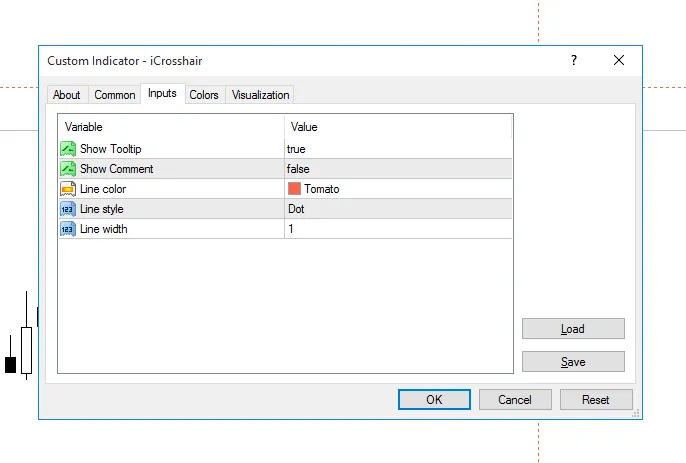
- Option to disable the tooltip for a cleaner look.
- A new Comment feature on the chart that displays: Bar number / Pips range / Price. This calculates similarly to the default crosshair, but with a different approach since I couldn’t replicate it exactly.
How to Use the iCrosshair:
- 1. Click on any line to activate it. The comment calculation will start from Bar 0.
- 2. Click on any point to fix the position. While it’s fixed, you can then click anywhere else to have the comment calculation start from the fixed crosshair point.
- That’s it! You’re all set!




Comments 0