
Hey traders! Today, we're diving into the DiNapoli Price Oscillator (DPO) and how it can elevate your trading game. This tool has some nifty features that allow you to customize your analysis to fit your trading style.
With the DPO, you can:
- Choose the number of bars for your calculations
- Select the type of moving average for your analysis
- Decide which price point to use (open, close, high, or low)
- Adjust the average shift to get the best readings
- Calculate and visualize overbought and oversold levels (set at 60% and 100%)
These levels are derived using a special formula that incorporates the standard deviation function. The good news is that the displayed levels align perfectly with those you’d achieve through manual calculations. The level factors have been carefully chosen to ensure they’re the most effective for your trading needs.
Here are the requirements to get started:
- The 'Show object description' option should be enabled
- If you’re displaying two indicators in one window, make sure to load the DPO first
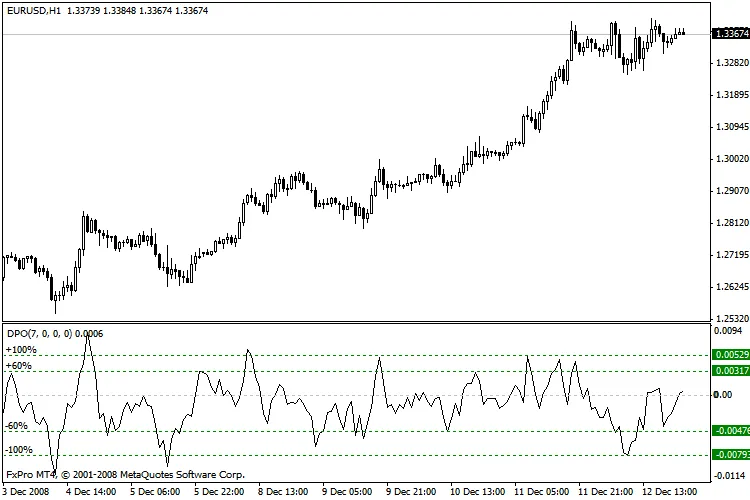
Example of the DPO in action
Thanks for stopping by, and I hope this helps you get the most out of the DiNapoli Price Oscillator in your trading!




Comments 0