
The Keltner Channel Indicator on MetaTrader 5 is a classic tool that traders have been using since its creation by Chester W. Keltner in 1960. If you’re familiar with Bollinger Bands or Envelopes, you’ll find the Keltner Channel has some similarities. This indicator features three lines: the middle line is a 10-day simple moving average (SMA) calculated from the typical price, which is derived from the formula ((high + low + close) / 3). The upper and lower bands are created by adding and subtracting the average daily price range (the difference between the high and low) to and from the middle line, effectively forming a volatility-based channel. You can tweak all the parameters of the moving average in this MT5 version, making it versatile for your trading style.
Input Parameters
- MA_Period (default = 10) — This sets the period for the moving average (middle line).
- Mode_MA (default = MODE_SMA) — Choose the type of moving average for the middle line.
- Price_Type (default = PRICE_TYPICAL) — Select the price type used for the moving average calculation.
Trading Strategy with Keltner Channel
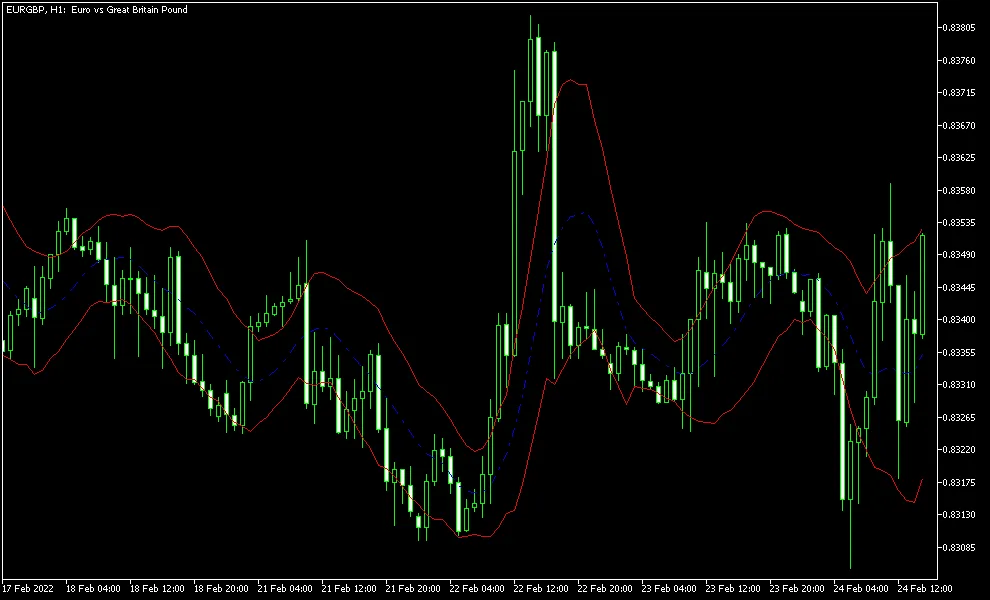
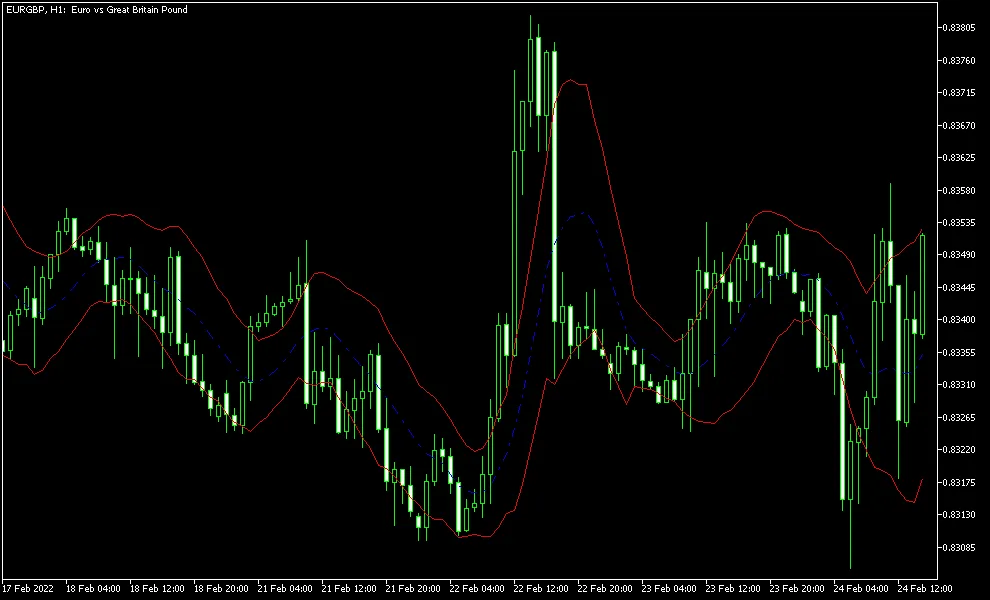
When trading with the Keltner Channel, a straightforward strategy involves going long when the price closes above the upper band and going short when it closes below the lower band. This can serve as a solid entry point. For exits, you might consider a conservative stop-loss (as false signals can occur), a more distant take-profit level, or a crossover with the middle line. Many traders also recommend using additional indicators for confirmation before making a move.
Interestingly, the channel's design means that the upper line tends to hold up during established uptrends, while the lower line does the same during downtrends. This suggests that breaking the upper line in a rising market is less likely, and the opposite is true for a downtrend.




Comments 0