
The Gann Fan Expert Advisor (EA) is a powerful tool that helps you draw Gann Fan lines on your charts and trade effectively with the market's trend. It features a Trailing Stop Loss and Take Profit function, making it suitable for all major forex pairs and stocks like those on NASDAQ.
- Always test it on a demo account first.
- This EA trades based solely on the price of the open candle!
- If you prefer not to increase your lot size after a losing trade, simply set IncreaseFactor=0.
- I’ve combined a straightforward EA with two moving averages and the Gann Fan for optimal performance.
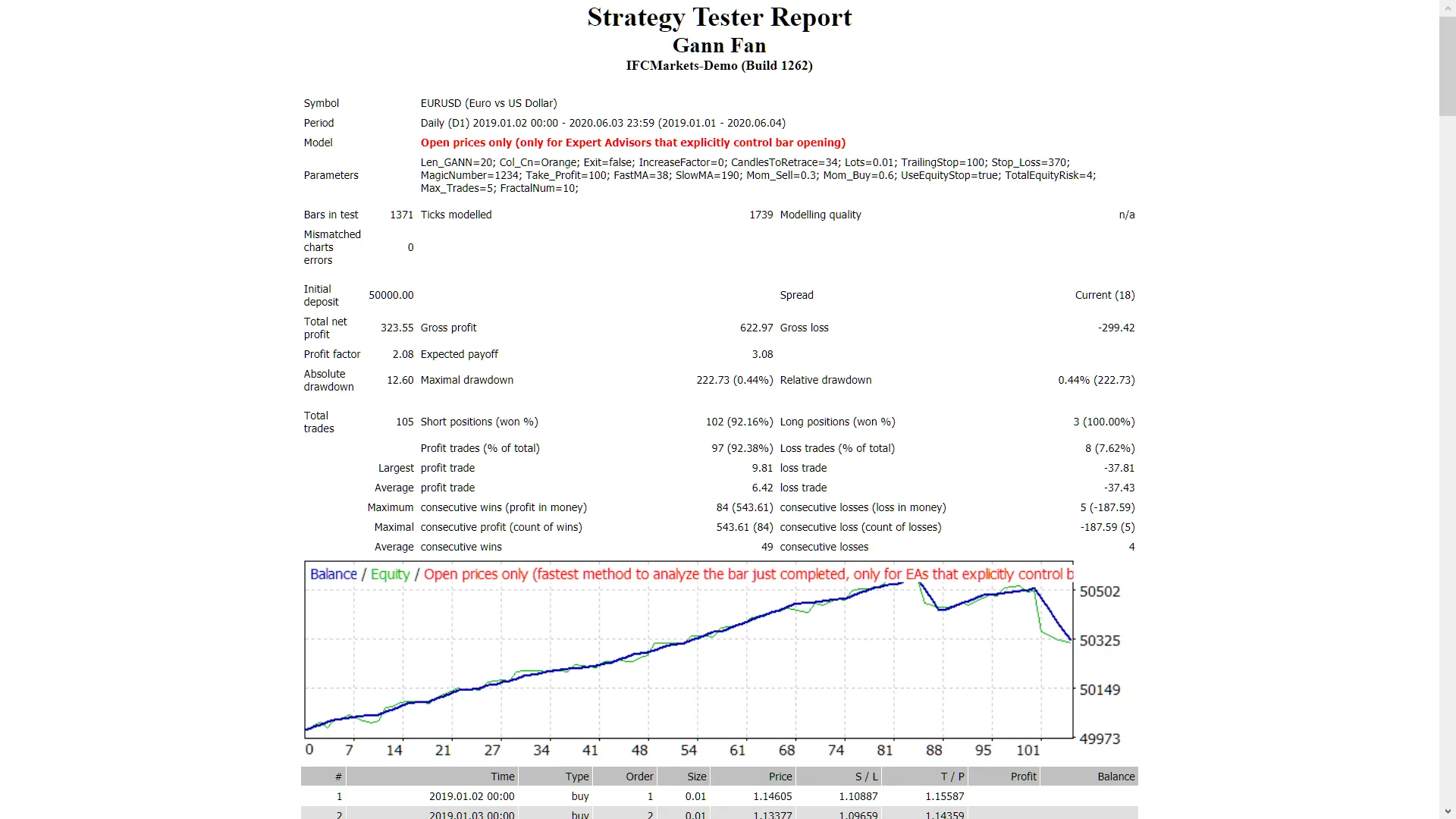
- Keep in mind, the Gann Fan doesn’t function in the testing mode.
- Optimization tests can only be conducted using the moving averages.
- In live trading, the Gann Fan and moving averages will work in tandem.
- During tests, the EA will only display the Gann Fan visually on the screen without factoring it into trade creation.
- When backtesting, ensure you select the "open prices only" option.
- The Gann Fan acts as a filter, enhancing your chances of winning trades.
Inputs
- Use_TP_In_Money - Use Take Profit in money (values: true/false).
- TP_In_Money - Take Profit in money (values: 10-100).
- Use_TP_In_percent - Use Take Profit in percent (values: true/false).
- TP_In_Percent - Take Profit in percent (values: 10-100).
- ------------[Money Trailing Stop for Multiple Trades]----------------------
- Enable_Trailing - Enable Trailing with money (values: true/false).
- Take Profit in money (in current currency) (values: 25-300).
- Stop Loss in money (in current currency) (values: 1-20).
- ------------------------------------------------------------------------------------
- Gann Fan length (bars) (values: 10-100).
- Gann Fan color.
- Exit - Close trades if the trend is against you to control drawdown (values: true/false).
- Lots - Lot size (values: 0.01-1).
- Lots size Exponent (values: 1.01-2).
- IncreaseFactor - How much to increase lots from total margin if you lose a trade (values: 0.001-0.1).
- Stop_Loss - Stop Loss (values: 30-500). /set value 600 for Multiple Trades
- MagicNumber - Magic number (values: 1-100000).
- TakeProfit - Take Profit (values: 50-200). /set value 600 for Multiple Trades
- FastMA - Fast Moving Average (values: 1-20).
- SlowMA - Slow Moving Average (values: 50-200).
- Mom_Sell - Momentum Sell trigger (values: 0.1-0.9).
- Mom_Buy - Momentum Buy trigger (values: 0.1-0.9).
- ---------------------CONTROL DRAW DOWN-----------------------------
- UseEquityStop - (values: true).
- TotalEquityRisk - (values: 0.01-20).
- -------------------------------------------------------------------------------
- Max_Trades (1-12).
- IF YOU USE ONLY 1 TRADE:
- ////////////////////////////////////////////////////////////
- USETRAILINGSTOP - If you use a trailing stop (values: true/false).
- WHENTOTRAIL - When to trail (values: 40-100).
- TRAILAMOUNT - Trail amount (values: 40-100).
- Distance From Candle - Distance from candle (values: 1-100).
- USEMOVETOBREAKEVEN - Enable "break even" (values: true/false).
- WHENTOMOVETOBE - When to move to break even (values: 1-30).
- PIPSTOMOVESL - How many pips to move stop loss (values: 1-30).
- It’s a good idea to optimize this EA every few months and use the exact inputs mentioned above.
- You can use it as either a hedging grid EA or a single trade EA.
- For a guide on how to perform backtesting, check out this resource.




Comments 0