
Welcome, fellow traders! Today, I want to introduce you to a powerful trading system that utilizes the HighsLowsSignal semaphore arrow indicator. This nifty tool can help you make informed trading decisions in no time!
So, how does it work? When a star of the right color and direction appears, it's your cue to take action. It’s as simple as that!
To get started with the Expert Advisor (EA), make sure to place the compiled indicator file, HighsLowsSignal.ex5, into the terminal_data_folder/MQL5/Indicators. This setup is crucial for the EA to operate smoothly.
A quick note: the TradeAlgorithms.mqh library file is a game-changer, allowing you to use Expert Advisors with brokers that offer a nonzero spread. Plus, it supports the option of setting Stop Loss and Take Profit right when you open a position. If you're interested in exploring more variants of this library, check out this link: Trade Algorithms.
In the tests below, we utilized the default input parameters for the Expert Advisor. It's worth mentioning that Stop Loss and Take Profit weren't applied during these tests.
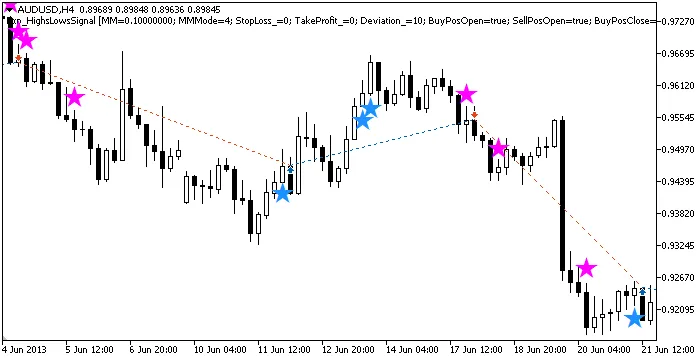
Figure 1. The instances of history of deals on the chart
Let’s take a look at the testing results for 2013 on the AUDUSD H4 timeframe:
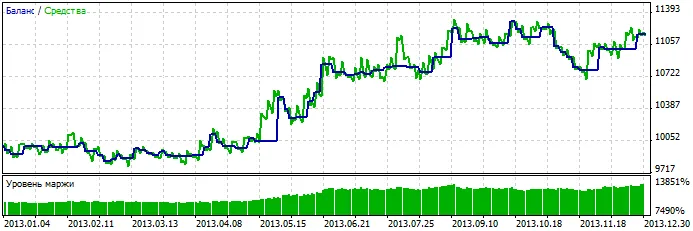
Figure 2. Chart of testing results




Comments 0