
Welcome to the world of trading! Today, we're diving into a nifty trading system that leverages the STLMCandle indicator. This system generates trading signals based on the color changes of the indicator's candlesticks—when it shifts from blue-green to orange or vice versa, that's your cue to make a move.
To get started, make sure to place the STLMCandle.ex5 and ColorSTLM_HISTOGRAM.ex5 files in the following directory: <terminal_data_folder>\MQL5\Indicators.
One thing to note is that the TradeAlgorithms.mqh library is a game-changer. It enables you to use Expert Advisors (EAs) with brokers that offer a nonzero spread. Plus, you can set your Stop Loss and Take Profit at the same time you open a position. For more variations of the library, check out this link: Trade Algorithms.
In the tests shown below, we used the default input parameters for the Expert Advisor. It’s important to mention that Stop Loss and Take Profit settings weren’t utilized during these tests.
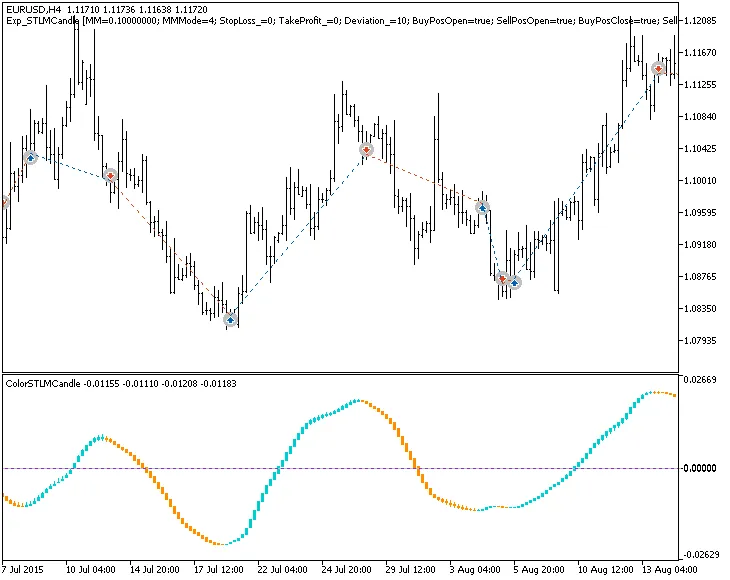
Fig. 1. The instances of history of deals on the chart.
Let’s take a look at the testing results for 2015 on the EURUSD H4:
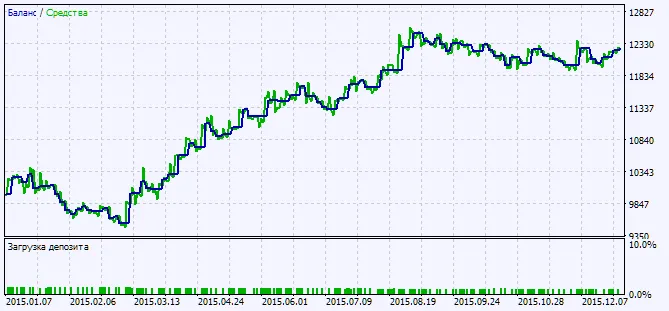
Fig. 2. Testing results chart




Comments 0