
If you're serious about trading, having the right tools at your disposal is essential. One such tool is the SL_Calculator indicator for MetaTrader 5, which helps you keep track of your positions with ease.
What Can the SL_Calculator Do for You?
This handy indicator provides valuable insights right on your price chart, allowing you to:
- Calculate your potential losses by examining the Stop Loss orders on all open positions.
- Identify how many positions do or don’t have Stop Loss orders set.
- View the total number of Buy and Sell positions in your account, along with their overall profit or loss.
Customizable Settings
To make the SL_Calculator work for your trading style, it comes with eight customizable input parameters:
- Panel corner: Determines which corner of the chart the panel will be anchored to.
- Panel X offset: Sets the horizontal distance of the panel from the selected corner.
- Panel Y offset: Sets the vertical distance of the panel from the selected corner.
- Panel background color: Choose the color you want for the panel's background.
- Panel border color: Select the color for the panel's border.
- Loss value text color: Customize the color of the text displaying potential losses.
- Positions text color: Set the color of the text for the positions on your account.
- Panel transparency: Adjust how transparent the panel is (note: 255 means fully opaque).
* Keep in mind, panel transparency can't be set below 48.
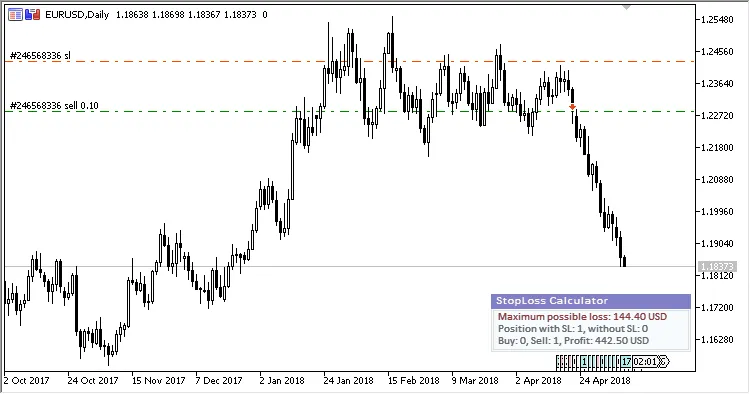
Fig.1: Panel anchored at the lower right corner with default colors.
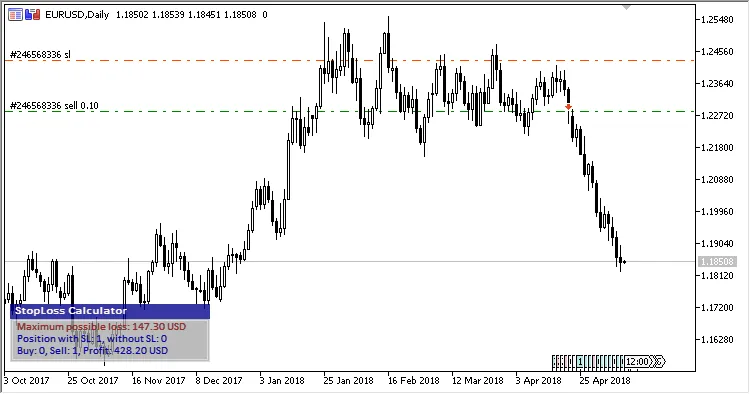
Fig.2: Panel anchored at the lower left corner with default color settings.
Related Posts
- Unlocking MetaCOT 2: Your Ultimate CFTC Indicator Toolkit for MT4
- Unlocking the Power of Master Tools for MetaTrader 4
- Mastering the Open Range Breakout Indicator for MetaTrader 5
- Hourly Buffers for Data Collection in MetaTrader 5: A Simple Guide
- Unlock Trading Insights with Volume Profile + Range v6.0 for MetaTrader 5