
Hey traders! If you're looking to up your game in technical analysis, you’ll want to dive into the world of DiNapoli and Fibonacci indicators on MetaTrader 4. These tools can help you pinpoint your entry and exit points like a pro!
Description:
This is a straightforward code to quickly plot Fibonacci and DiNapoli objectives (OP, COP, XOP) right on your chart. It's designed for efficiency and clarity.
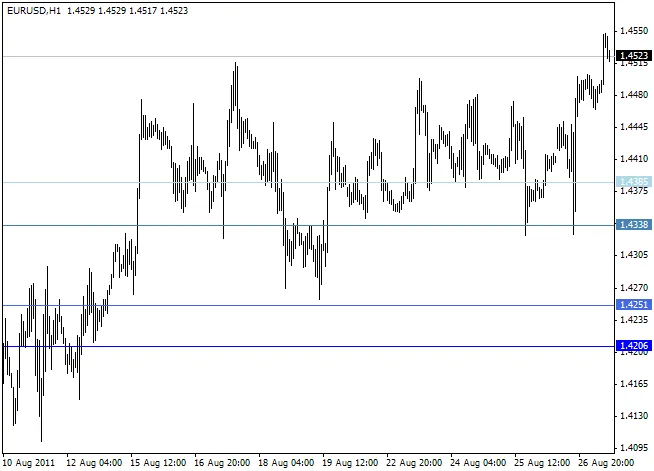
Each blue line you see represents averaged Fibonacci levels based on fractals that you specify. The numbers .328, .500, and .618 are your go-to values, while lighter lines indicate the closest fractals (like High/High and Low/Low).
We’ve averaged out the Fibonacci nodes to keep the chart clean and avoid overwhelming you with too many lines.
The red, violet, pink, and brown lines show DiNapoli targets, where the lighter lines represent COPs and the darker lines represent XOPs.
Happy trading!
- extern int FracsFromBar = 6; // This sets the number of bars from which the indicator calculates the specified fractals. A value of "0" means it starts from the current bar.
- extern int FibFractals01 = 12; // This is the first range for the closest fractals (H/H, L/L based on the specified number of bars).
- extern int FibFractals02 = 22; // This is the second range for fractals.
- extern int FibFractals03 = 32; // Here’s your third range.
- extern int FibFractals04 = 45; // This is the fourth, wider range.
- extern bool CommentsOn = false; // This option allows you to add a short description on the chart. Keep it "false" if you’re using another indicator with comments.
Image:




Comments 0