
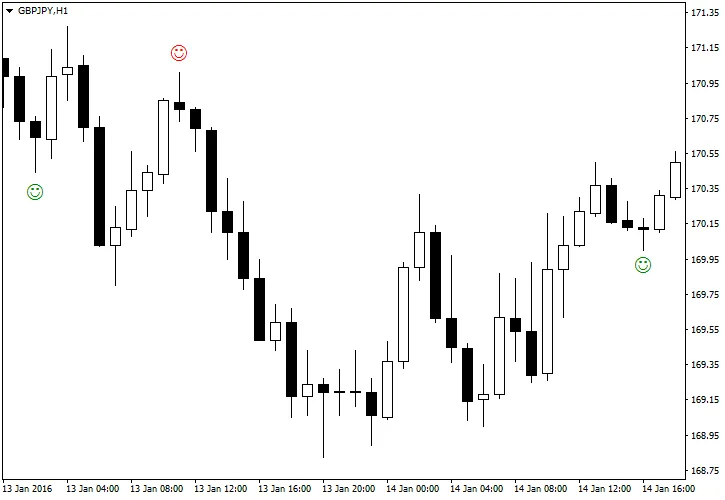
Pinbar Detector is a powerful tool for traders using MetaTrader 5. This indicator is designed to spot Pinbars—those telltale reversal patterns that can signal great trading opportunities. When it detects a Pinbar, it marks it visually with a "smiling face" icon to help you easily identify bullish Pinbars below and bearish Pinbars above. What's great about this tool is that it focuses purely on price action without relying on standard technical indicators.
Customize Your Pinbar Detection
- CountBars (default = 0) — Set the maximum number of bars to scan for Pinbars. A setting of 0 means it will analyze all available bars.
- DisplayDistance (default = 5) — Adjust how far away the "smiling face" symbols are from the actual Pinbars.
- UseAlerts (default = true) — Enable sound alerts on your platform when a Pinbar is detected, so you never miss a signal.
- UseEmailAlerts (default = false) — Get email notifications for Pinbar detections. Make sure to configure your email settings under Tools > Options > Email in MetaTrader.
- UseNotificationAlerts (default = false) — Set up push notifications for your mobile device by adjusting your settings in Tools > Options > Notifications.
- UseCustomSettings (default = false) — If you prefer, you can tweak the Pinbar detection parameters with custom settings.
- CustomMaxNoseBodySize (default = 0.33) — This parameter controls the maximum allowed body-to-length ratio for the Nose bar.

- CustomNoseBodyPosition (default = 0.4) — Determines where the Nose body should be positioned relative to the Nose bar (top for bullish, bottom for bearish).
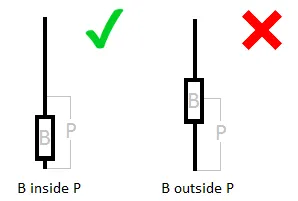

- CustomLeftEyeOppositeDirection (default = true) — This setting ensures that the Left Eye bar is bearish for bullish Pinbars and vice versa.

- CustomNoseSameDirection (default = true) — Ensures the Nose bar aligns with the direction of the Pinbar pattern.
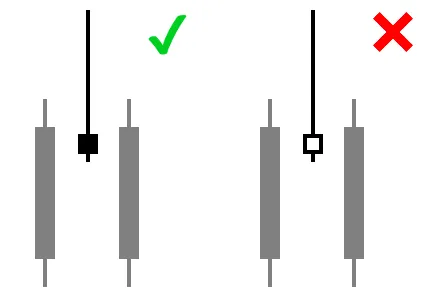
- CustomNoseBodyInsideLeftEyeBody (default = false) — Specifies that the Nose body should be contained within the Left Eye body.
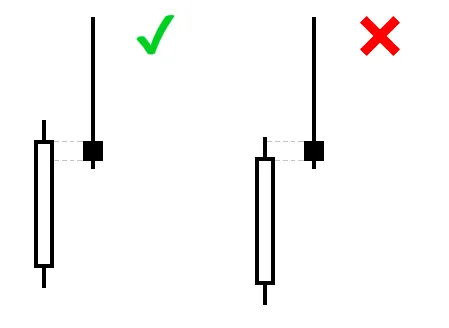
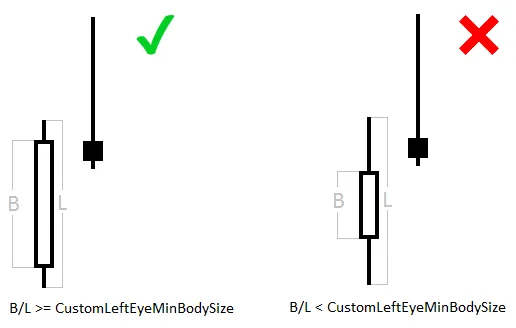
CustomLeftEyeMinBodySize (default = 0.1) — Sets the minimum body size of the Left Eye relative to the overall bar length.
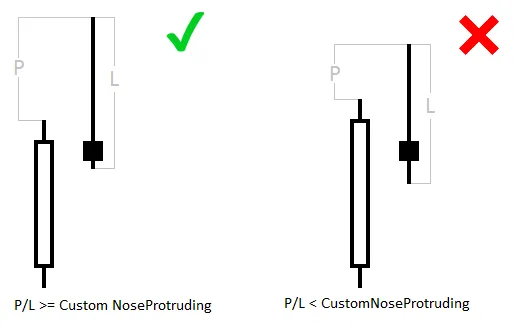
CustomNoseProtruding (default = 0.5) — Defines the minimum protrusion of the Nose bar compared to the overall bar length.
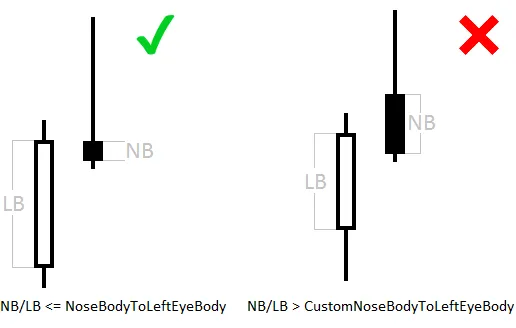
CustomNoseBodyToLeftEyeBody (default = 1) — Sets the maximum size of the Nose body in relation to the Left Eye body.
CustomNoseLengthToLeftEyeLength (default = 0) — Sets the minimum Nose length compared to the Left Eye length.

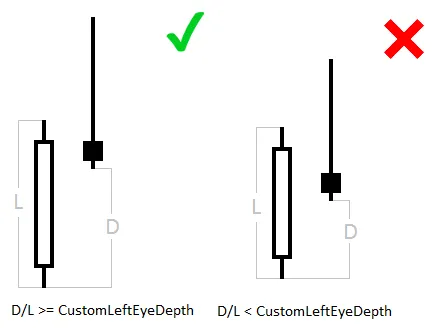
CustomLeftEyeDepth (default = 0.2) — Determines the minimum depth of the Left Eye relative to its length, defined as the portion of the bar that lies behind the Nose.
- CustomMinimumNoseLength (default = 1) — Sets the minimum length of the Nose candlestick in points.




Comments 0