
If you're diving into the world of trading with MetaTrader 5, you're probably on the lookout for tools that can give you an edge. One such tool is the i-VaR95 indicator, which comes with a handy timeframe selection feature.
Setting Up the i-VaR95 Indicator
To customize your indicator, you’ll find an input parameter that allows you to choose your timeframe. Here’s how you can set it up:
input ENUM_TIMEFRAMES TimeFrame=PERIOD_H4; // This sets the timeframe for the indicator chart
Before you can start using the i-VaR95 indicator, you need to ensure that the i-VaR95.mq5 file is correctly placed in your MetaTrader directory. Here’s where to drop it:
- Navigate to your <terminal_data_folder>\MQL5\Indicators directory.
- Drop the i-VaR95.mq5 file into this folder.
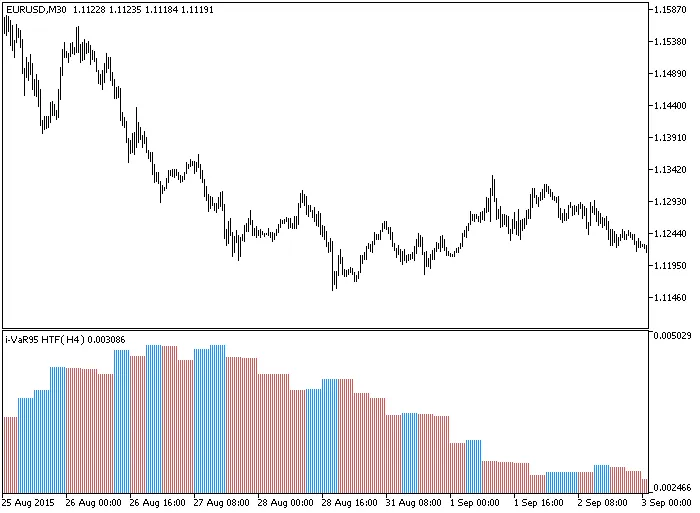
Fig.1. The i-VaR95_HTF Indicator in Action




Comments 0