
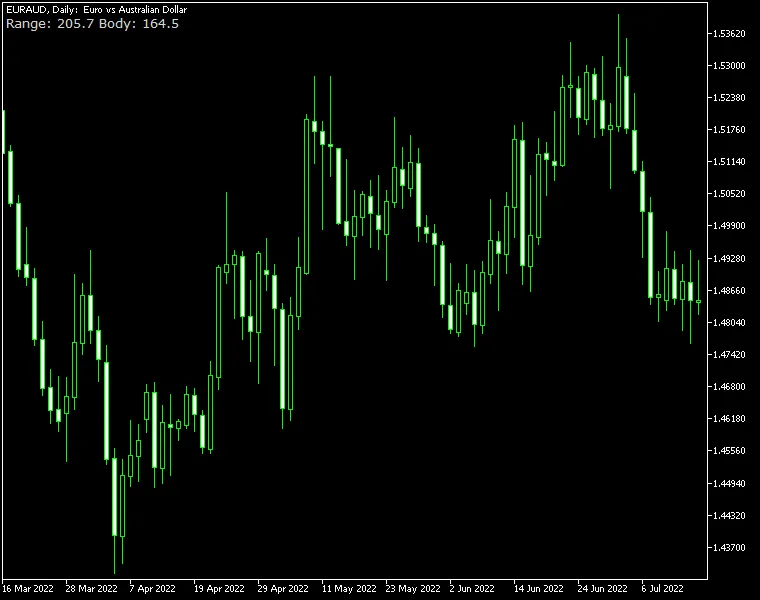
The Candle Range Indicator for MetaTrader is a straightforward and lightweight tool designed for traders. It allows you to see the candle's range in pips simply by hovering your mouse over it. Along with the High/Low range, you can also opt to display the body size (Open/Close) of the candles. This indicator comes with multiple customization options, letting you tailor its appearance to suit your preferences. It’s available for both MT4 and MT5 versions of the platform, so you're covered no matter which one you use.
Input Parameters
- ShowBodySize (default = false) — When set to true, this option will display the size of the candle's body.
- HavePipettes (default = false) — If you select true, the indicator will consider that the currency pair's quote includes pipettes, adjusting the pip ranges accordingly.
- TrueRange (default = false) — Setting this to true allows the indicator to calculate the true range, including gaps, instead of the standard range.
- font_color (default = clrLightGray) — This parameter lets you choose the color of the candle range display.
- font_size (default = 10) — Customize the size of the candle range text to your liking.
- font_face (default = "Verdana") — Select your preferred font for the candle range text.
- corner (default = CORNER_LEFT_UPPER) — This setting allows you to position the candle range indicator anywhere on the chart.
- distance_x (default = 3) — Adjust the horizontal distance from the chosen corner to the indicator.
- distance_y (default = 12) — Control the vertical distance from the corner to the indicator.
- DrawTextAsBackground (default = false) — If you set this to true, the text label showing the candle range value will be drawn as a background, which can help prevent the indicator from obscuring your chart.
- ObjectPrefix (default = "CR-") — Use this prefix for chart objects to ensure compatibility with other indicators.




Comments 0