
Understanding the Regression Channel
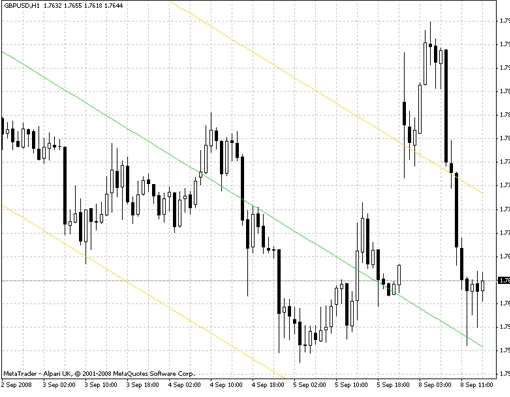
The Linear Regression Channel features two parallel lines that run equidistantly above and below the linear regression trend line. The distance between the channel's border and the regression line reflects the maximum deviation of closing prices from that line.
Linear Regression Channel Explained
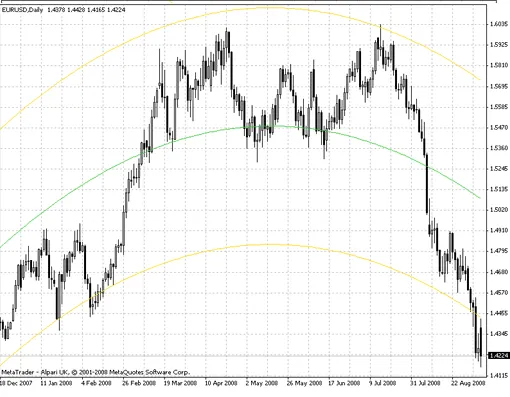
Second-degree (Parabolic) Polynomial Regression Channel
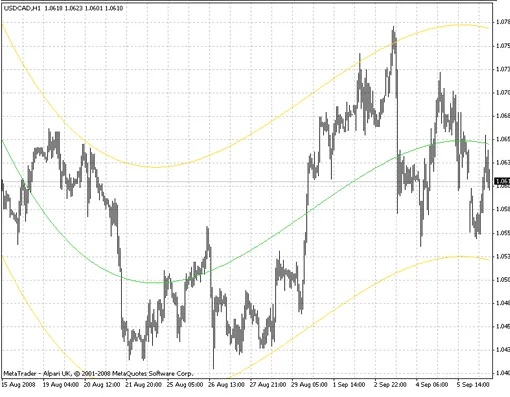
Third-degree Polynomial Regression Channel
Setting Up the i-Regr Indicator in MetaTrader
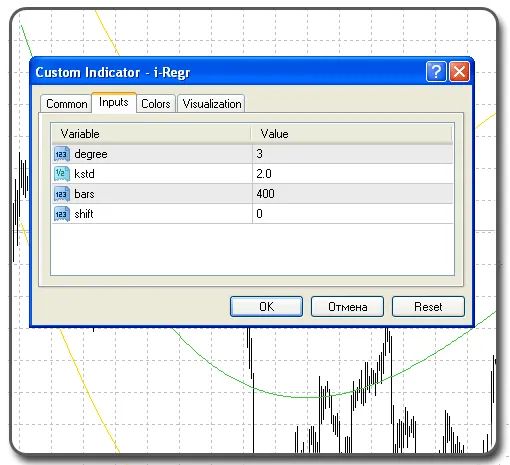
Polynomial Degree - Power Levels
- 1 - Linear
- 2 - Parabolic
- 3 - Third-degree
Introducing the e-Regr Expert Advisor
The e-Regr Expert Advisor utilizes the Regression Channel Indicator to guide trading decisions. Here’s how it works:
- If the price dips below the lower line - Buy
- If the price rises above the upper line - Sell
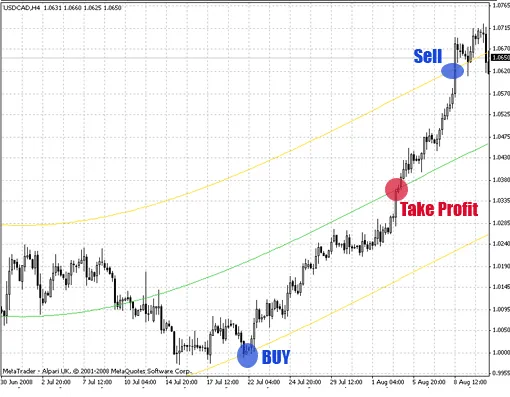
For Take Profit, aim for the average line. Stop Loss is set to 0, but feel free to adjust it as needed.
Trend Protection: If the previous day’s (D1) candle exceeds 150 pips, trading is prohibited, and all open positions should be closed.
Setting Up the e-Regr Expert Advisor
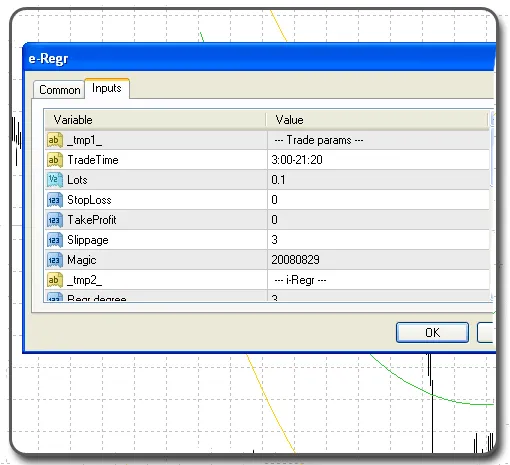
Warning: The e-Regr Expert Advisor has not been adjusted or optimized.




Comments 0