
Looking to sharpen your trading edge? The 1 Minute Scalper EA is designed specifically for those who thrive on fast-paced trading. Utilizing 13 moving averages, it features a trailing stop loss and take profit system that works wonders on the 1-minute timeframe, especially with major forex pairs and NASDAQ stocks.
Key Features of the 1 Minute Scalper EA
- Demo First: Always test the EA on a demo account before diving into live trading.
- Open Candle Trading: This EA executes trades based solely on the opening price of each candle.
- Lot Size Control: If you prefer not to increase your lot size after a losing trade, simply set the
IncreaseFactor=0.
Input Settings
- Use_TP_In_Money: Enable or disable take profit in monetary terms (true/false).
- TP_In_Money: Set take profit in money (values: 10-100).
- Use_TP_In_Percent: Enable or disable take profit in percentage terms (true/false).
- TP_In_Percent: Set take profit in percentage (values: 10-100).
- Enable_Trailing: Turn on trailing stops with monetary values (true/false).
- Take Profit In Money: Set values from 25 to 300.
- Stop Loss In Money: Set values from 1 to 20.
- Exit Control: Close trades if the trend turns against you (true/false).
- Lots Size: Set lot size (values: 0.01-1).
- IncreaseFactor: Specify how much to increase lots after a loss (values: 0.001-0.1).
- Stop_Loss: Set stop loss values (30-500); use 600 for multiple trades.
- MagicNumber: Set a unique identifier for your EA (1-100000).
- TakeProfit: Set take profit (values: 50-200); use 600 for multiple trades.
- FastMA: Set the period for the fast moving average (1-20).
- SlowMA: Set the period for the slow moving average (50-200).
- Mom_Sell: Set momentum sell trigger (0.1-0.9).
- Mom_Buy: Set momentum buy trigger (0.1-0.9).
- UseEquityStop: Enable equity stop (true/false).
- TotalEquityRisk: Set total equity risk (0.01-30).
- Max_Trades: Set maximum trades allowed (1-12).
- TrailingStop: Activate trailing stop loss by setting a value from 40 to 100; use "0" to deactivate.
- Enable Break Even: Turn on break-even feature (true/false).
- When Move Break Even: Set how many pips to move to break even (5-30).
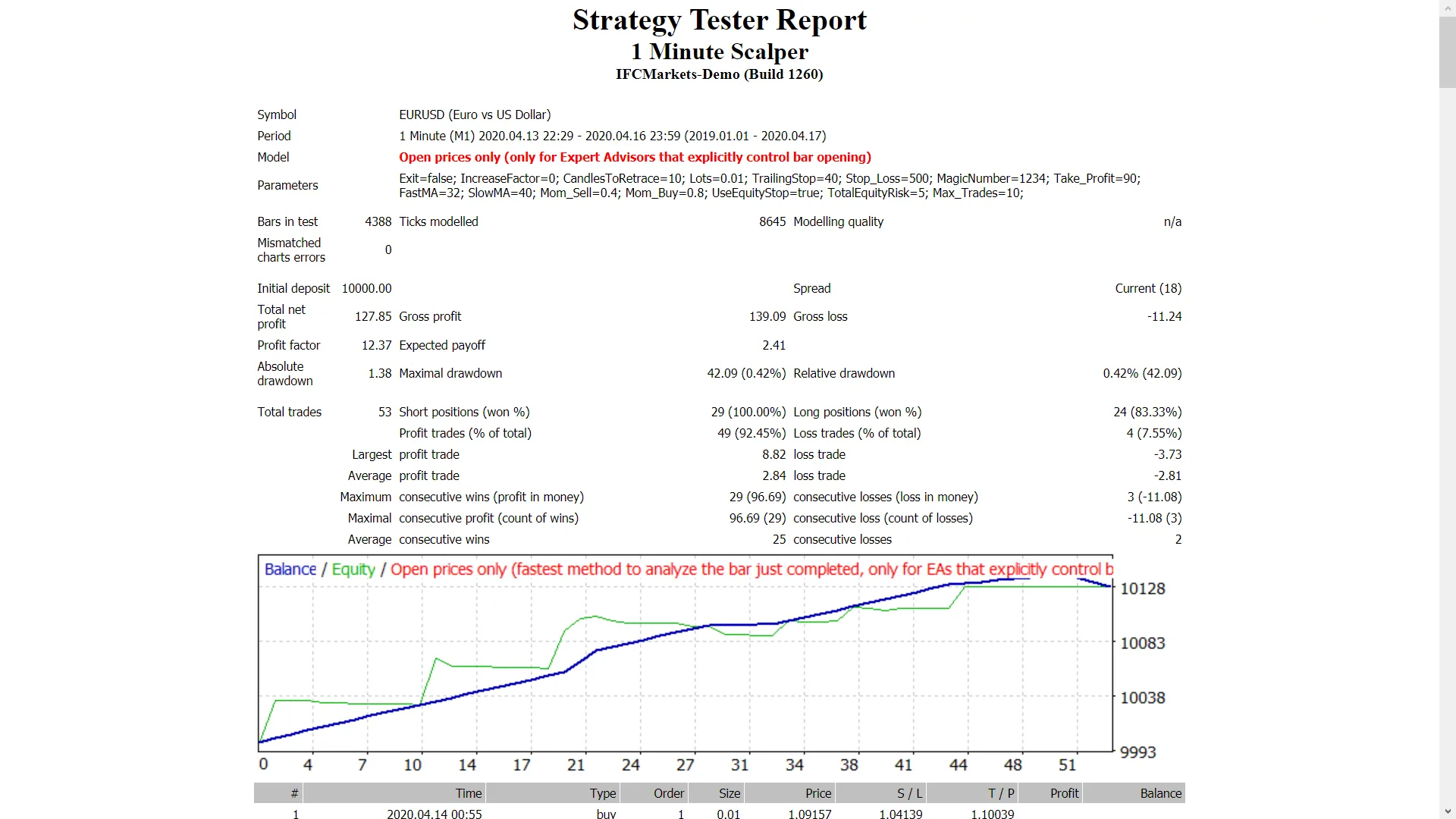
It's essential to optimize this EA every few months using the exact same inputs listed above. You can use it as a hedging grid EA or for single trades.
For backtesting, check out this link: Backtesting Guide.




Comments 0