
Hey there, fellow traders! If you’re looking to level up your trading game, let me introduce you to the Coensio Swing Trader EA CSTV04. This nifty tool allows you to trade semi-automatically by utilizing your pre-defined support and resistance or breakout levels. It’s as simple as drawing a line on your chart, and the EA will handle the rest, sending out orders based on your specified trading direction. Honestly, trading SR and breakouts has never been easier!
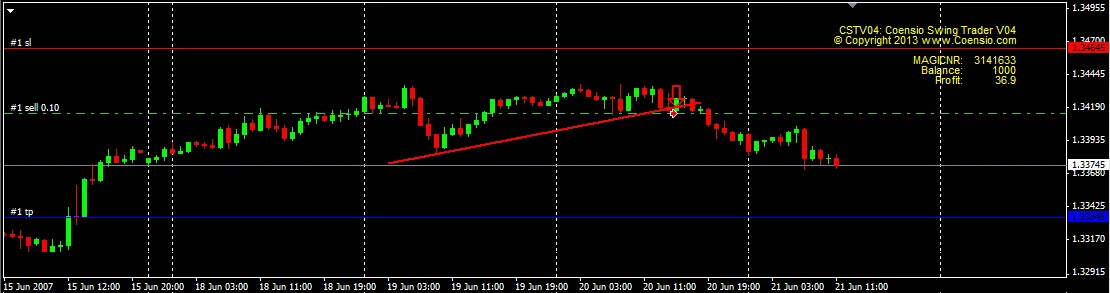
How to Get Started with the Coensio Swing Trader EA
Follow these easy steps to set up your EA:
- Load the EA onto your chart and set your desired parameters: Stop Loss, Take Profit, Lot Size, Entry Threshold, Trailing Stop Loss, and so on.
- Draw a breakout or trendline on the chart by going to Insert -> Lines -> Trendline.
- Rename the trendline according to your desired trade direction: use "gl" for long positions and "gs" for short positions.
- Adjust the Blue and Red lines to set your Take Profit and Stop Loss levels.
- If you want to enable proportional risk management, set Lots to 0; for example: RiskMax=2 (which is a percentage of your account equity based on the size of your Stop Loss).
- When you set FalseBreakClose to true, your order will automatically close if the entry candle turns and closes in the opposite direction.
With the Coensio Swing Trader EA CSTV04, you'll be able to trade smarter, not harder. So why not give it a go and see how it can enhance your trading strategy? Happy trading!




Comments 0