
Hey fellow traders! Today, I want to introduce you to a fantastic indicator that's sure to up your trading game: the ZZ Ensign Fibo. This tool is reminiscent of the classic ZigZag but comes with some neat features that can help you visualize market trends more effectively.
What Does the ZZ Ensign Fibo Do?
This indicator not only displays standard and dynamic Fibonacci levels but also incorporates Andrews' pitchfork. This combination can provide you with valuable insights into price movements and potential reversal points.
Parameter Breakdown
Let’s dive into the parameters so you can customize the ZZ Ensign Fibo to fit your trading style:
- minBars: This is the bars filter, allowing you to specify the minimum number of bars you want to use.
- minSize: This parameter filters by the number of points, so you can set the minimum size that suits your needs.
- ExtFiboType: Set this to
trueto use Pesavento Fibonacci levels, orfalsefor standard levels. - ExtFiboDinamic: When enabled, this shows dynamic Fibonacci levels on the first ray of the ZigZag.
- ExtFiboStatic: This option allows for the display of static Fibonacci levels.
- ExtFiboStaticNum: Choose the ZigZag ray (1 to 9) from which static Fibonacci levels will be displayed.
- ExtFiboS & ExtFiboD: These options let you pick the colors for static and dynamic Fibonacci levels.
- ExtPitchfork: Set to
1to display the Andrews' pitchfork from the last three extremums. If you choose2, the 50% median will also be displayed. - ExtLinePitchfork: This parameter specifies the color of the Andrews' pitchfork.
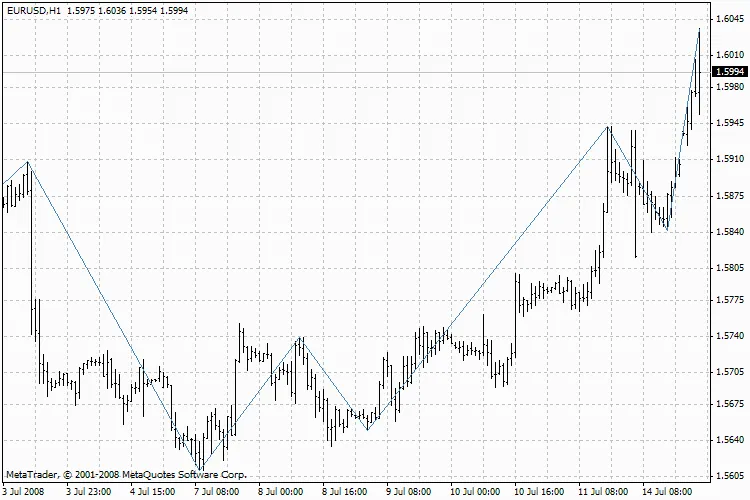
ZZ Ensign Fibo Indicator
By utilizing the ZZ Ensign Fibo, you can enhance your trading decisions and better navigate the market trends. Happy trading!




Comments 0