
If you're looking to streamline your trading experience, the CurrencyChart indicator for MetaTrader 4 is a game changer. This nifty tool allows you to display multiple currency pairs in one convenient window, making it easier to analyze your trades at a glance.
Input Parameters
The main parameter you need to set is the symbol—this is simply the name of the currency pair you want to display. By default, it’s set to EURUSD.
How to Use the CurrencyChart Indicator
Let’s say you’ve attached the CurrencyChart indicator to the EURUSD M5 chart. You can easily set the symbol parameters for other pairs, such as EURCHF and USDJPY, just like in the example below:
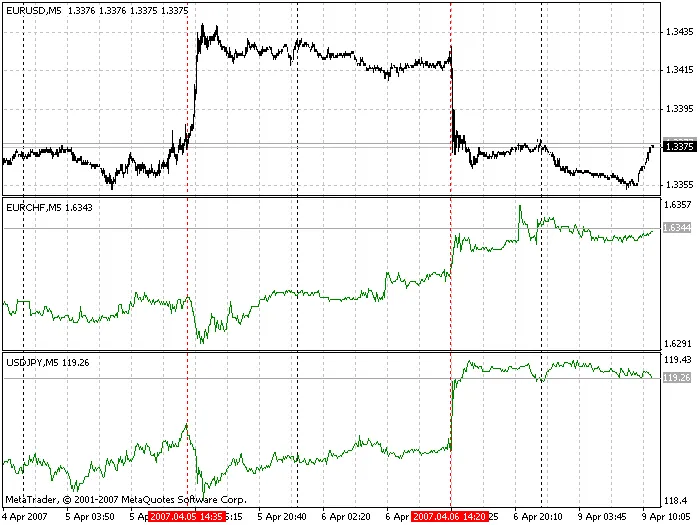
CurrencyChart
As a result, you’ll see three price charts—EURUSD, EURCHF, and USDJPY—all in one window. This setup gives you a comprehensive view of the market, allowing for better decision-making!
Requirements
Before you dive in, make sure that the windows for the currency pairs you want to analyze are already open in your MetaTrader platform. This is crucial for the indicator to function properly.




Comments 0