
Welcome back, traders! Today, we're diving into a handy tool that can elevate your trading game: the Rectangle Indicator for MetaTrader 5.
Understanding the Rectangle Indicator
This is an assistant indicator that comes into play as soon as a rectangle appears on your trading chart. Once it detects a rectangle, it automatically draws two lines that outline the upper and lower bounds of that rectangle.
To effectively use this indicator, make sure the rectangle you’re tracking has a name that begins with "Watch for a rectangle whose name starts with ...". This naming convention is crucial for the indicator to function properly.
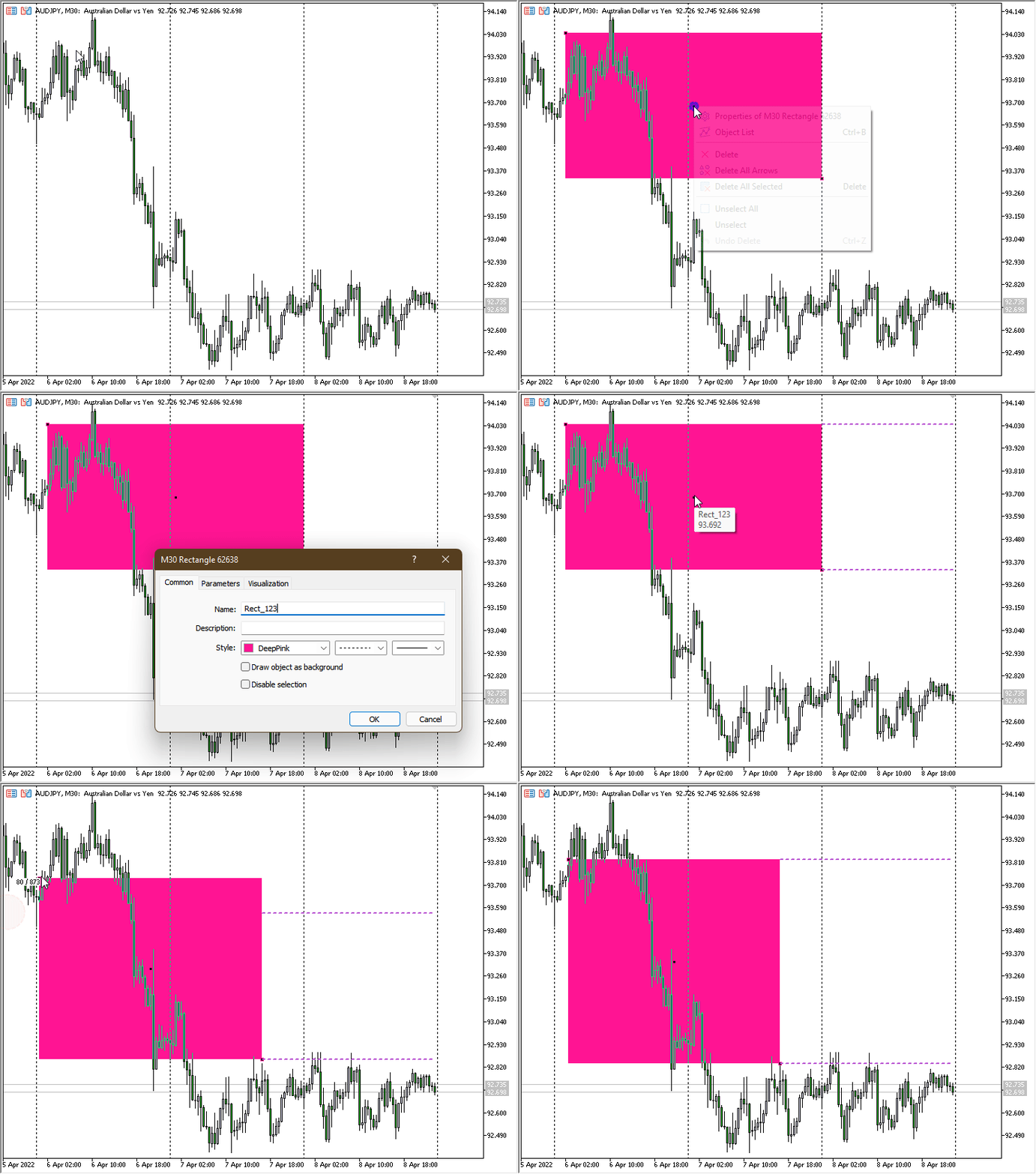
Figure 1. Extending the Rectangle
⚠️ IMPORTANT: Keep in mind that if you remove the indicator from your chart, the lines it created will still remain! This is something to consider when you’re managing your workspace.




Comments 0