
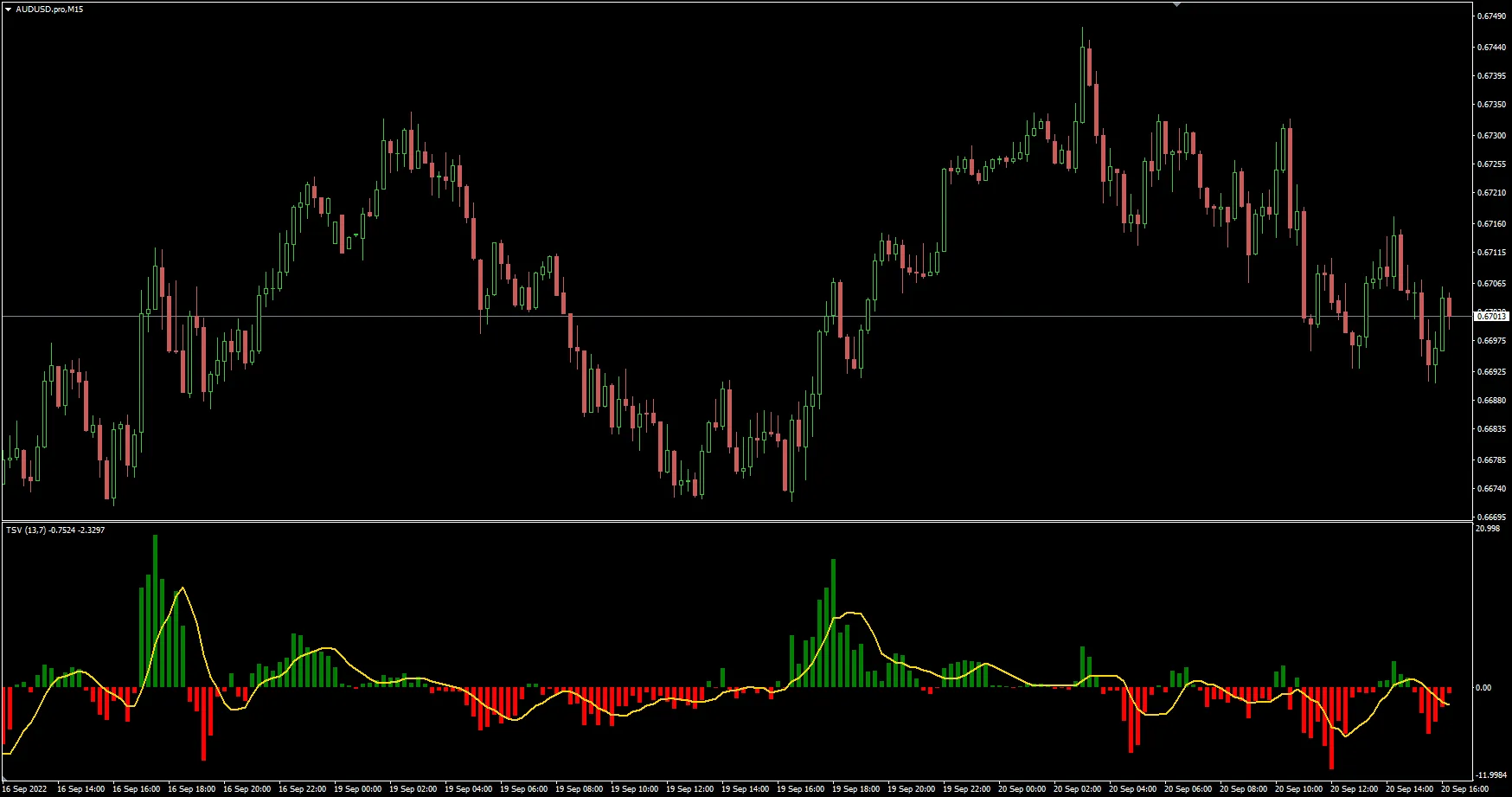
Understanding the Time Segmented Volume (TSV) Indicator
If you're looking to enhance your trading game, the Time Segmented Volume (TSV) indicator in MetaTrader 4 is a tool you shouldn't overlook. This nifty indicator provides a unique perspective on trading volume, allowing you to make more informed decisions.
Why Use the TSV Indicator?
The TSV indicator is designed to give you insights into the strength of price movements by analyzing volume across different time segments. It helps you gauge whether the current trend is backed by solid trading volume or if it's just a flash in the pan.
How to Set Up the TSV Indicator
Setting up the TSV in MetaTrader 4 is a breeze:
- Open your MetaTrader 4 platform.
- Navigate to the 'Insert' menu.
- Click on 'Indicators', then 'Custom'.
- Select the TSV indicator from the list.
- Adjust the settings to fit your trading style and preferences.
Interpreting the TSV Data
Once you have the TSV indicator on your charts, you'll want to keep an eye on its readings. Here’s what to look out for:
- Positive TSV: Indicates that the buying volume is surpassing selling volume, suggesting an upward trend.
- Negative TSV: Shows that selling volume is leading, hinting at a potential downward trend.
- Crossovers: Pay attention to when the TSV crosses above or below the zero line – this can signal potential entry or exit points.
Final Thoughts
The TSV indicator can be a game changer for traders who want to dive deeper into market dynamics. By incorporating this tool into your analysis, you’ll be better equipped to spot trends and make smarter trading decisions. So why not give it a shot? Your trading strategy might just thank you!




Comments 0