
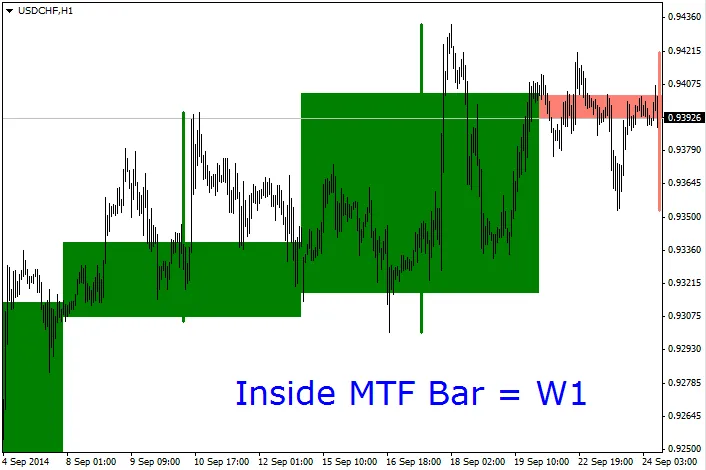
Hey traders! Have you ever wanted to keep an eye on higher timeframes without constantly switching charts? Well, the MTF Inside Bar indicator is here to save the day! With this handy tool, you can easily visualize price action from different timeframes right on your current chart.
To get started, simply select the timeframe you want to analyze. For example, if you set TFup=3, it means you'll be looking at the third timeframe above your current one.
Here are some options you can tweak to make this indicator work for you:
- bars_back: This lets you decide how many inside bars (candles) you want to display.
- stats: If set to true, this will show the range (Open-Close, absolute value) of the inside bar in pips.
- UpCandleColor: Choose the color for bullish candles.
- DownCandleColor: Select the color for bearish candles.
- width: Adjust the thickness of the bars to your liking.
- filling: If true, the inside bars will be filled; otherwise, you'll just see the edges.
Update 22.03.15 - v1.2:
- New parameters added:
- Font_Size: Set the text font size (default=15).
- Corner: Choose the corner position for the text (default=3 -> Bottom Right).
- Bug fix: Object Delete has been corrected.
- The text will now match the color of the last (upper timeframe) bar for better visibility.
Happy trading!




Comments 0