
If you're looking to enhance your trading strategies with some advanced calculations, you're in the right place! Today, I'm excited to introduce you to a pseudo-indicator designed for MetaTrader 5 that showcases the power of multi-threaded calculations. Let’s dive in!
This indicator doesn’t rely on traditional buffers. Instead, its main goal is to demonstrate how multi-threaded calculations work. Picture this: it can queue commands for lengthy calculations that run in separate threads. This is achieved through chart objects that employ a worker expert advisor.
The classes included in the header file, MultiThreadedObjectWorker.mqh, automatically create these chart objects and apply a specified worker expert advisor template to each one. Once the calculation wraps up, the object is promptly removed from the chart. Pretty neat, right?
Note: This example is best suited for those with some programming chops.
The inspiration for this approach comes from an article on Multi-Threaded Asynchronous WebRequests. If you're keen on the nitty-gritty details of how messages (or events) are dispatched and how resources are utilized for data transfer between charts, be sure to check out that article.
What’s cool about this indicator is that it employs a more streamlined technique compared to what's discussed in the article, using chart objects instead of full chart windows. You can find further details on the forum.
Before you get started, make sure to compile the worker expert advisor, MultiThreadedObjectWorker, before running the indicator itself, MultiThreadedIndicator.
Input Parameters
- sinput int _Cores = 1; - This sets the number of threads to use (avoid exceeding your available physical cores).
- sinput int _Tasks = 1; - This determines the number of pseudo-tasks to run in parallel (increase this number beyond your core count to see the real benefits of parallel processing).
- input string MultiThreadedScriptPath = "Experts\MultiThreadedObjectWorker.ex5"; - This path must point to your worker expert advisor.
Each pseudo-task in this setup calculates a series of square root functions (this is just for demo purposes, of course). You can modify this in your MQL projects to implement any other time-consuming algorithms you might need.
To kick off parallel calculations after attaching the indicator to a chart, just click on the chart. Don’t worry; all critical phases of the process are logged in both the client and the worker MQL5 programs.
Keep in mind that the client MQL program requesting parallel calculations can be either indicators or expert advisors. Unfortunately, scripts and services aren’t supported in this scenario.
Using the header file MultiThreadedObjectWorker.mqh, you'll need to implement your own data marshalling between the MQL5 client and the worker expert advisor.
Here’s a glimpse of what the logs could look like:
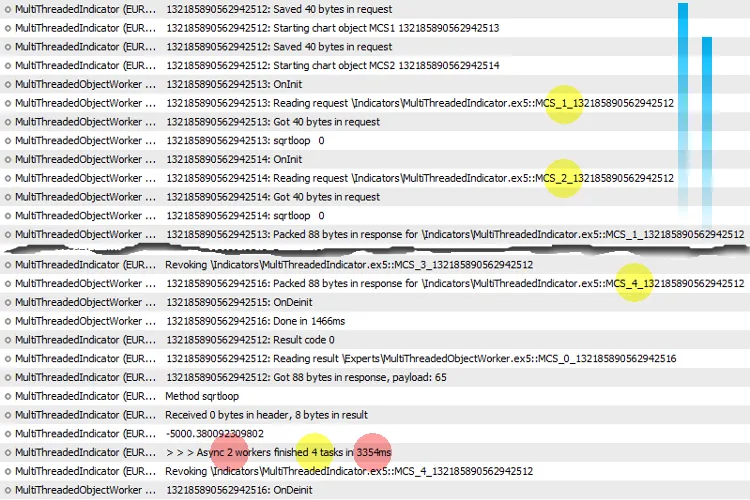
Execution of 4 tasks on 2 cores (2 threads in parallel)
When running 4 tasks on 2 cores, you’ll benefit from 2 parallel threads, which can cut execution time in half compared to running on a single core (just look at the difference between 3354ms and 6240ms!).
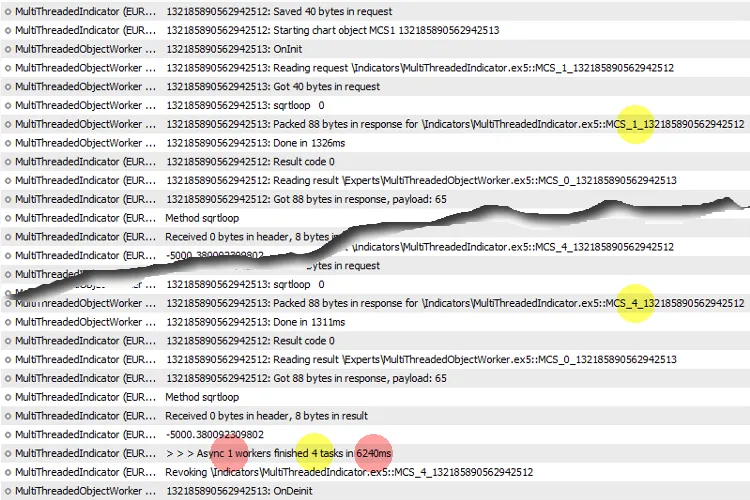
Execution of 4 tasks on 1 core (single thread - standard MQL program)
The bottom line? More cores mean more speed. So, if you’re serious about optimizing your trading strategies, this is a tool you’ll want to explore.




Comments 0