
The WeekDays Indicator is a fantastic tool that displays the Day of the Week, Week of the Year, Day of the Year, or Bar Index right in the Data Window. You can even choose to show this info as labels on your chart if you prefer.
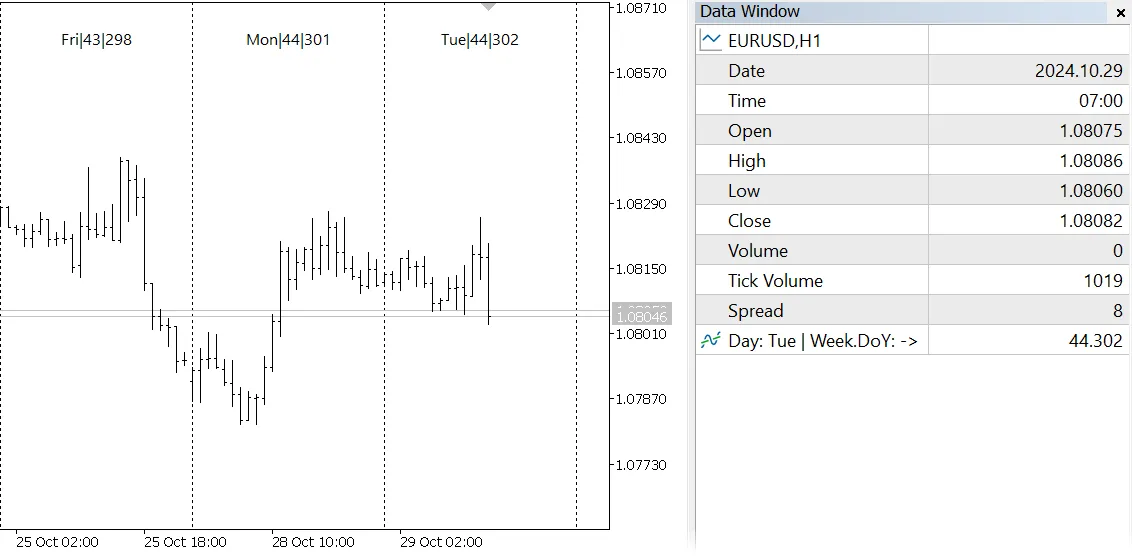
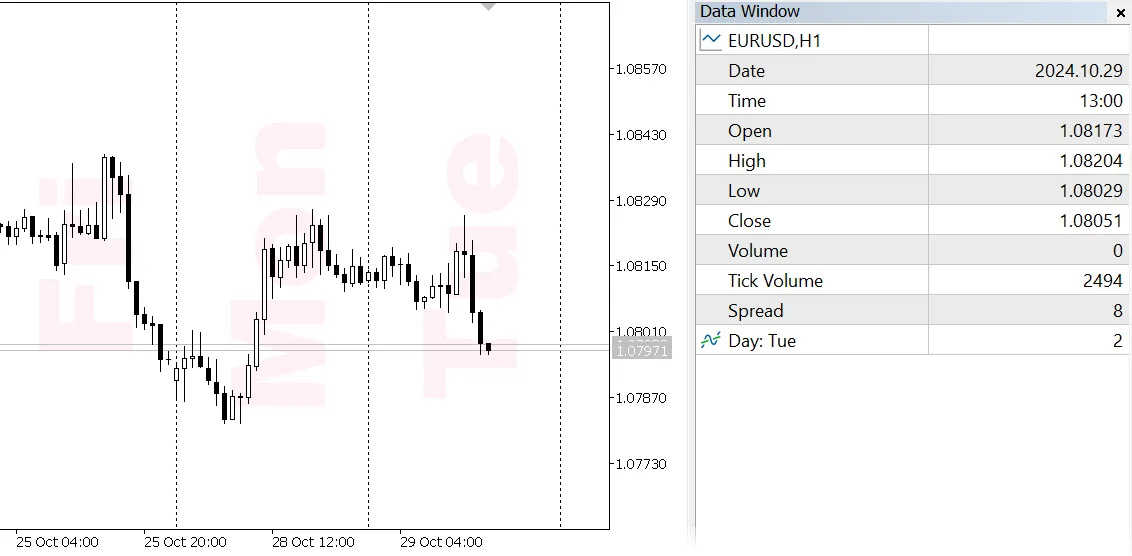
As always, the Data Window updates in real-time based on your mouse movements. The name of the day is quickly reflected in the left column, while the right column's content is determined by your settings—specifically, the WholePart and FractionalPart inputs. You can select which information to display: Day Of Week, Week Of Year, Day Of Year, Bar Index, or simply None.
- WholePart - This lets you choose the number in front of the decimal point;
- FractionalPart - This lets you choose the number after the decimal point;
These two selected properties (integer values) are combined into a single floating-point value for each bar and stored in the indicator buffer. To keep things tidy, this buffer is set to invisible on the chart using the DRAW_NONE style, as its values are synthetic.
For example, as shown in the screenshot below, if the day is Tuesday, the buffer displaying Week.DoY (Day Of Year index) shows a value of 44.302. This means it’s the 44th week and the 302nd day of the year.
Additionally, you can customize your indicator further. You can choose whether or not to ShowLabels on the chart, select the FontName, FontSize, and FontColor, adjust the Padding from the top/bottom edges, align the text (top/middle/bottom), and even set a RotationAngle if you want a middle alignment.
By default, the clrNONE for FontColor will automatically select a color that contrasts with your current chart background.




Comments 0