
Meet the Creator:
Andriy Moraru
If you're in the trading game, you know how crucial it is to spot breakouts. The TradeBreakOut indicator is your go-to tool for identifying the distance from the current price—whether it’s the close, high, or low—to the breakout points of recently established support or resistance levels, calculated using local highs and lows.
Input Settings:
- L (default = 50) — This is the indicator period. A higher value results in fewer signals for breakouts, but it generally improves the quality of those signals.
- PriceType (default = 1) — This parameter defines the price type used for calculations. If you’re trading on daily or weekly charts, the close price is your best bet. For short-term trades, go with high/low. (0 — Close Price, 1 — High/Low).
Pro Tips:
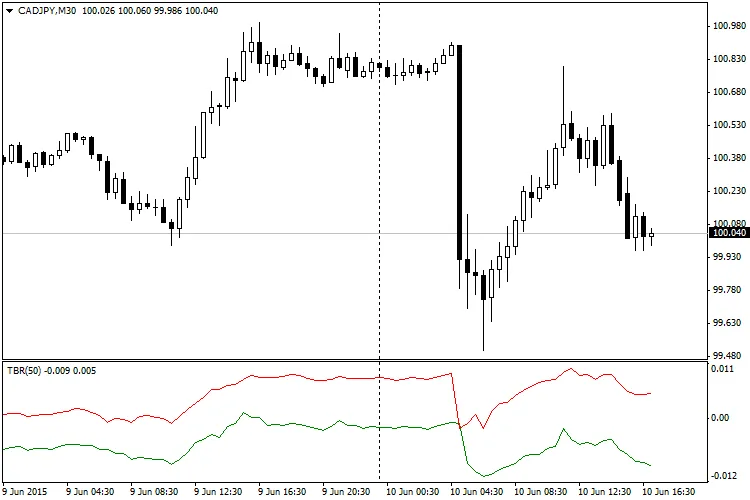
- Check out the chart above, which showcases the TradeBreakOut indicator with the default settings. When the green line rises to touch the zero mark, it indicates a bullish breakout from the local maximum. Conversely, if the red line dips down to zero, it's signaling a bearish breakout from the local minimum. Remember, the greater the distance from zero, the less likely the breakout will occur.




Comments 0