
Hey fellow traders! If you’re looking to enhance your trading strategy, let me introduce you to the Exp_CandleStop_Trailing Expert Advisor. This handy tool automatically adjusts your Stop Loss based on the CandleStop indicator, keeping your trades in check. The beauty of this EA is that it only modifies the Stop Loss when a new bar closes, ensuring it’s always aligned with the latest market data.
What’s even better? You don’t need to manually install the CandleStop indicator on your chart. Once you set up the EA, the indicator displays automatically, making your life a whole lot easier. Plus, the parameters for this indicator match those of the EA, so you can tweak them without any hassle.
Here are the input parameters you can configure for the Expert Advisor:
//+----------------------------------------------+//| Input parameters for the Expert Advisor |//+----------------------------------------------+inputuint UpTrailPeriods=5; // Period for finding highsinputuint DnTrailPeriods=5; // Period for finding lowsinputuint Deviation=10; // Slippage
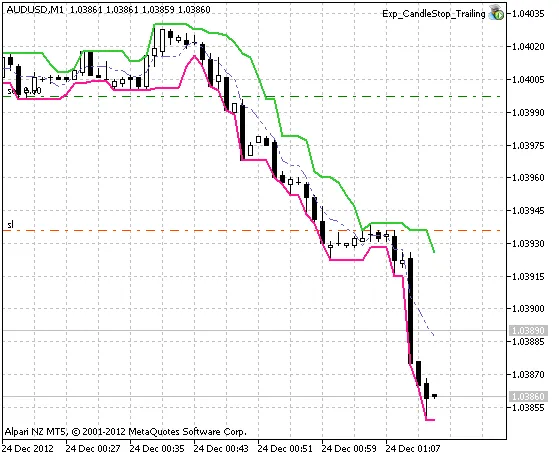
Fig.1 The Exp_CandleStop_Trailing EA in Action




Comments 0