
Author: Inovance
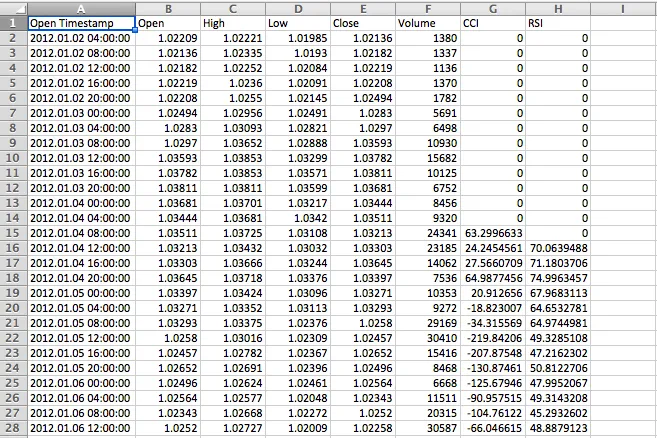
If you're looking to save your indicator values along with the Open timestamp, Open, High, Low, Close, and Volume data into a CSV file, you're in the right place! This handy feature in MetaTrader 4 makes it a breeze to keep track of your trading data.
To locate your saved file, just head to your MetaTrader 4 directory, navigate to the MQL4 folder, and you'll find your file tucked away in the Files folder.
This tool captures not only your historical data displayed on the chart but also updates values with each new tick, giving you a comprehensive view of your trades.
Here’s How to Use It:
- Set your indicator periods;
- Rename the indicator buffers;
- Define your indicators;
- Label your column headers;
- Choose which indicator buffers to write to the file;
- And you're all set—enjoy!
Example:




Comments 0