
Hey fellow traders! Today, I want to dive into the Candle Movement Monitoring indicator for MetaTrader 4. It’s a handy tool that can really sharpen your trading game.
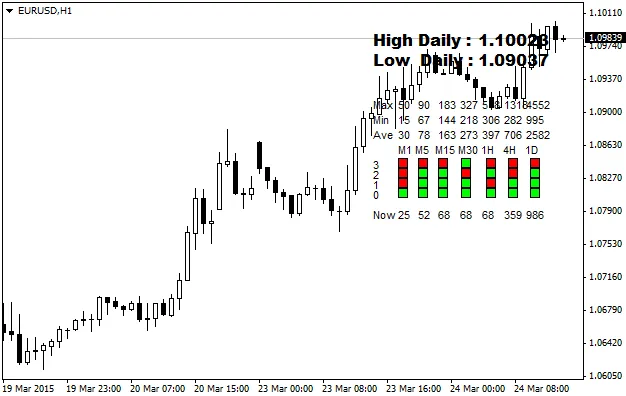
First off, let’s talk colors. When you see a red candle, that means we’re looking at a negative candle. On the flip side, if you spot a lime-colored candle, you’re in positive territory. This color coding makes it super easy to gauge candle performance at a glance.
Now, let’s get into the nitty-gritty of the data table. If the numbers are red, that signals the candle has hit its maximum movement. Conversely, if they’re lime, it means we’re right around the average movement for that candle. Keeping an eye on these indicators can help you make more informed decisions.
Need to move that data table around? No problem! Just press the “M” key for a second or two. Once you release it, click your mouse where you want the table to go, and voilà!




Comments 0