
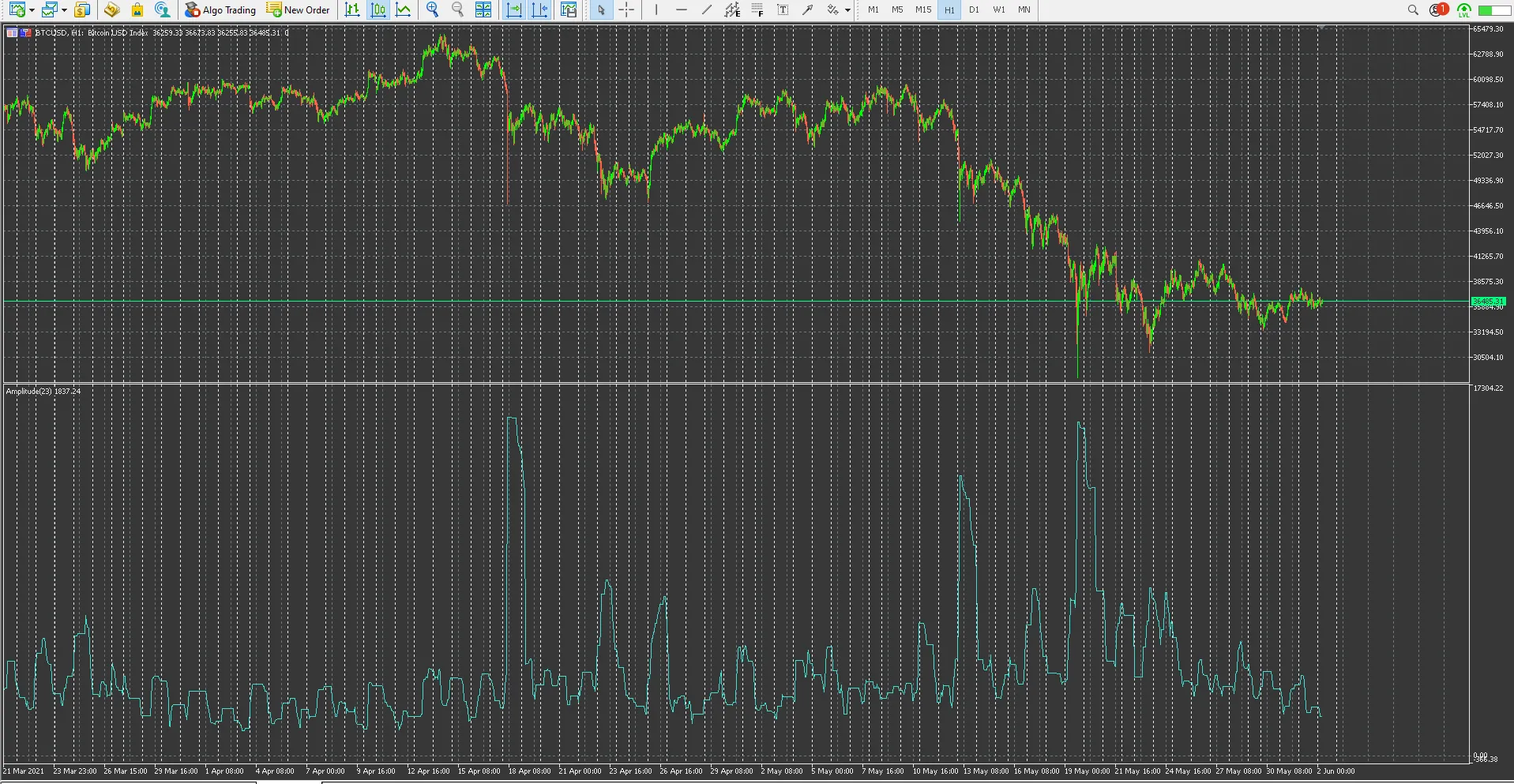
Hey fellow traders! Today, we’re diving into the Amplitude Indicator, also known as the Minimum Maximum Indicator, specifically designed for MetaTrader 5. This handy tool can serve as a solid alternative to the Average True Range (ATR) indicator.
So, what’s the deal with the Amplitude Indicator? Essentially, it helps you keep an eye on market volatility and gauge the strength of past price swings. This insight can be invaluable when spotting potential reversals or continuations in the market, especially if you pair it with volume or standard deviation strategies.
For optimal results, I recommend setting your period to 55,200 on the M1 chart or 2,400 on the H1 chart. This translates to about 40 sessions, each lasting 23 hours. Of course, feel free to tweak this period to best fit your trading strategy!
Changelog:
- v1.05: Applied some fixes
- v1.04: Minor fixes
- v1.02: Updated checks, introduced Relative Amplitude (as a percentage), refined comments, and added numerous period input settings. Note that D1, W1, and MN are constants—W1 corresponds to 7 days, while MN serves a different purpose.
- v1.01: Code adjustments, including the removal of EventKillTimer() from OnDeinit() and added comments (nothing too critical, but it’s always nice to have clarity).
- v1.00: Initial release!




Comments 0