
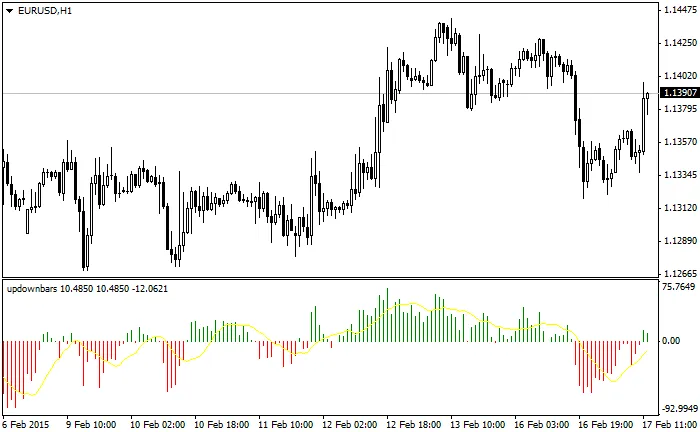
Hey fellow traders! Today, let's dive into the UpDownBars indicator for MetaTrader 4. This handy tool helps you track market momentum by counting the Up bars (where the Close price exceeds the Open price) and Down bars (where the Close price is less than the Open price).
How It Works:
To break it down:
- n = Up bars (Close > Open, starting from the first bar = 1, ending at bar = n)
- m = Down bars (Close

In my experience, using this oscillator indicator is a game changer! It’s best to use it for filtering your entries: when the UpDownBars indicator is above 0, consider only short positions. Conversely, when it's below 0, focus on long positions. This way, you'll be aligning your trades with the market's momentum.
Let’s Talk Inputs:
- UpDown_Period = 20 // This sets the period for calculating the UpDown bar indicator.
- Average_Period = 10 // This is the period for calculating the Moving Average on the indicator.
- Average_Method = Simple // This defines the method of Moving Average used.




Comments 0