
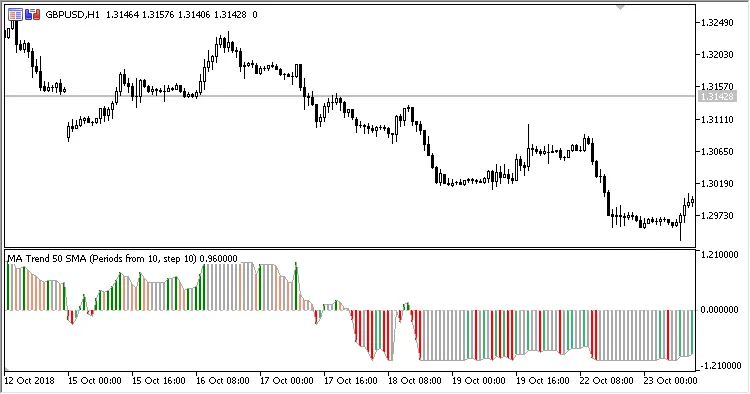
The MA Trend indicator is a powerful tool for traders using MetaTrader 5. This oscillator provides insights by comparing the price's position relative to a fan of Moving Averages (MAs), making it easier to spot the current market trend. The results are displayed as a colorful histogram in a separate window, giving you a clear visual of market dynamics.
Here’s a quick rundown of the five input parameters you’ll need to set up:
- First MA period: This is the period for your initial Moving Average in the fan.
- Step: This defines the period increment for the subsequent Moving Averages.
- MA count: The total number of Moving Averages you want in your fan.
- Method: The calculation method for the Moving Averages.
- Applied price: The price used in the Moving Average calculations.
To understand how the MA Trend is calculated, here’s the formula:
MA_Trend = Sum(S) / MA count
Where:
- If the Close is above the MA
S(N) = 1
- If the Close is below the MA
S(N) = -1
N = the index of the Moving Average within the fan
MA = MovingAverage(Applied price, PeriodN, Method)
PeriodN = First MA period + Step * N




Comments 0