
As traders, we know how crucial it is to understand market conditions. That's why I often use the Volatility Bar Indicator in my trading systems to help differentiate between volatile and flat market conditions.
For best results, I recommend using the M5 timeframe.
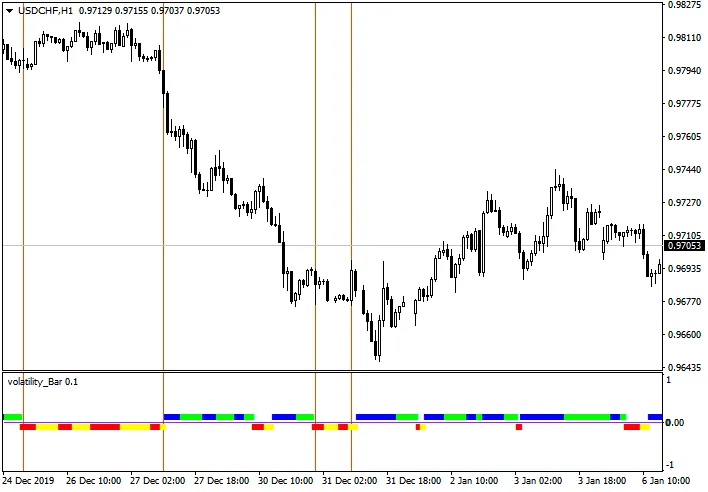
This indicator displays a straight line in a separate window below your main chart. Here’s what the colors indicate:
- Red: Strong flat market
- Yellow: Weak flat market
- Blue: Strong volatility
- Green: Weak volatility
If you want to check it out, you can find it here.
The Volatility Bar Indicator calculates the maximum range of the previous 5 bars, adjusted by a coefficient and smoothed out for clarity. It also features a threshold level of volatility and a coefficient that you can tweak using external variables.
inputint bar = 6; // number of bars to calculateinputint koef = 50 // candle division ratioinputdouble level = 0.75; // midline volatility level




Comments 0