
Author:
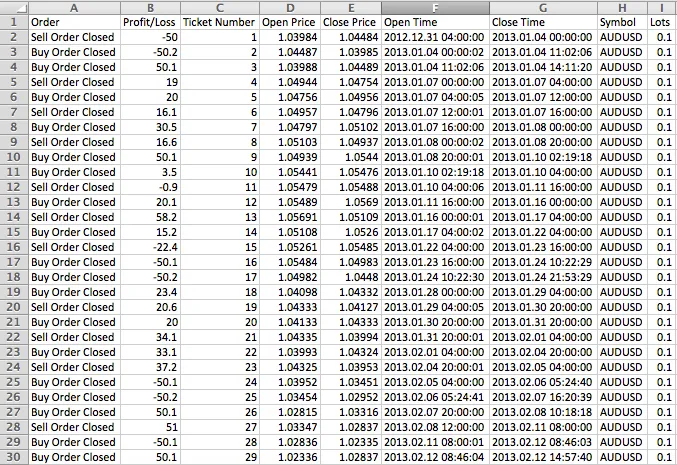
If you're looking to keep track of your trading performance, exporting your trade details to a CSV file is a smart move. Whether you're backtesting strategies or executing live trades, this process will help you stay organized.
Here’s how it works: First, you’ll need to input your trading logic within the Signal() function. For long signals, return 1, and for short signals, return 2. Then, simply name your CSV file and either run a backtest or attach it to your live chart. When trading live, the latest trade information will automatically be added to the last line of your file.
Now, where can you find your exported files? If you're exporting from a backtest, you’ll find your CSV in the <terminal_data_folder>\tester\files. For live trading, check the <terminal_data_folder>\MQL4\Files directory.




Comments 0