
Idea by: Alberto Tortella
MQL5 Code Author: barabashkakvn
Input Parameters Explained
- Lots - This is your position volume, which is always fixed; dynamic calculations aren't in play here.
- Stop Loss - Set your stop loss here. Remember, "0.0" means it's turned off.
- Take Profit - Configure your take profit level. Again, "0.0" means it's off.
- Trailing Stop - This sets up your trailing stop. "0.0" means you've disabled it.
- Trailing Step - Define your trailing step here.
- Number of Elements - This parameter determines how many bars will be checked to find the highest and lowest points.
- Moving Average First - Let's dive into the first moving average parameters:
- MA First: Set your averaging period;
- MA First: Define the horizontal shift;
- MA First: Choose the smoothing type;
- MA First: Select the price type or handle.
- Moving Average Second - Now for the second moving average parameters:
- MA Second: Set your averaging period;
- MA Second: Define the horizontal shift;
- MA Second: Choose the smoothing type;
- MA Second: Select the price type or handle.
- MACD - Parameters for the MACD indicator:
- MACD: Period for calculating the Fast average;
- MACD: Period for the Slow average;
- MACD: Period for averaging their difference;
- MACD: Choose the price type.
- Magic Number - This is your unique EA identifier.
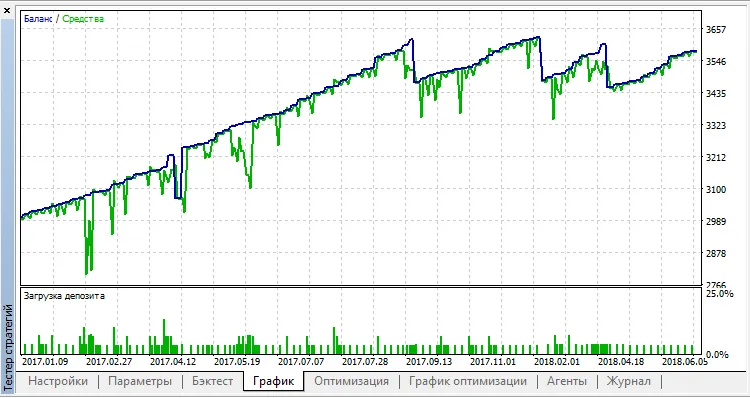
For trading the EUR/USD on an H1 chart, remember: "Every tick is based on real ticks."




Comments 0