
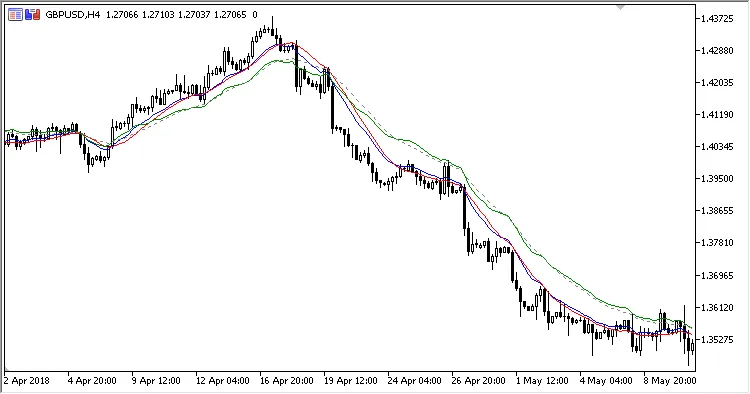
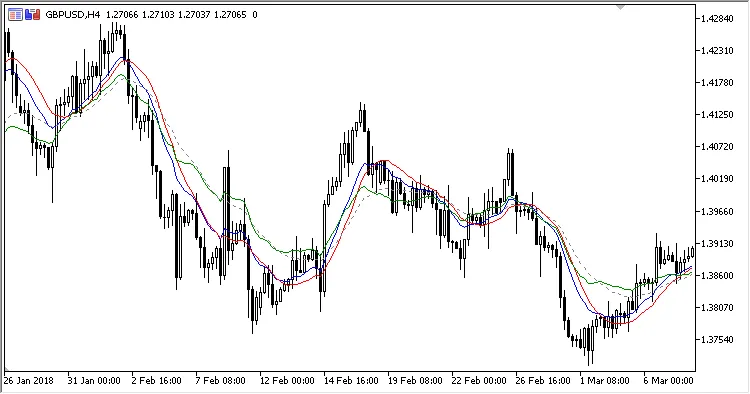
Hey there, fellow traders! If you’re looking to enhance your trading strategy, the On-Screen MACD indicator for MetaTrader 5 might just be what you need. This handy tool is displayed right on your main price chart, using the Slow EMA as the zero line, which makes it super easy to visualize your data.
Let’s dive into the four adjustable parameters that you can tweak to fit your trading style:
- Fast EMA Period – This sets the pace for your fast-moving average.
- Slow EMA Period – This determines the slower moving average.
- Signal Period – This is the calculation period for the signal line.
- Applied Price – This is the price you want to use for your calculations.
Now, let’s break down how these calculations work:
MACD = EMA(Applied Price, Fast EMA Period)
Zero = EMA(Applied Price, Slow EMA Period)
Signal = Zero + SMA(RAW, Signal Period)
Histogram = Zero + MACD - Signal
In this context:
RAW = MACD - Zero




Comments 0