
Hey fellow traders! Have you ever felt the sting of a market move against you? It happens to the best of us. But fear not, because today we're diving into the Zone Recovery strategy, an advanced hedging system that can help you turn those losses into gains.
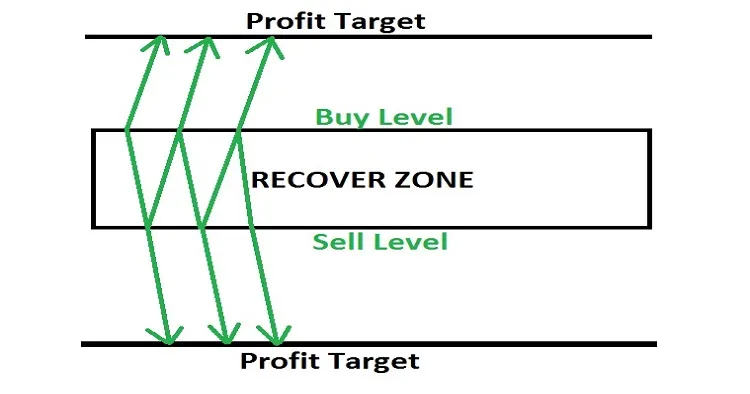
Here's how it works: when the market goes against your position by a certain number of pips, you open an opposite trade with a slightly larger lot size. This strategy can really come in handy when the market is volatile.
- If the market continues in this new direction, eventually the profit from your new trade will surpass the loss from the original one. At that point, you can close both trades and pocket the difference.
- However, if the market reverses back to the original direction, the trade with the larger lot size will start to accumulate losses faster than the older trade is gaining. In this case, calculate and open another trade in the original direction. This way, the combination of your initial trade and the new one will be larger than the second trade.
- This back-and-forth hedging strategy can be repeated up to six times until the market moves to a point where you can either break even or make a profit.
- For best results, use this strategy with "every tick" data.
- And remember, always test it out on a demo account first!
Now, let’s talk about the different versions of the EA you can use:
- Version 1 - ZONE RECOVERY AREA: Works with live trading with a limited lot size.
- Version 2 - ZONE RECOVERY AREA VERSION II: Allows live trading with unlimited lot size.
- Version 3 - ZONE RECOVERY AREA VERSION III: Lets you add or multiply lot size.
Inputs List:
- Use_TP_In_Money - Use Take Profit In Money (values: true/false).
- TP_In_Money - Take Profit In Money (values: 10-100).
- Use_TP_In_percent - Use Take Profit In Percent (values: true/false).
- TP_In_Percent - Take Profit In Percent (values: 10-100).
- ------------[Money Trailing Stop For Multiple Trades]----------------------
- Enable_Trailing - Enable Trailing with money (values: true/false).
- Take Profit In Money (in current currency) (values: 25-200).
- Stop Loss In Money (in current currency) (values: 1-20).
- --------------------------------------------------------------------------------------
- TakeProfit - values: 100-200.
- Zone_Recovery_Area - values: 50-80.
- Period1 - Fast Moving Average, values: 10-50.
- Period2 - Slow Moving Average, values: 100-200.
- Multiplier - Multiplier for lot size, values: 0.01-1.
- Make sure to optimize this EA every few months and use the exact same inputs listed above.
- How to perform a backtest: Check out this link: Backtest Guide
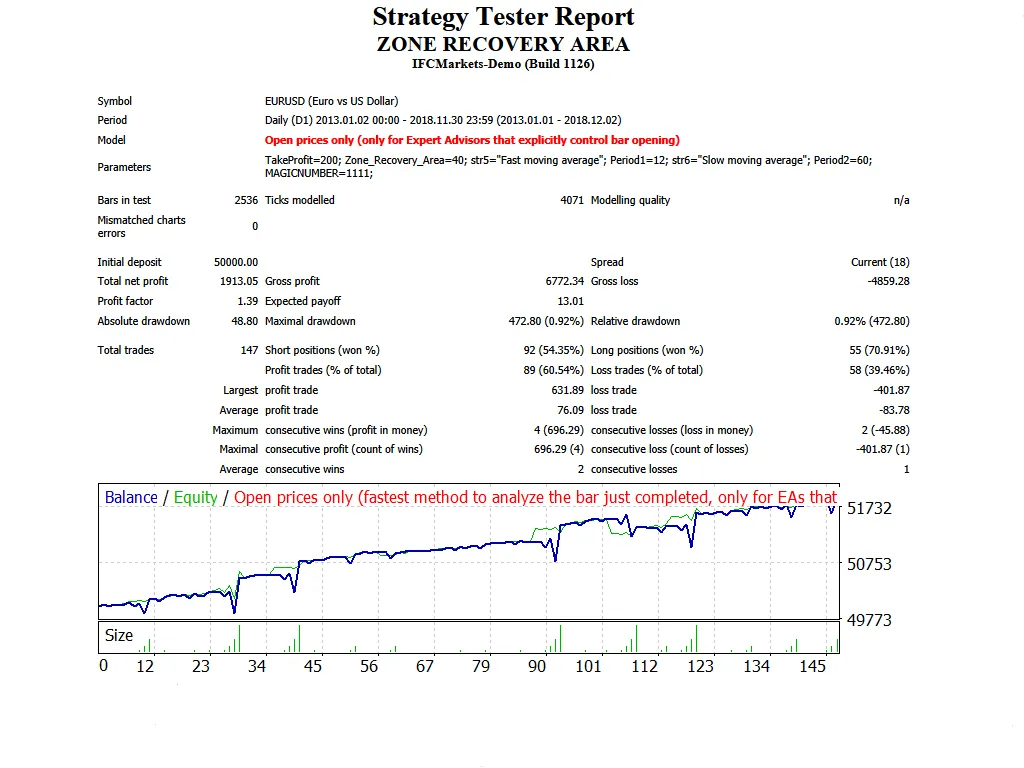
Want to see the Zone Recovery Hedging Strategy in action? Check out this YouTube video:




Comments 0