
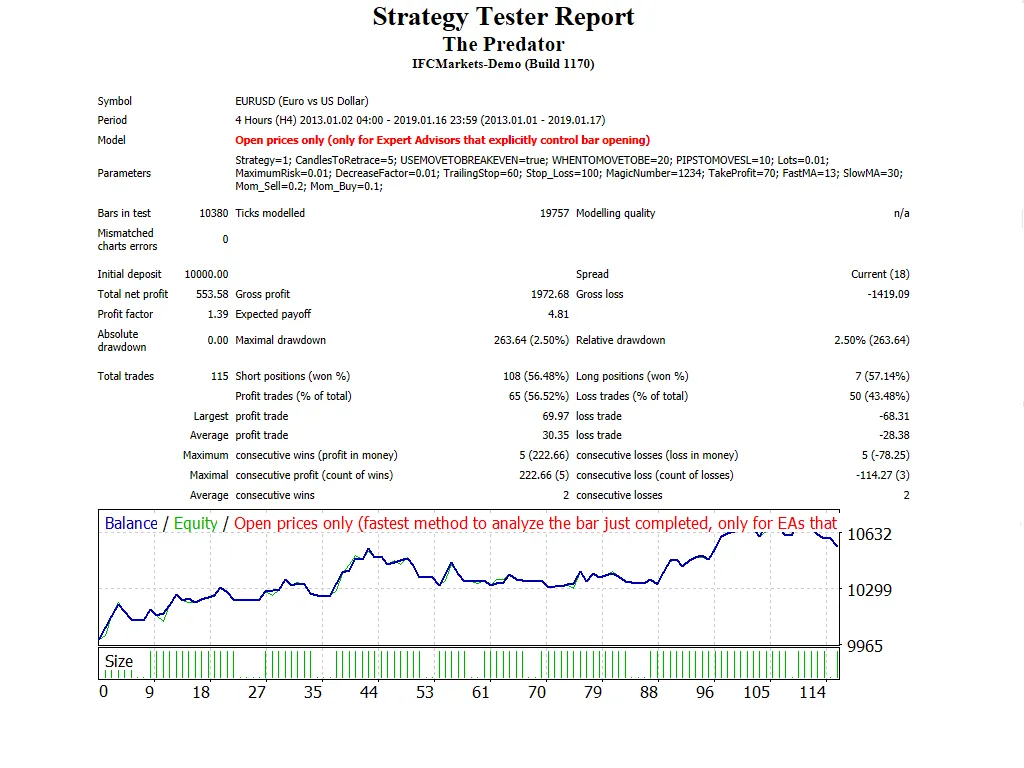
If you're on the hunt for a robust trading solution, look no further than The Predator EA. This expert advisor is designed to operate on MetaTrader 4 and employs two dynamic trading strategies. With features like Trailing Stop Loss and Take Profit, it’s versatile enough to work across all time frames, making it perfect for major forex pairs and NASDAQ stocks.
Before diving in, let’s break down what makes The Predator EA tick:
- Trade Volume: Adjusts based on previous trading results, giving you a tailored approach to your trading.
- Risk Management: You can cap your maximum risk (expressed as a percentage of your deposit) for each trade.
- If you prefer a fixed lot size—say, 0.01 lots—set
MaximumRisk = 0andDecreaseFactor = 0. - Otherwise, it will calculate the position size based on your deposit percentage and Maximum Risk.
- Demo First: Always test on a demo account before going live!
- This EA executes trades based solely on the open candle’s price.
Key Inputs:
Use_TP_In_Money:Enable Take Profit in money (values: true/false).TP_In_Money:Set your Take Profit in money (values: 10-100).Use_TP_In_percent:Enable Take Profit in percentage (values: true/false).TP_In_Percent:Set your Take Profit in percentage (values: 10-100).- ---------------------------------
Enable_Trailing:Turn on trailing with money (values: true/false).Take Profit In Money:Set in current currency (values: 25-200).Stop Loss In Money:Set in current currency (values: 1-20).- ---------------------------------
Exit:Close trades if the trend turns against you to manage drawdown (values: true/false).Strategy:Choose between two strategies (Strategy1, Strategy2).Lots:Set your lot size (values: 0.01-10).MaximumRisk:Set your maximum risk from total margin in % (values: 0.01 - 0.3).- If
MaximumRisk = 0, then the lot size remains constant. DecreaseFactor:Decrease your total margin if you hit a losing trade.Stop_Loss:Set your stop loss (values: 10-100).TakeProfit:Set your take profit (values: 10-100).FastMA:Set the fast moving average (values: 1-20).SlowMA:Set the slow moving average (values: 50-200).Distance:Distance between the two averages (values: 10-60).Mom_Sell:Momentum sell trigger (values: 0.1-0.9).Mom_Buy:Momentum buy trigger (values: 0.1-0.9).Max_Trades:Set the maximum number of trades (1-12).- ---------------------------
- For Single Trade Users:
TrailingStop:Set a value from 40 to 100 to activate trailing stop loss & take profit; set to 0 to deactivate.Enable "Break Even":(values: true/false).When move "Break Even":(values: 5-30).How much pips move "Break Even":(values: 5-30).
Remember to optimize this EA every few months using the settings mentioned above. You can also utilize it as a hedging grid EA or a single trade EA.
Want to learn how to backtest? Check out this backtesting guide.




Comments 0