
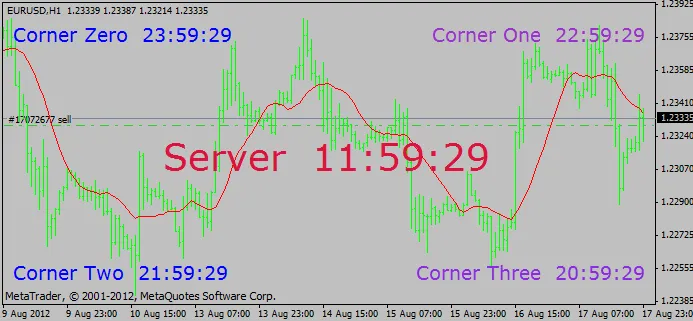
If you're trading on MetaTrader 4, you know that every second counts. That's where the Clock indicator comes in handy. In this guide, I'll show you how to effectively use this simple yet powerful tool on your chart.
Getting Started with the Clock Indicator
The Clock indicator can be placed multiple times on your chart—up to five, to be exact. This flexibility allows you to keep track of different time zones or just to enhance your trading setup visually.
Limitations to Keep in Mind
- Single Time Display: Remember, you can't place two clocks showing the same time on your chart. Each clock must reflect a unique time setting.
- Available Options: While there are other clock indicators available in Code_Base, I found that the Online Library in MetaEditor lacks a simple clock indicator like this one.
In the fast-paced world of trading, having the right tools can make all the difference. By incorporating the Clock indicator into your trading setup, you can better manage your time and stay on top of market movements.
Happy trading!
Regards,
Tjipke




Comments 0